



Key Takeaway: In this Quetext Plagiarism Checker Review, we found out it is a solid pre-submission plagiarism checker for essays and short assignments, but it’s not a Turnitin replacement. Use it as a first pass, not a final guarantee.
- Strong at catching direct copy-paste; weaker on AI-paraphrased or heavily rewritten text
- Free plan is capped at 500 words; paid plans start at $8.25/month
- Turnitin checks institutional databases; Quetext checks web sources. Results will differ
- Always combine with a second tool for high-stakes submissions
- Flag a section, rewrite it, then rescan before submitting
Many students and authors have this biggest fear that what if, just before submitting, their work gets identified as plagiarized? Because properly researched and cited work can also trigger plagiarism alerts due to common phrases, citations, or reuse of sources.
Tools like Quetext promise to identify such potential issues prior to submission and protect the author’s work from allegations of plagiarism.
So the real question is: Is Quetext accurate enough to rely on before submission?
In this Quetext plagiarism checker review, we will answer it completely by explaining what Quetext actually checks, how its DeepSearch technology works, how accurate it is in different plagiarism scenarios, and how the free and paid plans compare.
We will also look at Quetext vs Turnitin and Grammarly, their limitations, best alternatives for students, and supporting tools that you may require.
Quetext Plagiarism Checker Review: Quick Verdict for Students
If you want a quick answer before reading the full Quetext review, here is what students should know.
| Quetext is a good option if you | Quetext may not be the best option if you |
| Need a simple plagiarism checker for essays, blog posts, or short assignments | Need results similar to Turnitin used by universities |
| Want clear reports with highlighted sources and color-based similarity feedback | Want strong detection for heavily paraphrased or AI-rewritten text |
| Plan to run a quick originality check before submitting your work | Need unlimited scans on the free plan |
| Prefer an affordable tool compared to institutional systems | Are you submitting high-stakes research papers that require institutional-level databases |
If the plagiarism detector flags your writing or if you feel like you’ve copied something from the original source, you will have to go back into your writing to make sure the sentences are rewritten. For revising it, you need to use an AI humanizer to improve the flagged sections and to make sure that your writing is readable.
If you are comparing different rewriting tools, reading a GPTinf review can help you understand how some AI rewriting platforms approach humanization and detection risk.
Quetext Review: Quick Overview
For students who are in a hurry, here is an overview of how Quetext functions and where it will be useful to you.
| Feature | Quetext |
| Tool type | Plagiarism checker for students and writers |
| Free plan limit | Up to 500 words |
| Key technology | DeepSearch plagiarism detection |
| Report style | Color-coded similarity report with source links |
| Best for | Basic plagiarism checks for essays and assignments |
| Not ideal for | Institutional-level checks like Turnitin |
| Pricing | Free plan + paid plans with monthly word credits |
| Overall accuracy | Good for copy-paste detection. Weaker for heavy paraphrasing |
What Quetext Actually Checks: Plagiarism vs AI Detection
There is no need for confusion. The plagiarism detection of Quetext and the AI content detection are two completely different tests within Quetext.
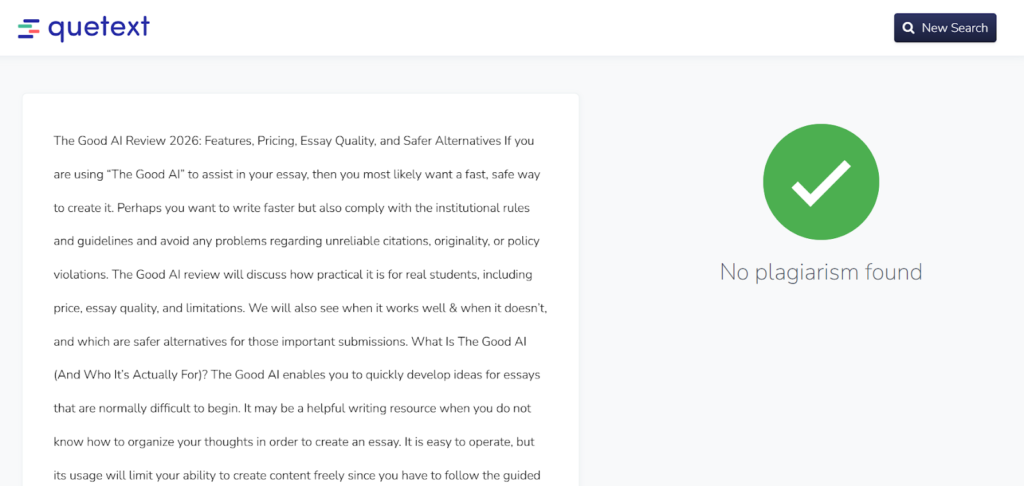
Plagiarism detection
This tool scans your text against online sources to identify matching or similar content. The purpose of plagiarism detection is to assist students with checking for originality before submitting their work, such as essays, assignments, and reports.
AI content detection
Quetext also includes an AI detector that estimates whether a passage may have been written by an AI system.
In practice, most students use Quetext primarily for plagiarism checking, while the AI detector is an additional feature available in the tool.
How Quetext Actually Works
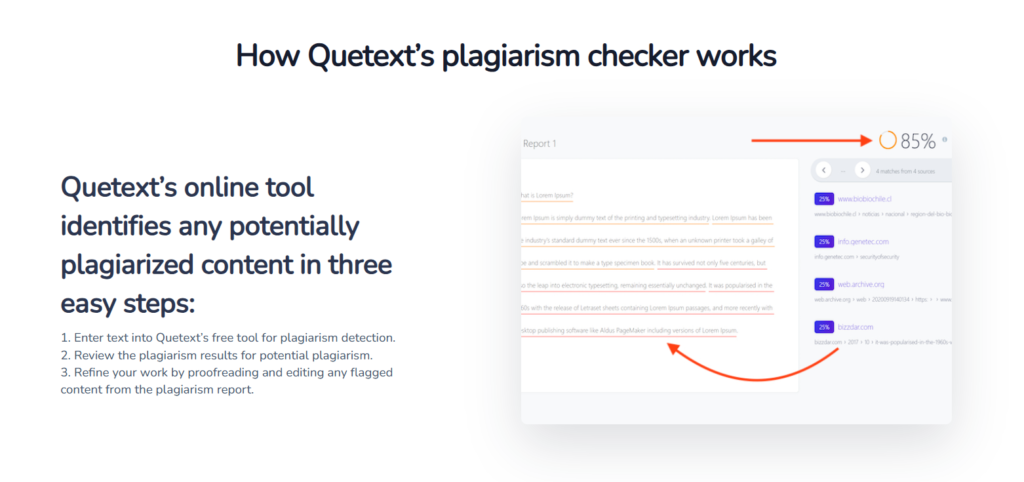
Quetext uses DeepSearch to scan your text against online sources. It searches for exact matches and phrases with a similarity to determine whether you have plagiarized your text or merely paraphrased another author’s words.
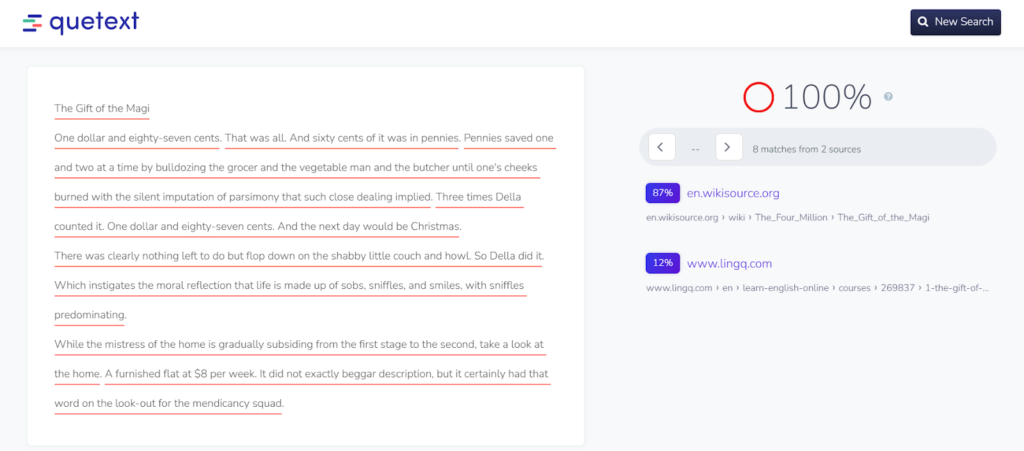
Quetext also provides you with a ColorGrade Report after searching for plagiarism in your paper. The report is based on different color schemes.
Typically, red will indicate an exact match to another source’s work, while lighter shades of the other colors will indicate some degree of similarity in wording from a previous publication.
Depending on the amount of similarity you see, you can determine whether you should rewrite the portion of your paper or add proper citations.
If you see a lot of red, then it requires rewriting, whereas if you see light colors, it simply means you have to paraphrase that area of your paper better to avoid plagiarism
Accuracy Framework: The Only Way to Judge if Quetext Is Reliable
To understand whether a plagiarism checker is reliable, students need to test it across different types of plagiarism using this rubric. Each scenario checks how well the tool detects common writing risks.
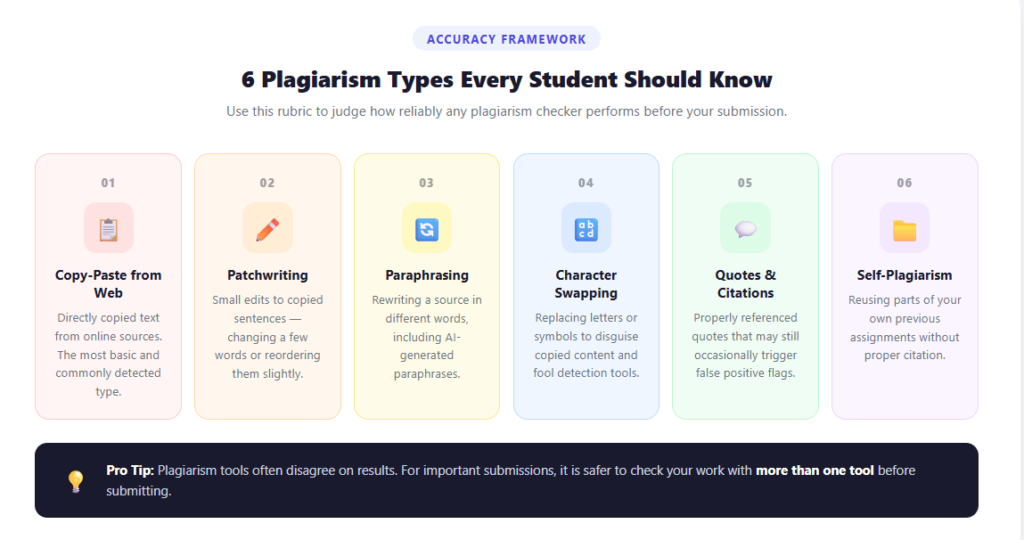
- Copy-paste from the web: Directly copied text from online sources.
- Patchwriting: Small edits to copied sentences, such as changing a few words or sentence order.
- Paraphrasing: Rewriting a source in different words, including AI-generated paraphrases.
- Character swapping: Small techniques like changing letters and symbols to disguise the fact that you are copying someone else’s work.
- Quotes and citations: Properly referenced quotes that may occasionally trigger false positives.
- Self-plagiarism: Reusing parts of your own previous assignments without citation.
Plagiarism tools often disagree on results. For important submissions, it is safer to check your work with more than one tool before submitting.
Quetext Accuracy Results: What It Catches Well vs Where It Fails
Testing across different plagiarism scenarios shows that Quetext performs differently depending on the type of content being checked.
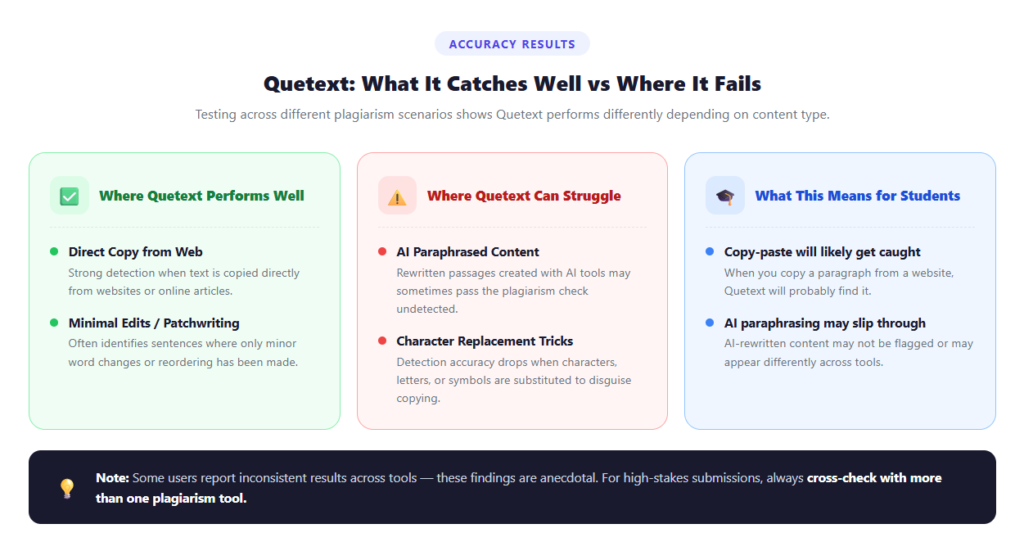
Where Quetext Performs Well
- Direct copy from web sources: Strong detection when text is copied directly from websites or online articles.
- Minimal edits or patchwriting: Often identify all of the sentences where you have made very minor word changes.
Where Quetext can Struggle
- AI paraphrased content: Rewritten passages created with AI tools may sometimes pass the plagiarism check.
- Replacement tricks: Detection accuracy reduces because of the substitution of characters, letters, and symbols.
What This Means for Students
- When you copy a paragraph from a website, Quetext will probably be able to find it.
- When you AI paraphrase a source, the result may slip through or appear differently in other plagiarism tools.
Some users comment that they have found variations in how different plagiarism detection works, resulting in inconsistent results. These comments are anecdotal and are generally based on a single test case.
Pricing Plans Explained (What You Actually Pay for)
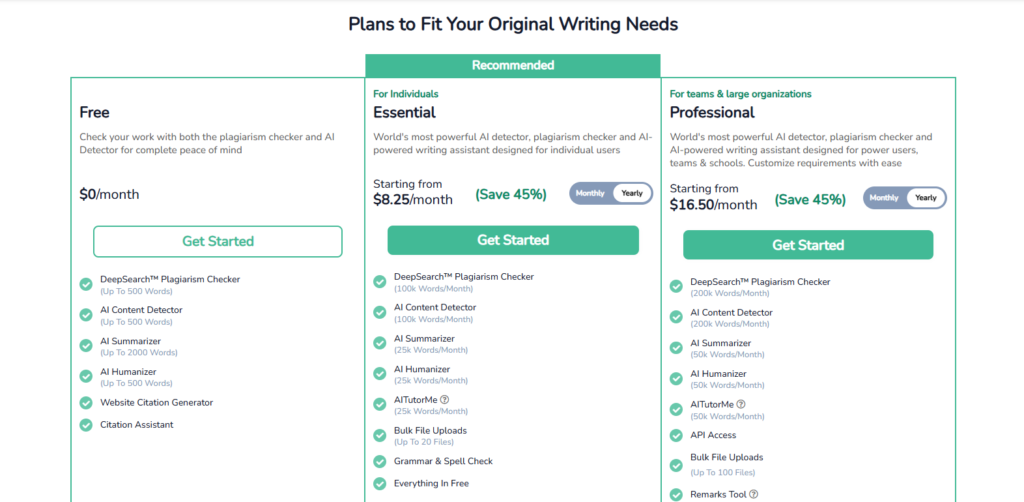
Quetext offers three plans for students and writers. The free plan allows a small number of words, while the paid plans provide much higher monthly limits and additional writing tools.
| Plan | Price | Word Limits | Key Features |
| Free | $0 per month | 500 words total | DeepSearch plagiarism checker, AI content detector, AI summarizer, AI humanizer, citation generator, citation assistant |
| Essential | Starting from $8.25 per month | 100K plagiarism words per month, 100K AI detector words | AI tools, bulk file uploads, grammar and spell check, everything is free |
| Professional | Starting from $16.50 per month | 200K plagiarism words per month, 200K AI detector words | API access, bulk uploads up to 100 files, remarks tool, and advanced AI tools |
The free plan works for quick checks, but most students will need the Essential plan if they are checking full assignments or longer essays.
Because the paid plans use monthly word credits, it is usually better for students to subscribe during busy writing periods, such as midterms or final assignments, rather than keeping the plan active all semester.
Quetext Free vs Paid: Limits Students Should Know
Quetext offers both free and paid plans, but the free version comes with strict limits.
Free Plan
- Total limit of 500 words
- Basic plagiarism check only
- Works best for checking small sections of text
Student Tip
- Scan the highest risk sections first, such as introductions, paraphrased sources, or conclusions.
Paid Plans
- Up to 100K to 200K words per month, depending on the plan
- Supports bulk file uploads and detailed reports
- Better suited for students working on multiple assignments or longer essays
Quetext vs Turnitin vs Grammarly Plagiarism Checker: Student Reality Check
Quetext vs Turnitin
- Turnitin is used by universities and checks against institutional databases, student submissions, and academic journals.
- Quetext is a consumer tool that mainly scans web sources.
- Results can differ because the databases and detection systems are not the same.
Quetext vs Grammarly
- Grammarly includes a plagiarism checker, but some users report inconsistent detection in certain cases.
- Discussions on Reddit suggest Grammarly may miss obviously copied content depending on the source.
- Quetext is often used specifically for plagiarism scanning, while Grammarly focuses more on writing assistance.
Quetext vs Lightweight Free Checkers
- Tools like SmallSEOTools provide basic free plagiarism scans.
- Quetext generally offers cleaner reports and deeper scanning, but comparisons published by Quetext itself should be viewed with caution since they are self-published
Students submitting through Blackboard have a third institutional option - SafeAssign, built directly into their LMS. Our SafeAssign review covers how its scoring bands compare to Turnitin’s and where it falls short.
Limitations and Common Student Pitfalls
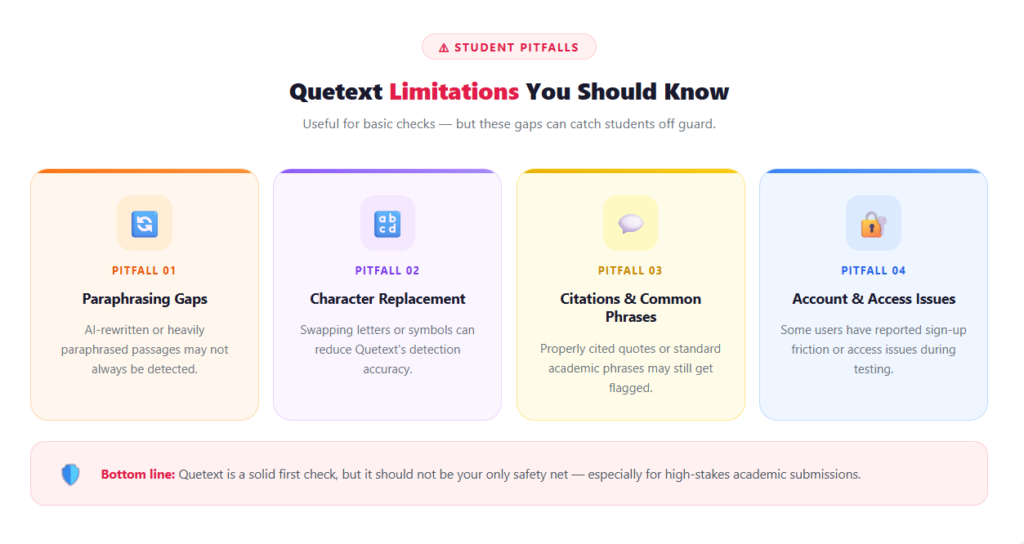
Quetext is useful for basic plagiarism checks, but it cannot solve every originality problem students face.
- Paraphrasing gaps: AI paraphrased content or heavily rewritten passages may not always be detected.
- Character replacement tricks: Small changes like swapped characters can sometimes reduce detection accuracy.
- Citations and common phrases: Proper quotes or common academic phrases may still get flagged. Use proper citation methods and quotation formatting while referencing.
- Account or access issues: Some users have reported sign-up or access friction during the testing phase.
Best Alternatives to Quetext (Pick Based on Your Submission Context)
Students often choose plagiarism tools based on where they are submitting their work and how detailed the check needs to be.
| Tool | Best For | Key Strength | Cost | Limitation |
| Quetext | Basic essay checks | Clear reports with DeepSearch scanning | Free plan + paid from about $8.25 per month | Limited free word count |
| Turnitin | University submissions | Large academic database used by institutions | Usually, institutional access only | Not normally available to individual students |
| Grammarly Plagiarism Checker | Writing plus plagiarism check | Built into a writing assistant used for grammar and style | Grammarly Pro starts at around $12 per month | Detection accuracy can vary |
| Copyscape | Web content and blogs | Strong detection for copied web pages | Pay per scan. About $0.03 per 200 words | Not designed for academic papers |
| SmallSEOTools | Quick free checks | Completely free online plagiarism checker | Free | Basic detection and limited reporting |
| Scribbr Plagiarism Checker | Research and academic papers | A similar checking approach is used by universities | $19.95 to $39.95 per document | Higher cost for large documents |
| DupliChecker | Free plagiarism scans | Simple interface and free usage | Free plan, paid plans around $10 to $20 per month | Reports are less detailed than premium tools |
Students often use plagiarism tools as a first check before submission, but flagged passages may still require rewriting or clearer citations.
For students who want a quick web-based similarity check without a word credit limit, a Plagium review covers how its Quick Search and Deep Search modes compare and whether it fits a typical student submission workflow.
Helpful Tools Students Use Alongside Plagiarism Checkers
A plagiarism checker alone is not always enough. Students often combine it with writing, editing, and verification tools to reduce errors and improve the final draft.
| Tool | What It Helps With | When Students Use It |
| Walter Writes AI | Humanizes AI-written text and checks AI detection risk | After drafting to make the writing sound more natural, before submission |
| Proofademic | Line-by-line academic AI detection | When students want to verify academic tone and clarity |
| Grammarly | Grammar, clarity, and readability improvement | During final editing to fix language errors |
| QuillBot | Paraphrasing and sentence rewriting | When sentences need better flow or reduced similarity |
| Writefull AI | Academic writing suggestions and language improvement | While refining research papers or essays |
Students researching similar tools sometimes look at reviews of the best AI humanizers to compare features, pricing, and rewriting quality before choosing one.
Practical Tool Stacks Students Use Before Submitting Essays
The Safe Submission Stack
Good For: Students who want to check plagiarism risk and polish their essay before submitting an assignment.
Tools:
- Quetext ($8.25/month) - Plagiarism detection using DeepSearch
- PaperTyper (Free) - Quick essay drafts and citation assistance for basic assignments
- Walter Writes AI ($8/month) - Humanizing text and checking AI detection risk
- Grammarly (Free) - One of the best grammar checkers for improving clarity, grammar, and readability
Cost Per Month: $17 (using Grammarly free version)
Limitation: Plagiarism detection tools cannot guarantee that a document will never trigger similarity flags in academic systems like Turnitin.
The Research Essay Stack
Good For: Students writing research papers, essays, or assignments that require citations and academic references.
Tools:
- Google Scholar (Free) - Finding academic papers and credible references
- QuillBot (Free) - Paraphrasing and rewriting complex sentences
- Quetext ($8.25/month) - Checking similarity and plagiarism risk
- Walter Writes AI ($8/month) - Humanizing text and checking AI detection risk
Cost Per Month: $16-$30, depending on QuillBot plan
Limitation: Paraphrasing tools should still be reviewed manually to ensure proper citations and academic tone.
The Budget Student Stack
Good For: Students who want basic plagiarism checking and writing support without paying for expensive tools.
Tools:
- Quetext ($8.25/month) - Basic plagiarism checking
- The Good AI ($5/month) - Draft ideas and structure explanations
- Walter Writes AI ($8/month) - Humanization of AI-generated drafts
- Proofademic ($8/month) - Academic AI detection risk
- Cost Per Month: $30
Limitation: Free plans usually have limited plagiarism scan word counts and fewer writing suggestions.
These resources may assist in reviewing your daily submissions. If you would like to see a full range of the AI tools that assist in both your writing, editing, and research processes, we have provided information in our article about AI study tools to show you the various ways that academic work is supported through AI technology.
FAQs
Is Quetext Reliable for Plagiarism?
Quetext is generally reliable for detecting direct copy-paste from web sources and basic plagiarism. However, it can be weaker when dealing with heavily paraphrased content, AI rewritten text, or character swaps. For important submissions, students often use more than one checker.
What is The Most Trusted Plagiarism Checker?
The most trusted plagiarism checker often depends on the institution and database being used. Turnitin is widely used by universities to compare text submitted against a database of academic articles and other student submissions. Tools such as Quetext can work as pre-submission review tools for students to get an idea of their work.
How Does QueText Detect Plagiarism?
Quetext uses DeepSearch technology to scan text against online sources. It also provides results of the similarity in content using a ColorGrade similarity report for matching or similar content.
Can ChatGPT Run a Plagiarism Check?
No. ChatGPT does not have access to the internet or academic databases, as plagiarism detection software does. It may be able to assist you in rewriting your own sentences, improving citation format, or making sentence clarity better, but you will still need an independent plagiarism detection tool to check for originality.
How Does Quetext Compare to Grammarly?
Quetext is primarily a plagiarism detection tool, whereas Grammarly is a writing and grammar checking assistant with a plagiarism detection feature. Based on some users’ discussion forums, it appears that Grammarly may fail to identify specific instances of copied text. So, the results may vary based on the source.
What Are the Limitations of Quetext?
Quetext may be less effective at identifying the plagiarized work that contains AI rewritten text, as well as character-replaced escaping methods. The free plan is also limited to 500 words, and some users report minor account or access issues.
Final Recommendation for Students
Quetext is useful as a preliminary plagiarism screening tool, but it should not be your only safety step for important assignments, especially when your writing includes heavy paraphrasing.
To create a plagiarism protection system, students can simply follow the workflow below:
- Write with responsibility and note your sources as you write
- Conduct plagiarism checks on all drafts before finalizing submissions
- Add proper citation and revise similar portions in your draft that are risky and show similarity
- Always review and edit any text that has been produced using AI tools to increase clarity and readability.
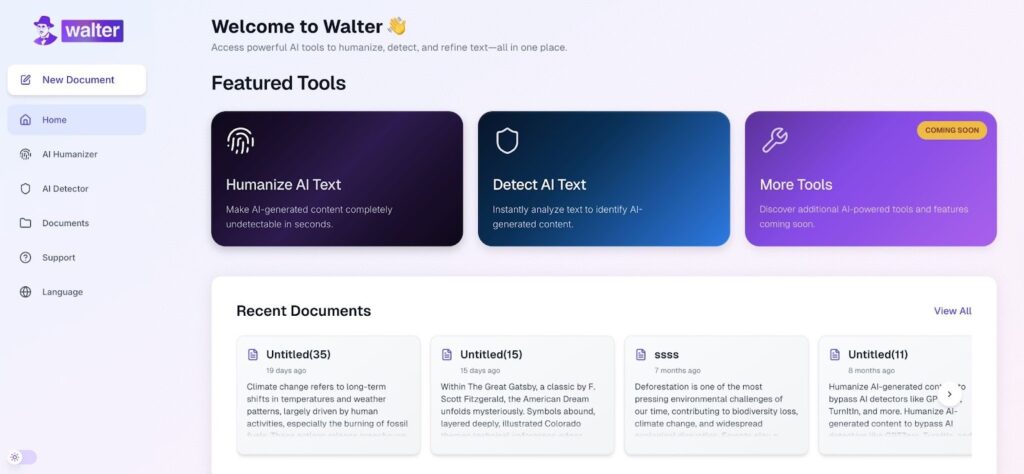
You can also utilize Walter Writes AI for the final edit of your paper to help ensure that there will be no unnatural flow of writing within your paper. Moreover, it will detect any red flags that could cause you to be flagged by AI detection.
For the Blackboard-bundled comparison, see Does SafeAssign Detect ChatGPT? covering how it handles AI text alongside the traditional similarity check.
