



After spending several weeks with WriteHuman, I decided to put it through a series of real-world tests.
I fed it various types of AI-generated content: blog posts, academic essays, marketing copy, and even technical documentation.
The goal was to see if WriteHuman could effectively humanize these texts and help them bypass AI detectors like Turnitin and GPTZero.
The results were mixed. For shorter, less complex content, WriteHuman performed admirably. The rewritten text flowed naturally, and in many cases, it passed AI detection tools without issue.
However, when it came to longer or more technical pieces, the tool struggled. Some sentences became convoluted, and the overall coherence suffered.
With AI detection tools like Turnitin and GPTZero, and emerging platforms like Originality, it’s getting harder to submit AI-generated content without being flagged. Whether you’re a student, writer, or professional, having your work mistaken for machine-written can cost you grades, trust, or credibility.
WriteHuman AI claims to solve this growing challenge by transforming robotic-sounding text into natural, human-like writing. But how well does it actually perform and is it truly undetectable?
In this WriteHuman AI Review, we’ll explore how WriteHuman works, how it compares to other tools like Walter Writes AI Next Gen AI Humanizer, and whether it delivers reliable results for bypassing today’s most advanced AI detectors.
What Is WriteHuman AI and How Does It Work?
Overview of the Tool
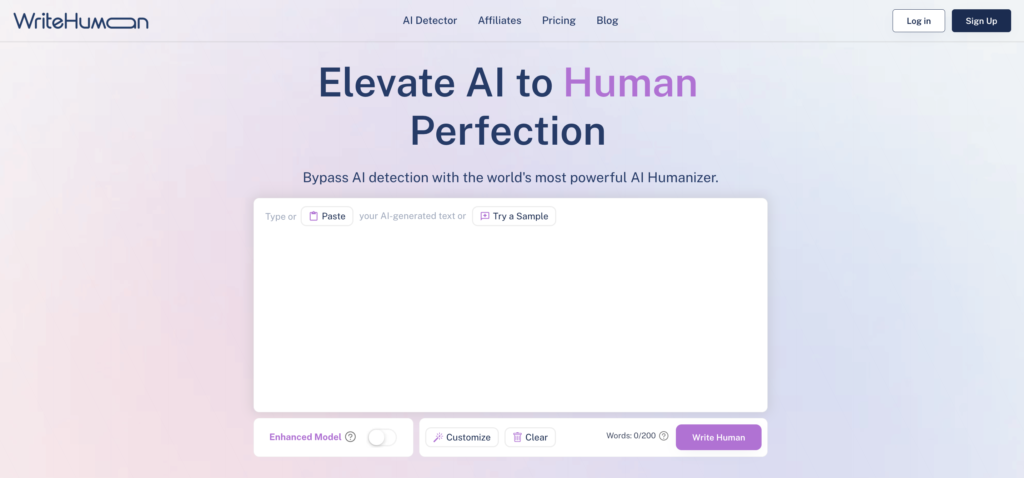
WriteHuman AI is a browser-based AI rewriting tool designed to help users convert AI-generated content into more natural, human-like writing.
Its primary use case is bypassing AI detection tools by refining robotic text. It targets students, professionals, and content creators who rely on AI but need their output to pass as authentic, human-written material.
Users can paste AI-generated content into the interface, toggle features like “Enhanced Model,” and click “Write Human” to receive reworded content that claims to be less detectable by platforms like Turnitin and GPTZero.
Key Features at a Glance
- AI Detection Bypass: Attempts to reword text so it removes AI detection signals.
- Enhanced Model: Toggle for deeper rewriting (available in paid plans).
- Customization Options: Basic tone and rewrite level controls.
- Real-Time Interface: Paste, rewrite, and copy output within seconds.
- No Account Required (Basic Use): Try samples without logging in.
Is WriteHuman Really Undetectable?
That depends on the AI detection tool you’re up against.
In casual tests, WriteHuman has shown some success bypassing GPTZero and other lightweight checkers.
However, when tested against stricter platforms like Turnitin and Originality.ai, results were inconsistent. Users report mixed outcomes, and in academic or high-stakes professional use cases, relying solely on WriteHuman may not guarantee safety from detection.
For users needing high accuracy and reliability, tools with more advanced rewriting depth and detection feedback like Walter Writes AI tend to outperform WriteHuman in real-world bypass scenarios.
Core Features of WriteHuman AI Humanizer
Here are the standout features that WriteHuman AI humanizer offers to help make AI content sound more natural:
1. Customizable Tone and Style
WriteHuman lets you adjust the tone and style of your writing to better suit your audience or purpose.
Whether you’re writing a formal email, a casual blog, or something more creative, WriteHuman provides simple customization options.
What it does well:
- Offers tone presets like formal, casual, and creative.
- Quick tweaks for specific content types like essays, emails, or articles.
- Basic word-level editing for more control over phrasing.
While the customization is useful for short pieces, it sometimes struggles with longer or more technical content. You may need to make manual edits for the final polish.
2. AI Detection Bypass
One of WriteHuman’s main promises is helping users bypass AI detection tools like Turnitin and GPTZero by rephrasing content to avoid recognizable AI patterns.
How reliable is it?
- It performs well against basic AI detection tools.
- However, with advanced systems like Turnitin, the results are hit or miss, especially for longer content.
If you’re working on important projects, this inconsistency can be a real concern.
3. User-Friendly Interface
WriteHuman keeps things simple with a clean, easy-to-use platform. Even if you’re not tech-savvy, you can get started without any confusion.
Highlights of the experience:
- Copy-paste functionality for quick content uploads.
- Fast processing times to rephrase text.
- Side-by-side previews so you can see the original and humanized versions.
The simplicity is great for casual users, but advanced features like bulk content processing or deeper customization options are missing, which could be a drawback for professionals handling large volumes of text.
Pricing and Plans
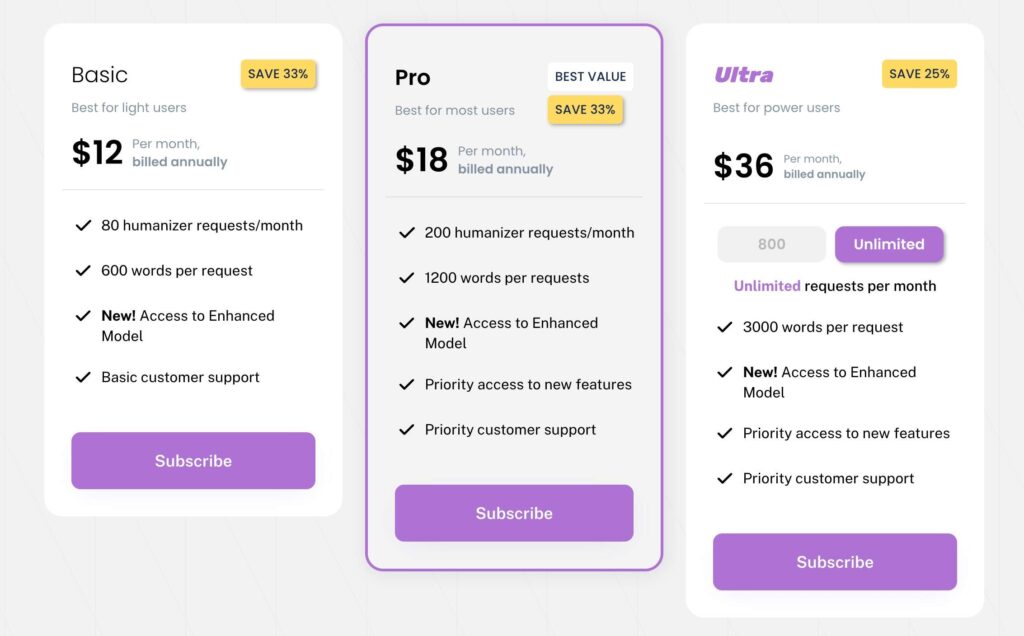
WriteHuman offers three affordable plans tailored to different user needs. Here’s a quick breakdown:
Who Should Choose Each Plan?
WriteHuman shines in specific scenarios. Content creators looking to humanize AI-generated blog posts or social media updates will find it particularly useful. The tool’s ability to adjust tone and style makes it versatile for various platforms and audiences.
Students aiming to refine their essays can also benefit, especially when seeking to avoid AI detection. However, it’s essential to review and edit the output to ensure it meets academic standards. For professionals crafting reports or presentations, WriteHuman can add a human touch, but again, manual oversight is recommended to maintain accuracy and clarity.
- Basic Plan: Perfect for students and light users with occasional needs.
- Pro Plan: A good option for professionals and creators managing steady workloads.
- Ultra Plan: Best for power users and businesses needing unlimited access and more word capacity.
Strengths and Weaknesses
Here’s an honest look at where WriteHuman excels and where it falls short:
Strengths:
- Easy to Use: The interface is clean, simple, and great for beginners.
- Customizable Tone: Adjust the tone to match your audience and content goals.
- Affordable: Its budget-friendly plans make it accessible to most users.
Weaknesses:
While WriteHuman offers valuable features, it’s not without limitations. The tool lacks advanced customization options, making it challenging to tailor the output to specific requirements. Users have reported that the rewritten content sometimes requires significant editing to align with the desired tone or style.
Moreover, the effectiveness of WriteHuman in bypassing AI detectors is inconsistent. While it may succeed with basic detection tools, more sophisticated systems like Turnitin can still flag the content as AI-generated.
- Inconsistent Bypass Success: Struggles with advanced AI detectors like Turnitin and GPTZero.
- Limited Features: Lacks bulk processing and advanced tools for larger-scale projects.
- Occasionally Mechanical Output: Some content still needs tweaking to sound completely natural.
WriteHuman works well for light, quick tasks but may leave users wanting more for critical, high-stakes projects.
Comparison with Walter AI Humanizer
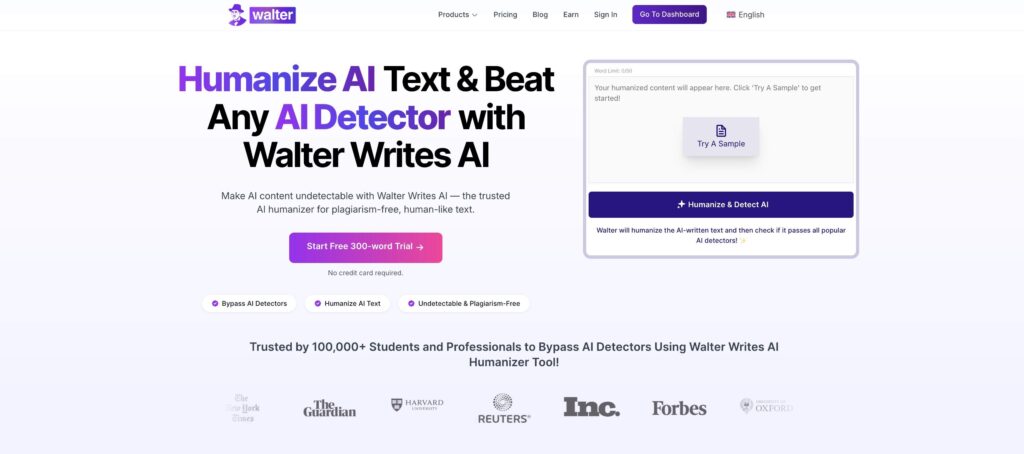
How does WriteHuman AI humanizer measure up against Walter Writes AI, a top-rated solution for creating undetectable, human-like content?
1. Quality of Output
- WriteHuman: Produces decent results but often requires manual edits to fix awkward phrasing.
- Walter Writes AI: Delivers polished, natural-sounding content that requires no extra work.
2. AI Detection Bypass Rates
- WriteHuman: Works against basic AI detectors but struggles with advanced tools.
- Walter Writes AI: Consistently bypasses Turnitin, GPTZero, and other AI detectors with a near-perfect success rate.
3. Usability and Features
- WriteHuman: Simple and beginner-friendly but limited in advanced features.
- Walter Writes AI: Combines ease of use with powerful customization options for professionals and creators.
Quick Comparison Table:
| Feature | WriteHuman | Walter Writes AI |
| Output Quality | Needs manual edits | Polished, natural flow |
| AI Detection Bypass | Inconsistent | Reliable and consistent |
| Customization Options | Basic tone settings | Advanced tone and style control |
| User Experience | Simple and straightforward | Intuitive and feature-rich |
| Best For | Students, casual users | Professionals, creators, marketer |
Final Thoughts: Is WriteHuman Worth It?
In conclusion, WriteHuman is a helpful tool for those looking to humanize AI-generated content quickly. It’s user-friendly and effective for shorter, less complex texts. However, for more intricate writing tasks or when aiming to bypass advanced AI detectors, users may need to invest additional time in editing or consider alternative solutions.
If you’re a content creator or student seeking a straightforward way to make AI-generated text sound more human, WriteHuman is worth exploring. Just be prepared to review and refine the output to ensure it meets your specific needs.
Final Takeaway: WriteHuman is a good starting point for casual tasks, but Walter Writes AI is the clear winner for anyone who needs consistent, high-quality results.