





Table of contents
- What Walter Does Inside Claude
- How to Set Up Walter in Claude (Step by Step)
- Write, Humanize, Detect: All in One Prompt
- Detection Without the Tab Switching
- Real Numbers: 98 Dropped to 24
- Prompt Claude To Freeze Keywords
- Prompts You Can Copy Right Now
- Batch Processing for Agencies
- How We Built This
- Who Should Use This
- Try It
One prompt. The whole content workflow. Walter’s MCP connector brings humanization, detection, and batch processing directly into Claude.
If you run an SEO team that uses AI to draft content, you already know the problem. The drafts sound like AI. Keywords wander. And nobody wants to hit publish until someone has manually rewritten half the article.
We built Walter because we kept hitting that wall ourselves. Today, Walter works as a connector inside Claude. You can humanize AI text, run AI detection, and batch process entire content libraries without leaving the conversation where you wrote the draft. No new tools to learn, no extra browser tabs.
Here is what that actually looks like.
What Walter Does Inside Claude
Walter is an AI humanizer tool that plugs into Claude through the Model Context Protocol (MCP). Three tools show up once you connect:
- Humanize takes AI-patterned text and rewrites it into natural human writing. Your exact keywords, brand names, entities, links, and document structure stay protected.
- Detect scores any text for AI patterns and returns a verdict plus practical feedback on which specific paragraphs need work.
- Batch Humanize processes up to 25 items in one call, built for agencies and production pipelines.
Text goes in. Human-sounding text comes out. Keywords stay exactly where you put them.
How to Set Up Walter in Claude (Step by Step)
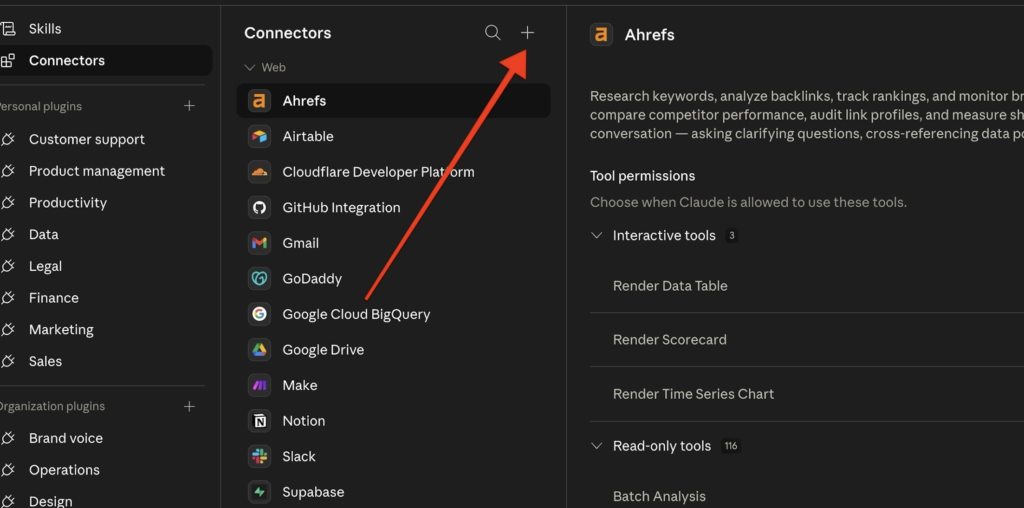
Open Claude and go to Settings > Connectors. You will see your list of available connectors. Click the + button at the top of the Connectors panel.
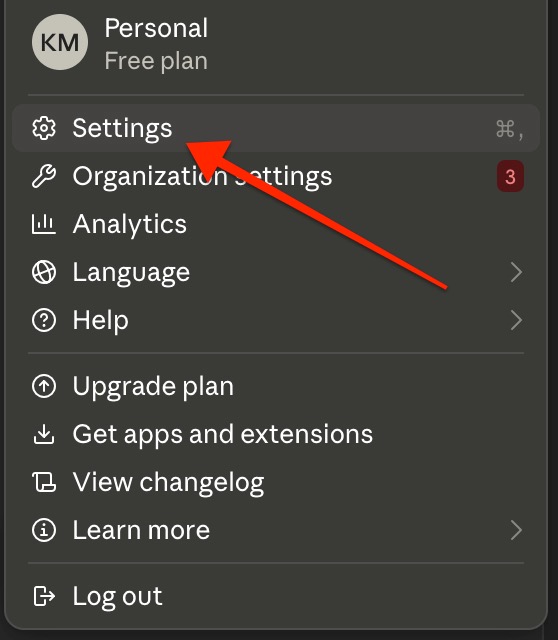
Click on settings:
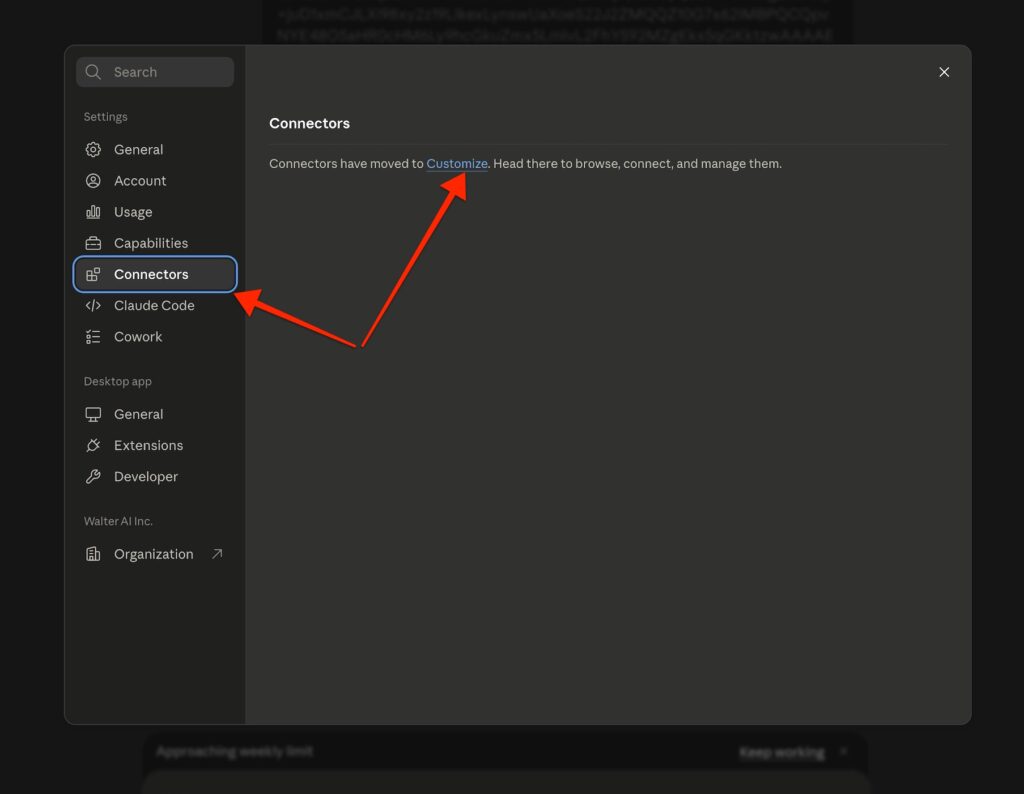
Click on in the left navigation connectors and then customize in the center:
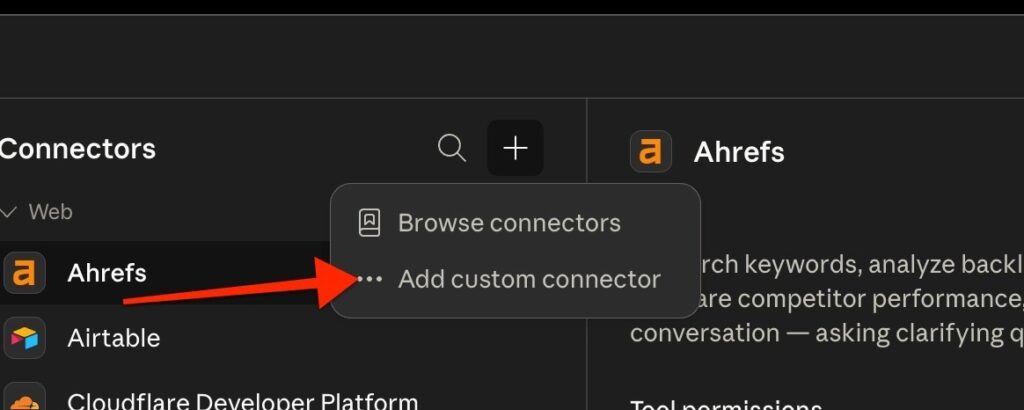
Click in the plus icon “+”
Select “Add custom connector” from the dropdown menu.
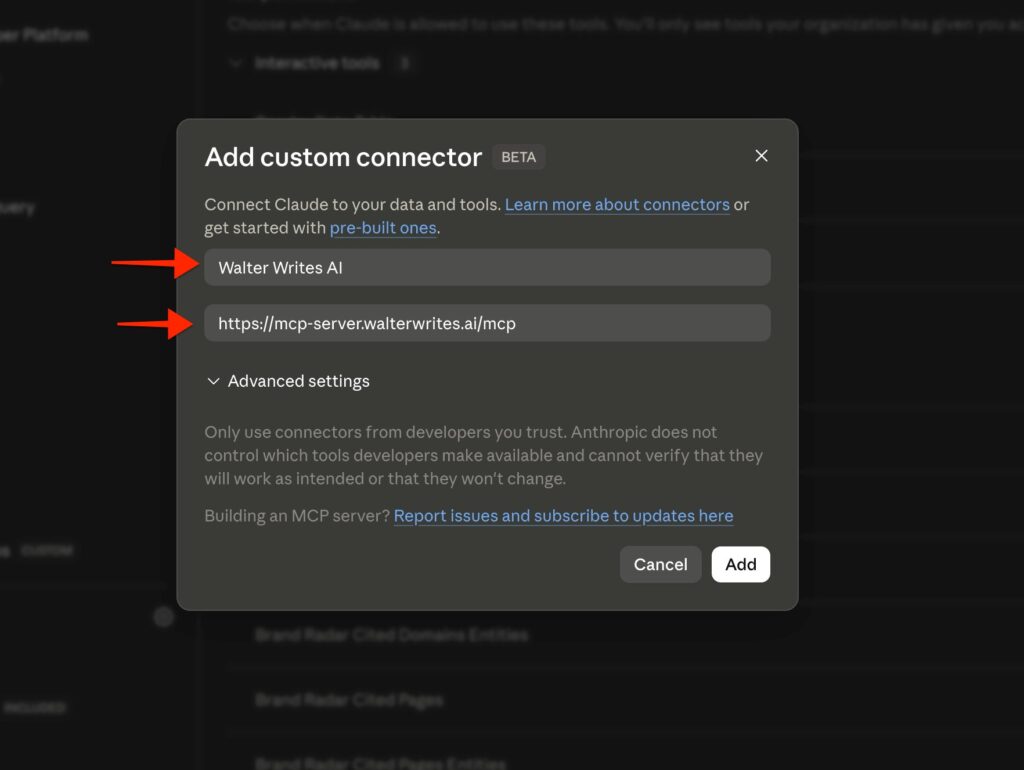
Fill in the connector details.
Set the name to: Walter Writes AI or Walter AI
Remote MCP server URL: https://mcp-server.walterwrites.ai/mcp
leave “advanced settings” untouched. nothing to add there.
Click Add.
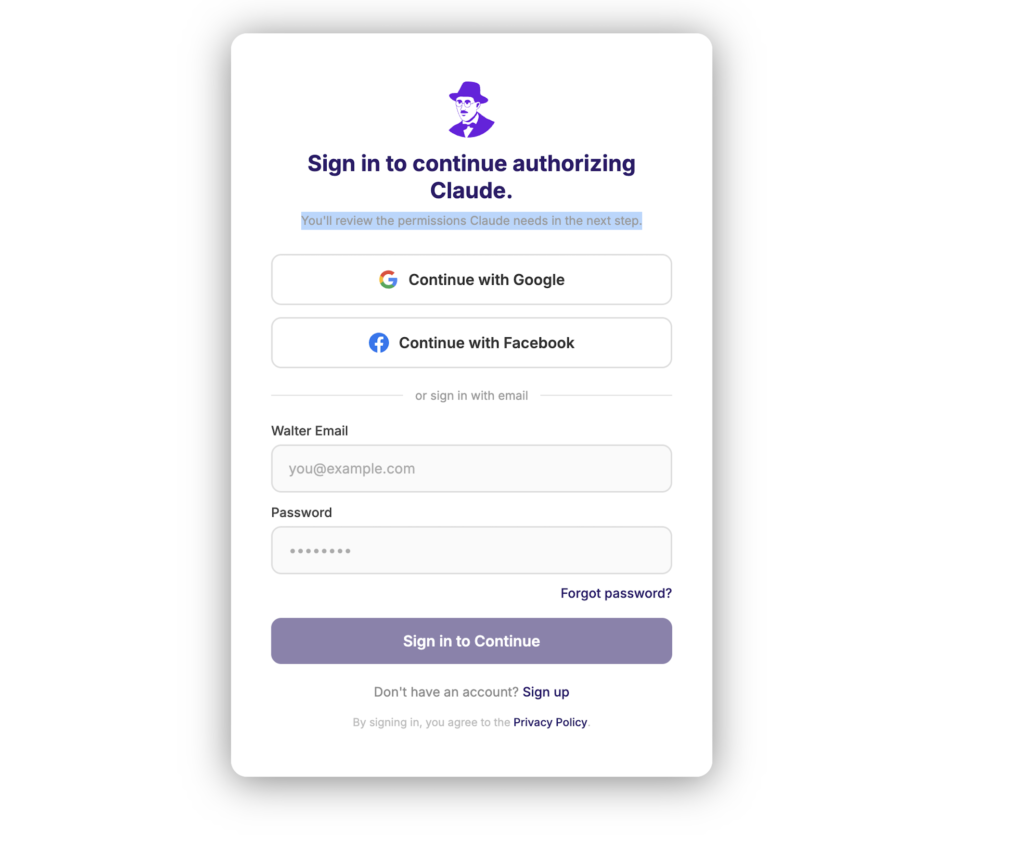
Step 4: Walter now appears in your Connectors list.
Click it to connect and sign in with your Walter account or sign up for an account if you don’t already have one.
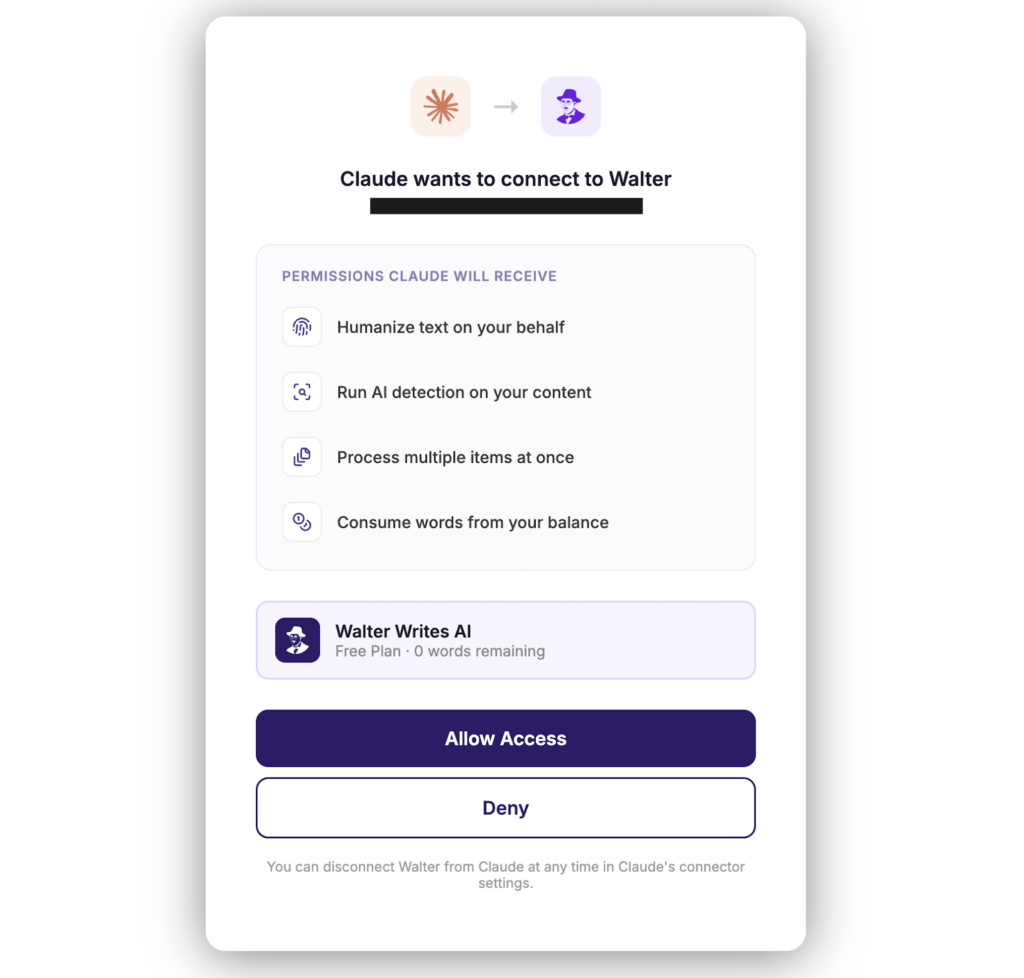
Step 5: Click “Allow Access” and Walter drops a starter prompt you can copy straight into Claude. Three clicks total. You go from zero to a working AI to human text converter inside your existing workflow.
Write, Humanize, Detect: All in One Prompt
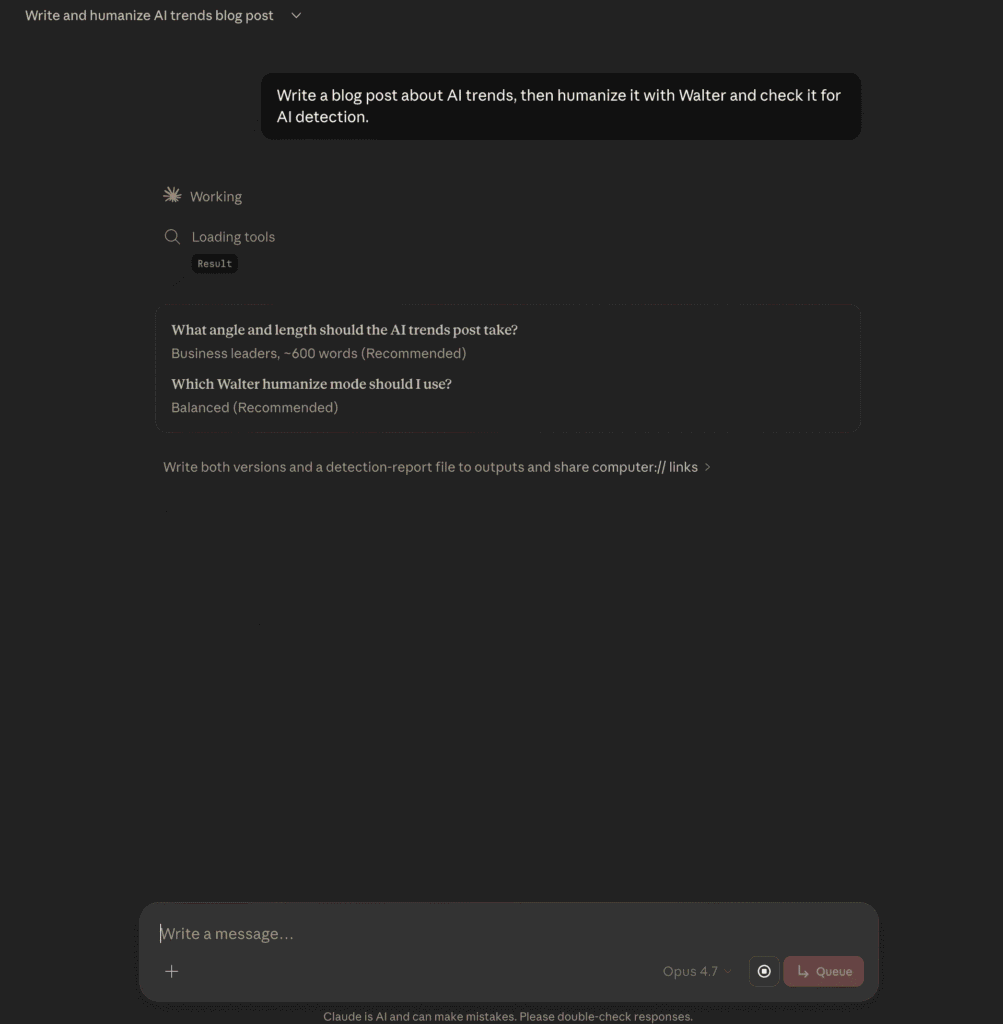
Instead of bouncing between tools, you give Claude a single instruction and it handles the full AI content workflow:
“Write a blog post about AI trends, then humanize it with Walter and check it for AI detection.”
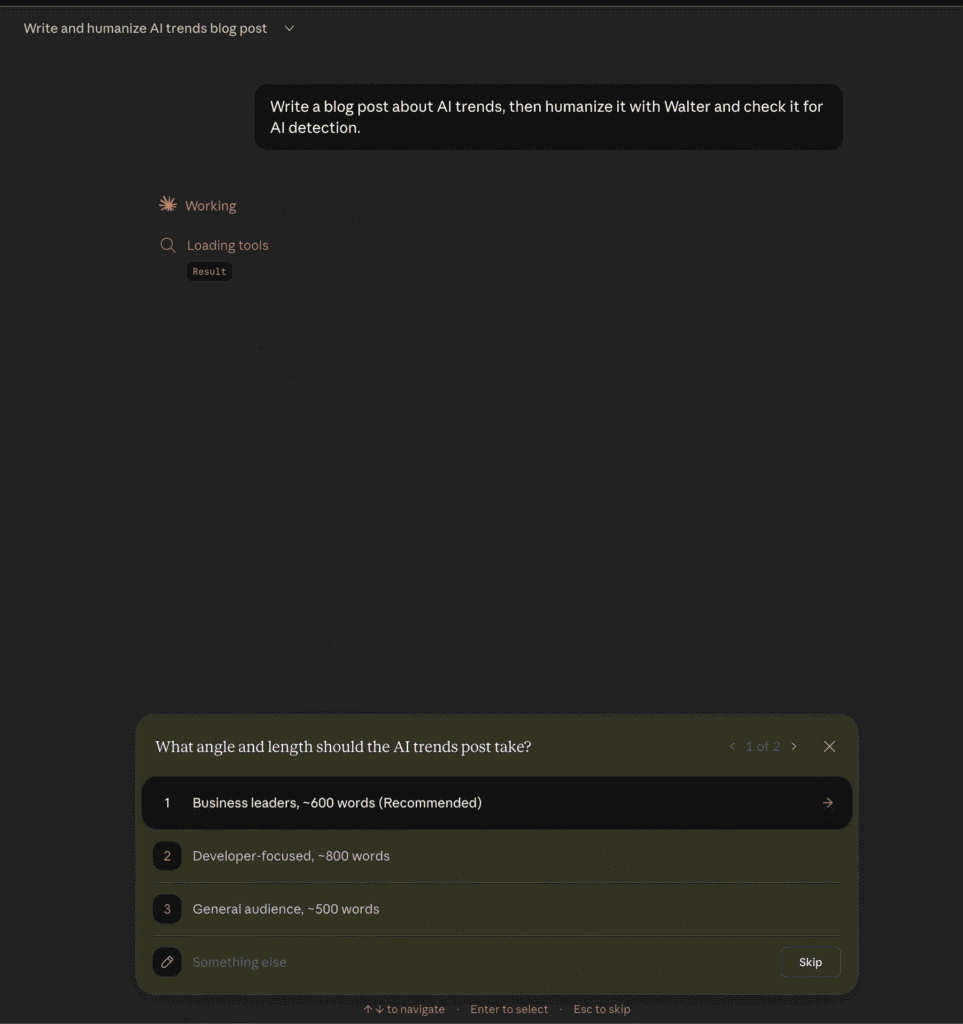
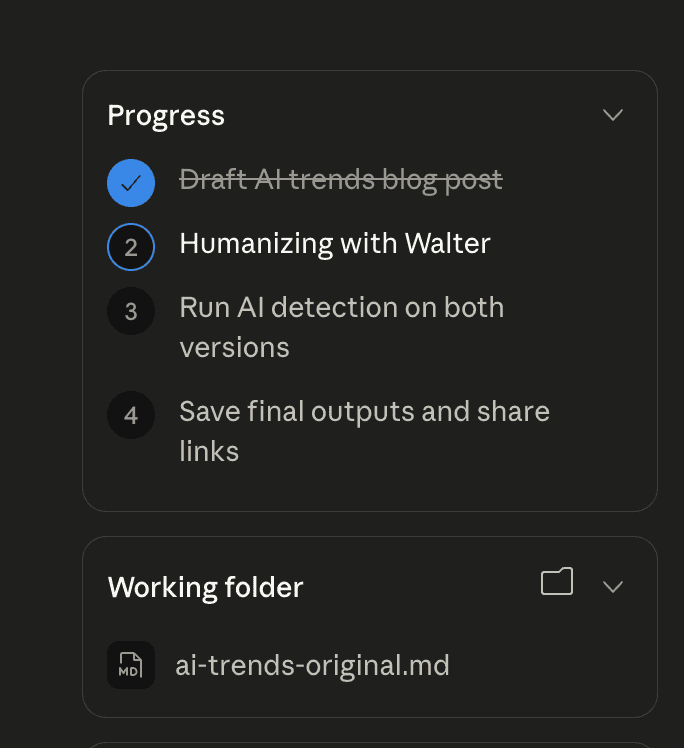
Claude writes the draft, asks about your target audience and preferred humanization intensity, then runs a four-step pipeline: draft, humanize AI text through Walter, detect, and save. You approve each tool call before it runs.
Detection Without the Tab Switching
Most content teams treat AI detection as a separate chore.
Copy text, open a different tool, paste, check the score, go back and make edits, paste again. It wastes 10 minutes every time and kills your concentration.
Walter’s AI detection tool lives inside the same Claude conversation.
After humanizing your text, Claude sends the result straight to Walter’s detector. You see the exact input before approving it.
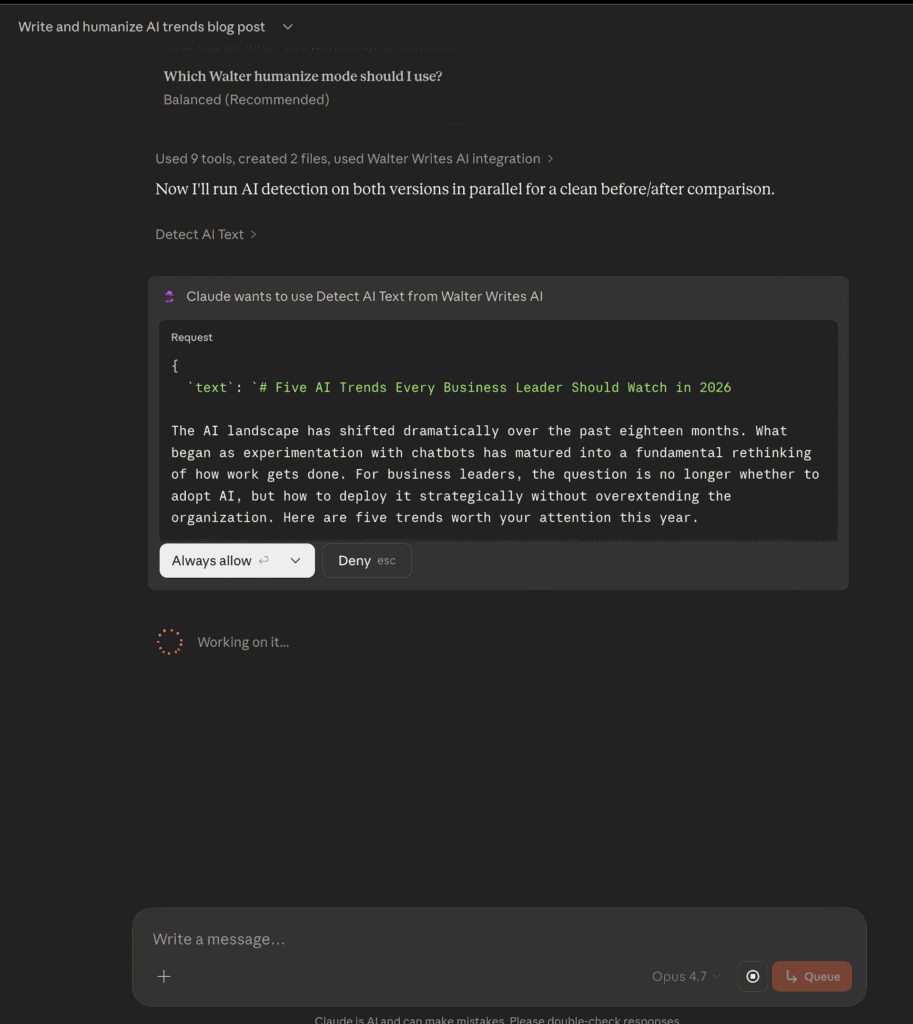
The feedback goes beyond a single number. Walter tells your writer specifically what triggered the score: “three consecutive paragraphs open with identical transition patterns” or “sentence length is too uniform across this section.” That kind of detail means your writer knows what to fix instead of guessing.
Real Numbers: 98 Dropped to 24
We ran this on a real blog post. The raw Claude draft scored 98 on AI detection, flagged as likely_ai. One Walter humanization pass later, it scored 24, classified as likely_human.
A 74-point drop in a single pass. Walter preserved all five keywords (agentic AI, EU AI Act, governance, data infrastructure, AI fluency), kept every number, and left the heading and list structure untouched.
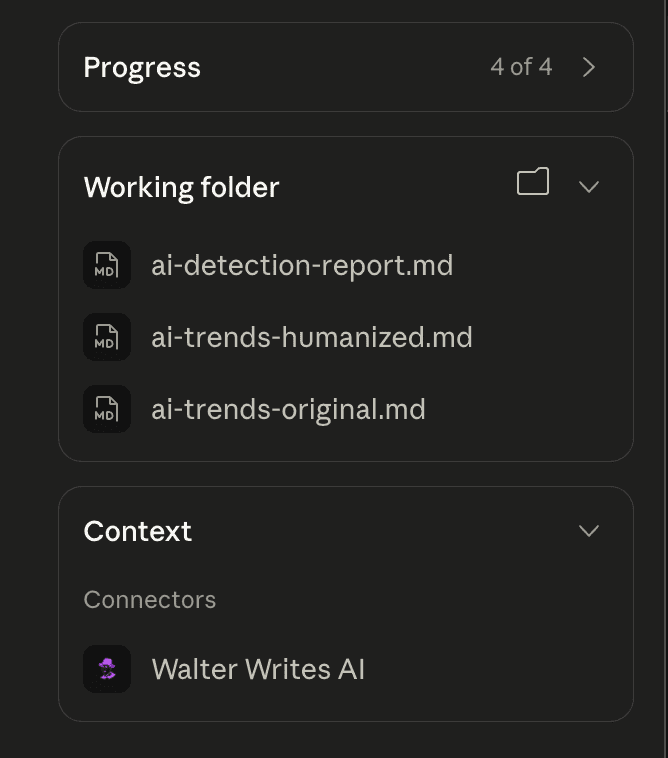
The output included three files: original draft, humanized version, and a side-by-side detection report.
Prompt Claude To Freeze Keywords
Here is the problem with most AI text rewriter tools. They treat your content like a block of clay and reshape everything, including the exact-match keywords you spent hours researching and placing.
The Claude + Walter workflow flips that. Before humanizing, just tell Claude what must survive:
- Exact phrases like “Best CRM for Small Business” stay character-for-character
- SEO keywords like “project management software” must appear in the final output
- Entities (brand names, people, products, locations) are locked in place
- Links and statistics carry over automatically
- Headings and lists keep their original structure
For SEO teams running an AI content humanizer at volume, that report is the difference between trusting your pipeline and manually spot-checking every article.
Prompts You Can Copy Right Now
Walter inside Claude lets you chain multiple steps in plain language. Here are prompts content teams are already using in production:
SEO keyword retention: “Write a 1,200-word blog post targeting [keyword]. Preserve these exact phrases: [phrase 1], [phrase 2], [phrase 3]. Humanize it with Walter in balanced mode, then run AI detection.”
Bulk product descriptions: “Here are 15 product descriptions. Humanize all of them with Walter, preserve each product name and price, and flag any that score above 40 on AI detection so I can review them.”
Content repurposing: “Take this whitepaper section and rewrite it as a LinkedIn post, a blog intro, and an email snippet. Humanize all three with Walter, keep the same data points and brand mentions in each version.”
Editorial QA before publish: “Run AI detection on this article. For any paragraph scoring above 50, humanize just that paragraph with Walter and show me the before and after.”
Agency client handoff: “Humanize this draft for [Client Name]. Preserve their brand guidelines: always use ‘platform’ not ‘tool,’ always capitalize ‘Studio,’ and keep all links. Output as clean HTML I can paste into their CMS.”
Landing page A/B testing: “Write five headline variations and three body copy blocks for this landing page. Humanize all of them, detect AI patterns, and rank them by which sounds most natural.”
Programmatic SEO at scale: “I have a CSV with 50 city names. For each city, write a 300-word local landing page targeting ‘[service] in [city].’ Batch humanize all 50, preserve the city name and service keyword in each, and export the results.”
All of these run in one Claude conversation. No switching tabs, no copying text between tools.
Batch Processing for Agencies
If you are processing 20, 50, or 100 product descriptions at once, Walter handles that natively with batch humanize. Set your defaults for tone, audience, then optionally override per item. 25 items per call, 5,000 words per item. If one item fails, the rest still go through.
How We Built This
The MCP server went from spec to production in under three weeks. We used Claude to write the engineering spec and Claude Code to scaffold the server: auth middleware, rate limiting, audit logging, batch orchestration, and the test suite. Our developers then connected the scaffolding to Walter’s real humanization engine.
That scaffolding saved us two to three weeks of boilerplate work. Our team focused on what actually matters: engine integration, humanization quality, and production infrastructure.
Yes, we built an AI product using AI that makes AI output better. The irony is not lost on us.
Who Should Use This
SEO teams who need AI drafts rewritten at scale without hours of editing. Walter handles that while giving you a detection report on every run.
Content teams cleaning up thought leadership, landing pages, and blog posts. You get natural-sounding output with no invented claims, no creative drift, and no bizarre metaphors.
Agencies running batches across multiple clients. Consistent quality, and your writers do not need to learn a new tool. If they already use Claude, Walter is right there.
Try It
Walter is live as a Claude connector right now.
- Open Claude, go to Settings, then Connectors
- Add Walter’s connector URL
- Sign in and allow access
- Copy this into Claude: “Write a blog post about [your topic], then humanize it with Walter and check it for AI detection.”
Two minutes later you will have a humanized draft, a detection score, and a full preservation report.
What is an AI humanizer and how does Walter work?
An AI humanizer rewrites AI-generated text so it reads like natural human writing. Walter analyzes sentence patterns, transition phrases, vocabulary choices, and paragraph rhythms that AI detectors flag, then rewrites those patterns while keeping your meaning, and structure intact.
How accurate is the AI detection tool?
Walter’s AI detection tool returns a score from 0 to 100 along with a verdict (likely_human, mixed, or likely_ai). It also provides paragraph-level feedback explaining exactly what triggered the score, so you know what to fix rather than guessing.
How many words can I humanize per request?
Word limits depend on your Walter plan. The Starter plan supports shorter articles per request, while Pro, Elite and Team plans handle longer content.
Is there an API or can I only use Walter through Claude?
Walter’s MCP connector works through Claude’s connector system. For teams that need direct API access or want to integrate Walter into custom pipelines, contact us at walterwrites.ai for Enterprise options.
What is MCP and why does it matter?
MCP (Model Context Protocol) is an open standard that lets AI assistants like Claude connect to external tools securely. Instead of copying text between apps, MCP lets Walter’s humanization and detection tools run directly inside your Claude conversation with full transparency and approval controls.
Can I use Walter for bulk content or programmatic SEO?
Yes. Agencies and SEO teams use it for product descriptions, blog content, and more.
What is Claude and how do I get it?
Claude is an AI assistant made by Anthropic. You can use it for free at claude.ai or through the Claude desktop app. Claude supports connectors that let it use external tools like Walter directly inside your conversation.
What are Claude connectors?
Connectors let Claude access external tools and services through the Model Context Protocol (MCP). Instead of switching between apps, you can run tools like Walter’s AI humanizer directly inside your Claude conversation. You add connectors in Settings > Connectors.
Is Claude free to use with Walter?
Claude offers free and paid plans at claude.ai. Walter requires a separate Walter Writes AI account with its own word balance. You can sign up for a free Walter account to try it, then upgrade for higher word limits and batch processing.
Can Claude detect AI writing on its own?
Claude does not have a built-in AI detection tool. Walter adds that capability through its MCP connector. Once connected, you can ask Claude to run AI detection on any text and get a score, verdict, and paragraph-level feedback.
How is Walter different from asking Claude to rewrite my text?
Claude is a general-purpose AI assistant. When you ask it to “make this sound more human,” it is still writing like an AI. Walter’s humanization engine was trained on billions of human writing samples to produce output that is indistinguishable from natural human writing. It reliably passes AI detection, which is not something Claude or any general-purpose LLM can do on its own.
For developers and teams who need to embed humanization in their own tools, see Walter’s AI Humanizer API with native Claude, ChatGPT, and Gemini support.