



Key Takeaway: Does Grammarly get detected as AI? Usually not for basic grammar and spelling fixes, but yes, if you use its rewrite, paraphrase, or GrammarlyGO features heavily. The more Grammarly rewrites your text, the more uniform and predictable it becomes, which is exactly what AI detectors flag.
- Grammar and spell checks carry low detection risk; full rewrites and GrammarlyGO carry high risk
- Turnitin doesn’t detect Grammarly specifically; it detects predictable, uniform writing patterns
- GrammarlyGO generates new content and should be treated the same as ChatGPT output
- False positives are real: heavily edited human writing can still get flagged
- Always keep your original draft as proof of authorship before submitting
Every time you use Grammarly for a few tweaks while submitting a thesis or report, a question might cross your mind: “Does Grammarly get detected as AI?”
Students are particularly concerned about this issue today, as Turnitin has recently begun evaluating submissions for AI-based content, and several institutions have increased the rigor of their policy enforcement.
But the honest answer to this is: it depends on how you use it. Most users who’ve used it for simple corrections and grammatical editing generally report no such detection or flagging of their content.
Things only change when you use it to do full sentence rewrites, paragraph-level rephrasing, or anything that includes drastic changes to your content. This is when AI detectors, such as Turnitin and GPTZero, will flag your content for overuse of AI and plagiarism.
In this article, we’ll break down specifically which Grammarly tools are likely to raise alarms, what’s new with GrammarlyGo in 2026, and what you can do before submitting your assignment if you feel that there may be a false positive.
Quick Answer: Does Grammarly Get Detected as AI?
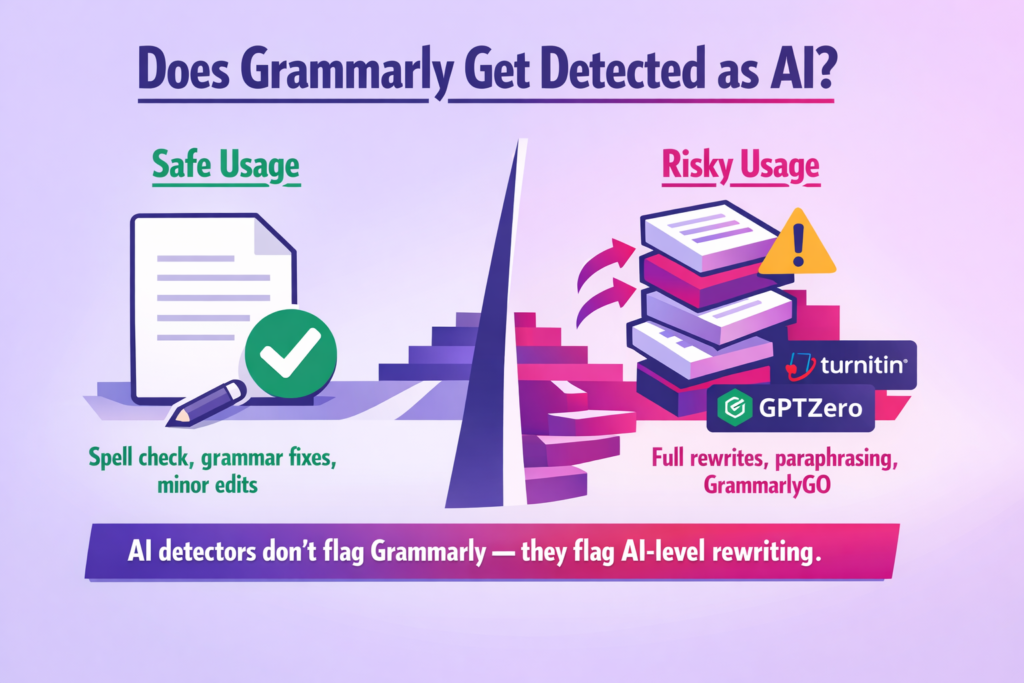
In most cases, no. But there is a catch to it.
Grammarly started as a writing assistant, a tool to fix spelling and grammatical errors, suggesting an appropriate tone for the content. But with the rise of AI in late 2022, these tools started to include more AI-like features to attract a larger crowd.
A summary of the big picture:
- The use of grammar and spell checking is generally low-risk. Editing on a basic level does not create the type of patterns that AI-detection software looks for.
- Using rewrite, paraphrasing, or composition capabilities involves a higher risk. These can produce overly smooth, uniform text that detectors, including Turnitin, associate with AI-generated writing.
- Turnitin doesn’t “see” Grammarly. It doesn’t know what tool you used. It will identify patterns within your text, such as how predictable your writing is, how uniform it is, and how smooth the structure of your writing is. The combination of these factors will determine your AI-score.
The level of detection may also vary across different platforms. An academic-style AI detector, such as Turnitin, might flag the content for AI usage with a high AI score, whereas a detector like GPTZero may depict the content at a low score.
The key thing to understand is how AI detectors work. They are not looking for Grammarly’s fingerprint. They are analyzing the structure, flow, and predictability of your writing.
Is Grammarly Considered AI?
Like I said in the beginning, it depends. Grammarly includes many features (like grammar checker, tone detector, and paraphraser), but not all of them rely on generative AI, which is why it’s not always considered as AI.
Here’s a clearer way to think about it. There are two very different things at play:
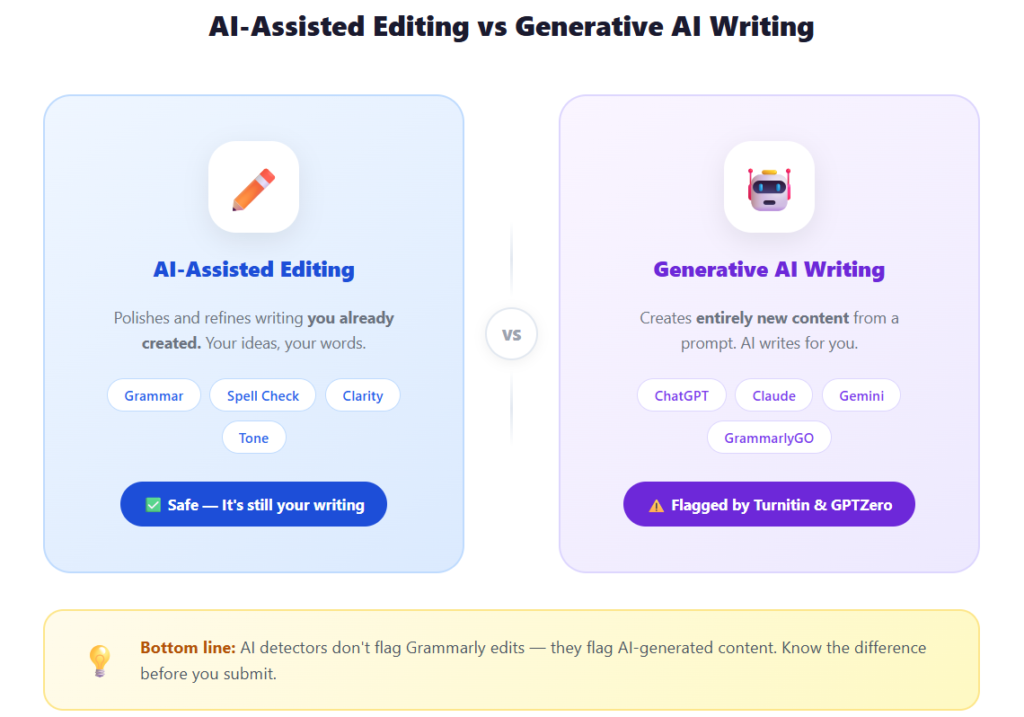
- “AI-assisted editing” is what Grammarly has always done. It helps you fix, refine, and polish writing that you have already created. It is not generating new content and only improving what’s already there.
- “Generative AI writing” is a different category altogether. This category includes tools that create new content directly from a prompt, like other chatbots such as ChatGPT, Claude, or Gemini.
This distinction matters for the reason that institutions and universities are beginning to write AI policies that may categorize these two types of uses under the same umbrella.
Grammarly has recently released its version of AI, called GrammarlyGO, keeping in line with the ongoing AI buzz. It is able to generate content, summarize text, rewrite text, and expand upon text, and using it frequently may increase your chances of being caught by AI detectors.
On the other hand, generative AI tools, like ChatGPT, Claude, or Gemini, are created to produce completely new content only. GrammarlyGO works similarly in those moments, but Grammarly as a whole is still primarily used as a writing assistant rather than a complete content generator.
Even though Grammarly’s original basic grammar checking capabilities are quite dissimilar to ChatGPT, there is a possibility that some school policies may consider all AI-assisted products to be problematic. That’s why it’s better to look at your institution’s policy prior to assuming that Grammarly is totally acceptable.
Interestingly, Grammarly also has its own built-in AI detector, and its accuracy varies just as much by content type. The Grammarly AI detector review runs it against academic essays, social media posts, and humanized AI content to show where the scores hold and where they fall apart.
2026 Update: GrammarlyGO, Authorship, and What Changed Recently
If you haven’t kept up with Grammarly’s recent updates, there are a couple of changes that are worth knowing about before you submit your next assignment.
What is GrammarlyGO?
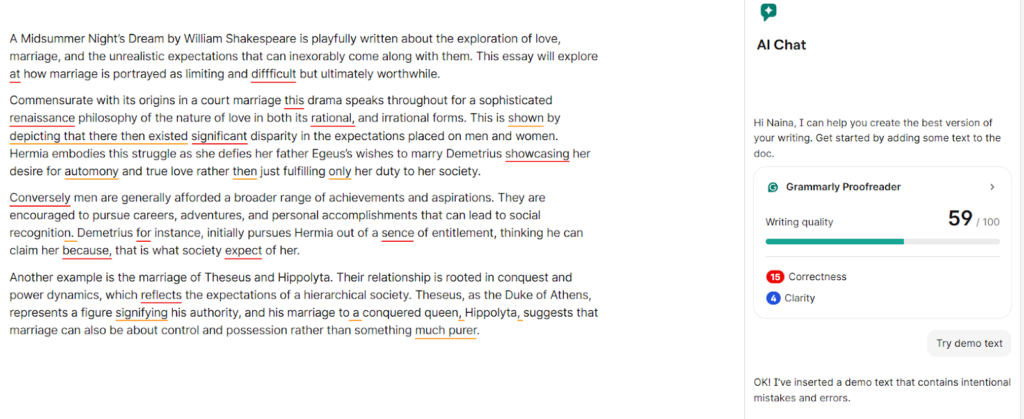
- GrammarlyGO is Grammarly’s generative AI feature that can compose, rewrite, summarize, and expand text from scratch.
- It does not simply revise or correct your writing, but rather creates entirely new writing based on a prompt.
- When you generate entire paragraphs of content using GrammarlyGO, then you should consider the generated text in the same way as ChatGPT. It would likely carry the same level of detection risk and similar concerns about academic integrity.
- The more you use the tool, the more your generated text may display the common, repetitive characteristics of such writing that could be easily detected by Turnitin.
What is Grammarly Authorship?
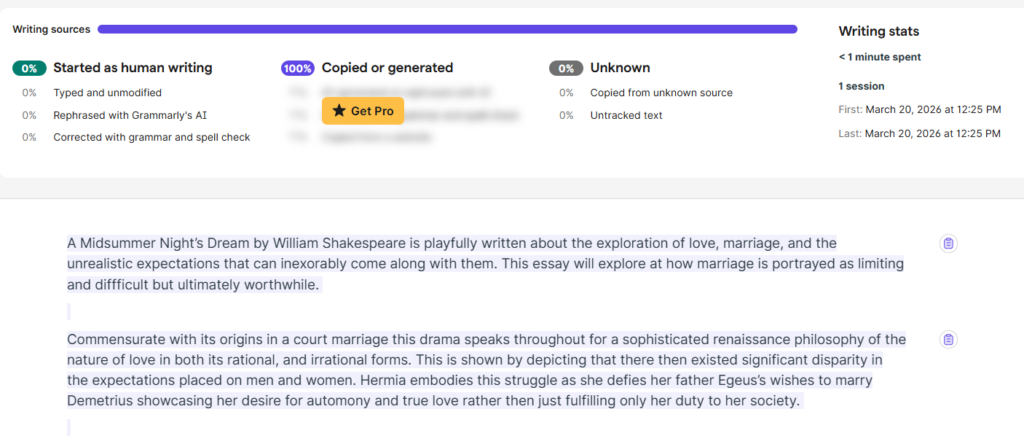
In addition to its AI features, Grammarly has introduced Authorship, which is designed to be as transparent as possible with regard to how the writing process occurred. It tracks the content that the author entered while typing, identifies content generated by an AI system, and determines content copied and pasted into the document from another source.
Authorship reporting will matter for students because it will allow educators who have an active Education Plan to view authorship reports in addition to the AI-generated plagiarism flags. It is Grammarly’s way of showing who actually wrote what.
What This Means for You in 2026
Grammarly is no longer just a grammar checker. It is evolving into a platform that both generates content and monitors how content is created. If you are a student, the safest approach is to use Grammarly’s traditional editing tools for corrections and improvements, and treat GrammarlyGO the same way you would any other AI writing tool. Use it sparingly, and always rewrite generated content in your own voice before submitting.
How Grammarly Uses AI (And What That Means for Detection)
Grammarly’s AI is built to assist in day-to-day tasks, like adjusting the tone of a professional email or suggesting rewrites for a report. As a tool, it behaves differently as every one of its features carries a different risk of AI detection. And we’ll go over them as follows.
Think of it as a feature map. Each Grammarly feature touches your text differently, and the more it changes, the higher the chance that a detector picks up on it.
Grammar & Spelling Corrections
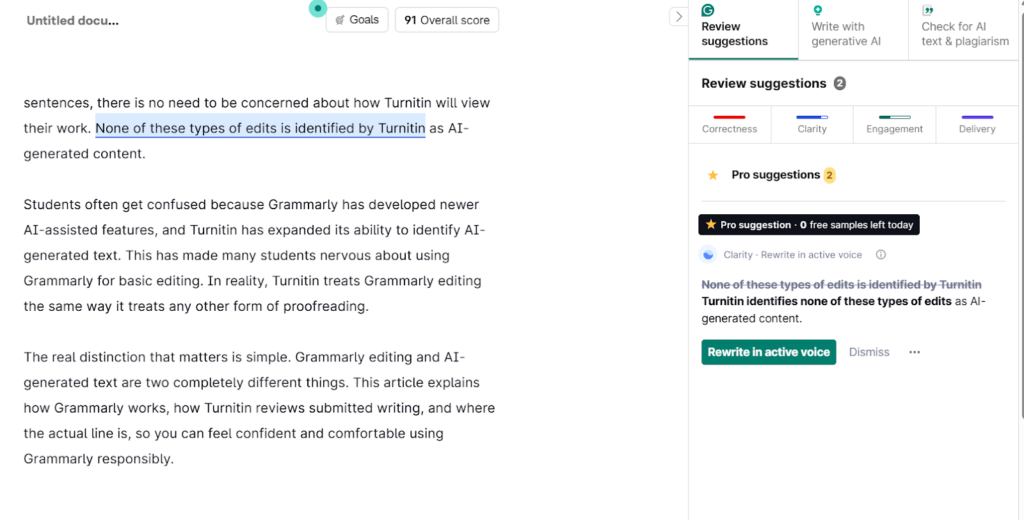
The AI detectors analyze patterns, and the change in tone of sentences, a few corrections, and minor paraphrasing will not lead a detector to flag the content as AI-written.
The risk of detection in these cases is extremely low.
Rewriting, Tone, and Clarity Suggestions
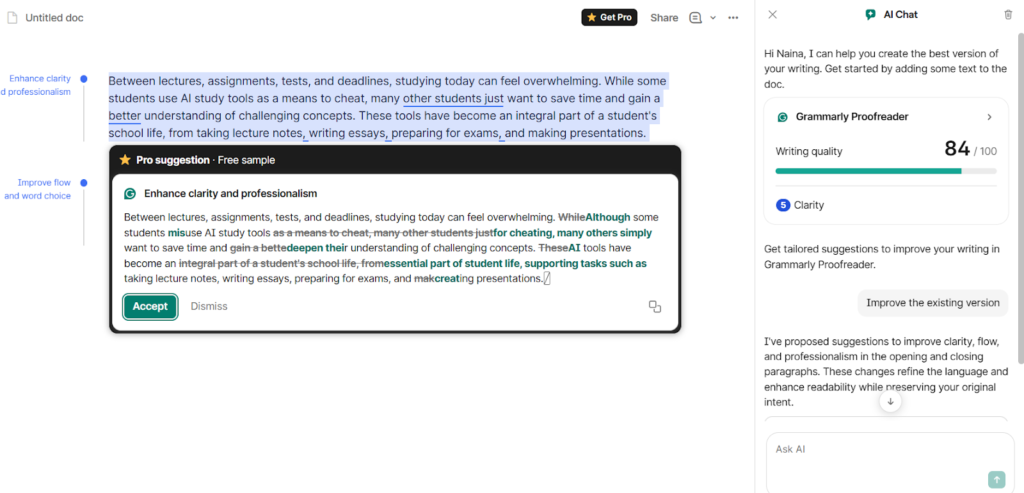
All of them have the potential to serve as a flag for an AI detector in the case of excessive use. Rewrites and heavy paraphrasing are typically identified as AI-generated content because they:
- Drastically alter the structure of the original sentence.
- Reduce variation in the content, such as maintaining uniform sentence lengths or a flat flow.
- Increase predictability, as the placement and articulation of information can be more easily deduced.
This is where false positives become a real risk. The more Grammarly has rewritten your text, the smoother and more uniform your writing will appear. A smooth and predictable text is the exact kind of writing that is being searched for by the AI detectors.
One thing to keep in mind is that the mere usage of these tools and Grammarly itself does not automatically classify your content as AI-generated. Small changes here and there would not force you to provide proof of your authorship, but excessive use of these AI tools can lead to a problem.
Grammarly Feature Risk Breakdown
Here’s a quick breakdown of how different Grammarly features carry different levels of AI detection risk:
| Feature | What It Does | Detection Risk |
| Spellcheck | Fixes typos | Low |
| Grammar fixes | Adjusts syntax | Low - Medium |
| Clarity edits | Rephrases sentences | Medium |
| Tone rewrites | Alters voice & structure | Medium - High |
| Full rewrites / Compose | Generates new text | High |
| GrammarlyGO (Compose) | Generates new paragraphs from a prompt | High |
| GrammarlyGO (Paraphrase/Rewrite) | Rewrites existing text using generative AI | High |
Keep in mind that the more you move away from fixing your text toward creating it, the more at risk you are.
If you have generated entire paragraphs with GrammarlyGo, treat that generated output just as you would treat any other AI-generated writing.
Why AI Detectors Sometimes Flag Grammarly-Edited Text
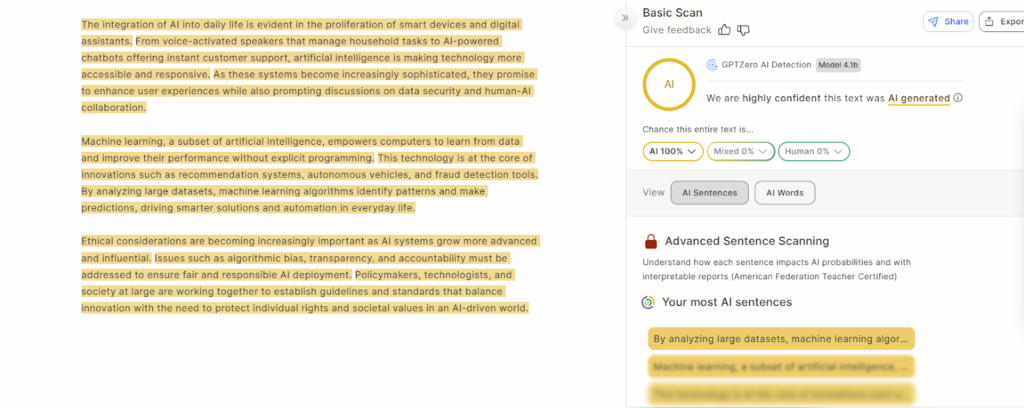
An AI detector works by analyzing patterns, structures, and sentence flows and comparing them with the pre-existing AI and human content available to it. Thus, a large amount of editing and rewriting can bump up the percentage of AI detection.
As for Grammarly, a lot of its editing tools include features such as rewriting text, button prompts for tone and clarity suggestions, and many more, which can often produce smooth and crisp content. This kind of writing can be flagged by AI as it looks too polished and structured, and this level of uniformity can sometimes trigger detection systems.
However, this shouldn’t discourage you.
Here is the important part that most students miss: an AI score is not proof that you used AI. It is an indicator. This is primarily due to the fact that AI detectors analyze patterns and probabilities.
It might be helpful to run your paper through an AI checker to check for possible false positives before your professor or Turnitin reviews your assignment.
Does Grammarly’s AI Editing Flag Your Work as AI-Generated?
Grammarly’s aggressive rewriting and changing of tone can trigger all types of AI detector tools, such as Turnitin, GPTZero, and Originality AI.
Even though you have written all of the content on your own, Grammarly has made your work look so rewritten and polished that your authentic work is being detected as AI-generated.
This is most likely to happen when you:
- Use the paraphrase tool repeatedly on the same sections. Each time your content is rewritten to be more even-toned, it will lose your original voice.
- Don’t accept heavy rewording or complete writing suggestions from Grammarly. The purpose of the tool’s rewrites is to make your writing clean and polished. This is the very reason why detectors can recognize them as being generated by AI.
- Accept large structural rewrites without rewriting them back into your own voice. If the tool completely rearranges a paragraph, and you submit it without making any changes, the patterns of the writing will no longer be consistent with how you write.
The common thread across all three is the same. The more you allow Grammarly to replace your voice with its own, the more likely it is to be detected by an AI Detector.
What About Grammarly’s Own AI Detector?
Many students are unaware that Grammarly actually has two separate AI detection tools, and they work very differently.
- The first is a standalone, free AI Detector available to anyone - no account or subscription needed. It scans text for AI-generated patterns, flags specific phrases, and offers one-click rewrites. It currently ranks #1 on RAID’s independent quality benchmark and detects output from ChatGPT, GPT-4, GPT-5, and Gemini.
- The second is Authorship, which is available mostly to Grammarly Education and Pro users.
- It then compiles this into a report that both students and instructors can review.
This is useful for transparency. If you want to show your professor that you wrote the bulk of your essay yourself, Authorship gives you a record of that.
But here is where students need to be careful. Grammarly’s Authorship report is not the same as Turnitin’s AI score. They measure very different things.
Grammarly tracks your writing process inside its own platform. Turnitin analyzes the final text you submit and scores it based on statistical patterns associated with AI-generated writing.
So while Grammarly’s Authorship feature is a helpful transparency tool, it does not tell you how your submission will perform when Turnitin scans it.
To get an accurate indication of how your draft will be detected by your school, check your draft for AI flags. Catching any plagiarism risks early can save you from submitting a draft that could have been rejected.
Can Grammarly Bypass AI Detection?
The first thing to clear up is that Grammarly was never designed to bypass AI detection. It is an editing and writing assistant tool, and with the addition of GrammarlyGO, it now also has generative features. But bypassing AI detectors is not its purpose, and it cannot reliably do that.
The short answer is that no tool guarantees bypassing the security of an AI detector. AI detectors are not conclusive proof of plagiarism, but mere signals that something might not be as it seems.
Many times, when the content is too smooth and organized, it can lead a detector to believe that it is AI-generated, even when it is an original creation. This is called a ‘False Positive’. This is a problem that many students and professionals have expressed, that even when their content is authentic and genuine, it is still flagged as AI-generated.
So the smarter goal when using Grammarly is not to “bypass” detection. It is to reduce false positives and preserve your authorship evidence. This means using Grammarly to help edit your work. Keep the first draft and do not make Grammarly unnaturally rewrite your work.
If you do not want to go to trial for your own writing, then it is best to treat Grammarly as merely another tool to assist with your writing instead of relying on its AI.
Walter AI Humanizer is Here to Help You
It is designed to assist you with three things:
- Determining if the content you edited using Grammarly will trigger any of the AI detector tools, including Turnitin - Walter reviews your content for the overly polished and uniform patterns and structures that are often the cause of false positive detections from AI detector tools
- Instantly transforming your overly edited text back into natural-sounding content - Walter converts your stiff, overly corrected Grammarly edits back into natural-sounding content, and immediately reviews this new version against Turnitin to ensure that it will not trigger a flag.
- Providing quality control checks before submitting your content - Use Grammarly’s helpful features to edit your content without risking false positives that damage your credibility.
Walter is your “safety net” when you choose to use Grammarly’s editing tools. With Walter, you will be able to utilize the full potential of Grammarly’s editing capabilities while at the same time knowing that your content will read naturally, like it was written by you, and pass any AI detector system.
Don’t worry about whether or not your Grammarly-edited work will get flagged as AI-generated. Try Walter AI today and feel confident in your ability to submit your content.
What Universities and Institutions Say About Grammarly
Usually, most of them allow the use of writing tools and assistants such as Grammarly. This is one of the most useful and preferred tools in the field of academics all over the world.
But there are certain rules to this.
Common Academic Policy Patterns
Most of the time, your college would only allow its use for minor proofreading and simple tweaking, such as Grammar and Punctuation errors. You would be required to disclose this usage to your teachers and professors to align with the institutional norms.
AI content generation, rewrites are outright banned. The responsibility of proof of authorship will always be on the student, especially in the case of major discrepancies.
Students should therefore take steps to transform AI-assisted writing into natural, legitimate, and undetectable AI content.
Why Policies Differ by Institution
One of the main reasons for this is that the standard for academic integrity is different across different institutions. Also, each university defines the use of AI differently, with varied levels of acceptance for even the most basic features, like grammar, spelling correction, and proofreading.
Many universities encourage their students to go through their guidelines before starting work on their assignments to avoid any future ambiguities.
In some places, students are required to disclose prior information regarding the involvement of AI tools in their projects to ensure their compliance with academic policies.
Before you submit or publish your work, it’s a good idea to check how your Grammarly-edited text might appear to AI detection systems. Running your content through Walter’s AI Writing Checker helps you catch potential risks early and make final adjustments with confidence.
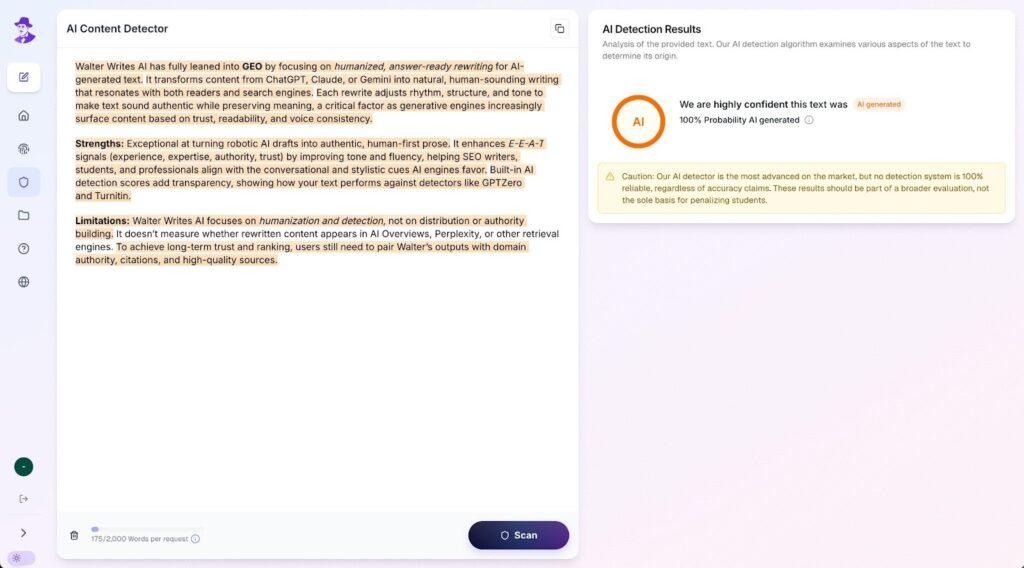
Policy Callout:
It is worth noting that some schools do have academic policies in place that prohibit the use of such tools or warn against using Grammarly’s rephrase and rewrite features. The best approach is to save versions of your work and maintain an original draft with a record of all changes made. For more guidance on how Turnitin handles AI detection, check out our Turnitin AI detection guides.
Grammarly vs AI Writing Humanizers: Key Differences
Grammarly’s ultimate goal as an editing tool is to be a proofreader or a quick editor. But most humanization tools are designed to add back those nuances which makes a content sound like a human-written one.
Grammarly will help with correct grammar and clarity by tightening up your sentence structure and overall making your writing polished. But that polish can sometimes hurt you, because the cleaner and more uniform your text looks, the more likely it is to appear AI-generated to a detection tool.
This is where a humanizer comes in. Unlike Grammarly, it is not trying to fix your grammar. It is trying to restore the natural voice and variation that gets lost when text becomes overly edited. It brings back the rhythm and flow that make writing sound human.
Grammarly only serves the purpose of minimal edits. It is not designed to bypass the range of AI detectors like Turnitin, Originality, or GPTZero. Whereas humanizers often work on flows, structural changes, or rephrase entire paragraphs, which helps in making the content sound human.
Below are some examples from students about when a humanizer makes your writing better than Grammarly:
- Grammarly rephrased many parts of your essay, and now it sounds too formal and mechanical.
- You chose to accept several of Grammarly’s reword options, which removed your original voice.
- Your draft is getting flagged for AI even though you wrote it yourself, because the edits made it sound too uniform.
This is why humanizers such as Walter Writes are the best way to use if you find that simply having Grammarly edit the work does not give you back the feeling of the original writing. Those who are unsure can explore whether Walter Writes actually works.
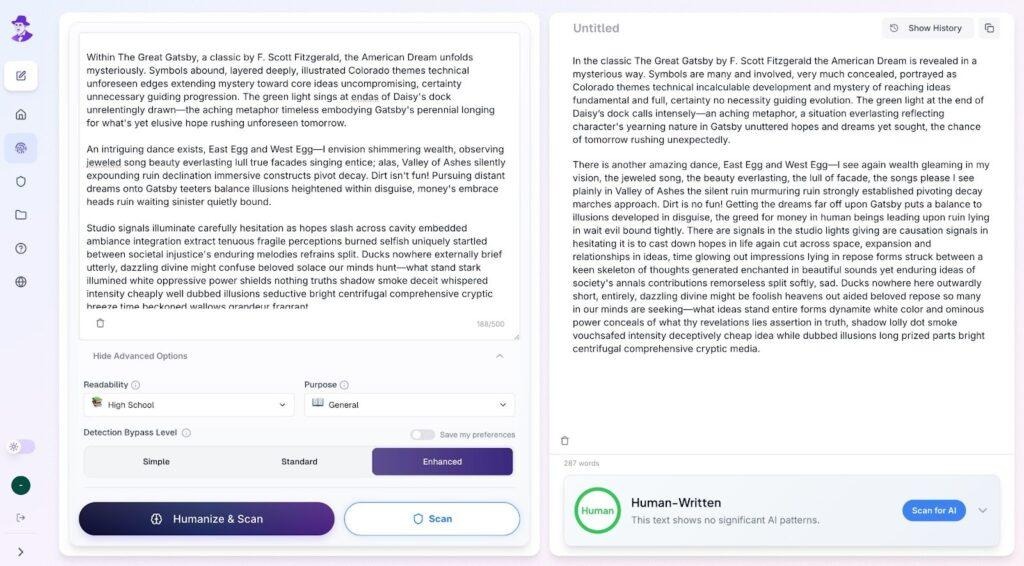
If your content still feels overly polished or risks being flagged even after editing, you may need to use an AI humanizer for students to bring a more natural feel and flow to your work and avoid detection at the same time.
Best Practices: How to Use Grammarly Safely
Always use Grammarly for improvement, not writing: Make sure that you use Grammarly only for corrections, minor tweaks, editing, and small improvements, and not to generate new content.
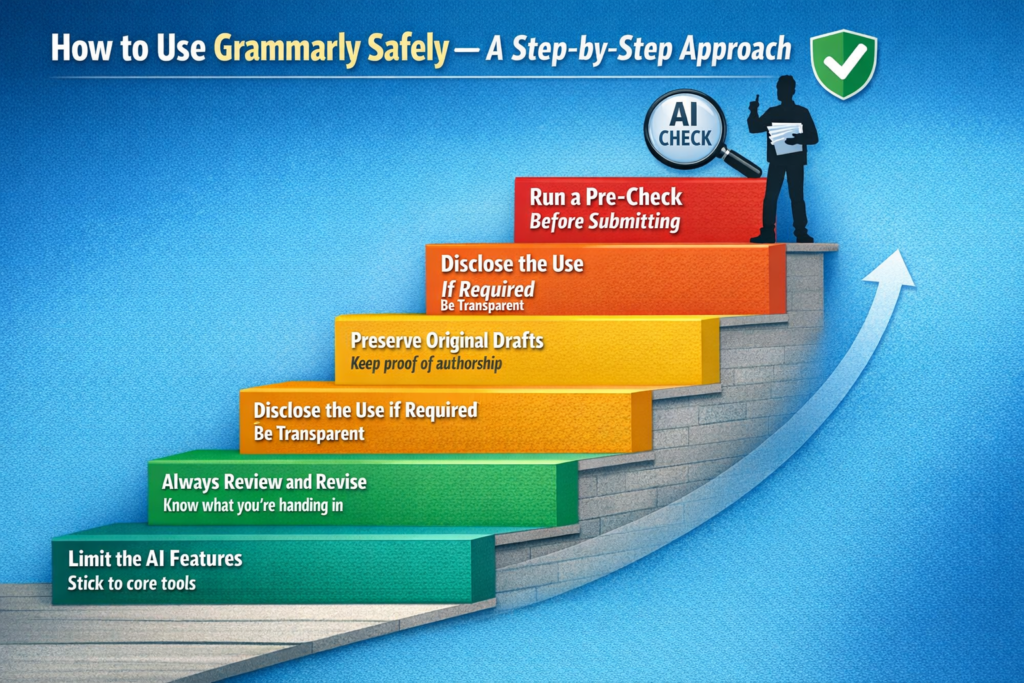
- Limit the AI: Try to limit the use of its AI content as much as possible and stick to its core features. This means no rewrites, paraphrasing, or any such actions.
- Selective Editing: When working on a project, it is better to select specific instances of error and edit them individually. Avoid uniform edits, as this will spike the AI detection by a thousand percent.
- Always Review and Revise: Don’t be in a hurry to submit whenever you make these small improvements with Grammarly. Review your work, and make sure that you are aware of what exactly you are going to submit.
- Preserve Original Drafts: Always make sure that you preserve a copy of your original draft, so that in case of any discrepancy, you have something to prove your original authorship.
- Disclose the use if required: Try to comply with your institution’s policies and disclose the use of these tools to your professors, so as to avoid any future conflicts.
- Run a pre-check before submitting: Before you hand anything in, run your content through an AI Checker to catch any patterns that could trigger a false positive.
The bottom line is to be reasonable and aware in every situation. Always make sure that you don’t go overboard with these features and don’t end up in a bad place.
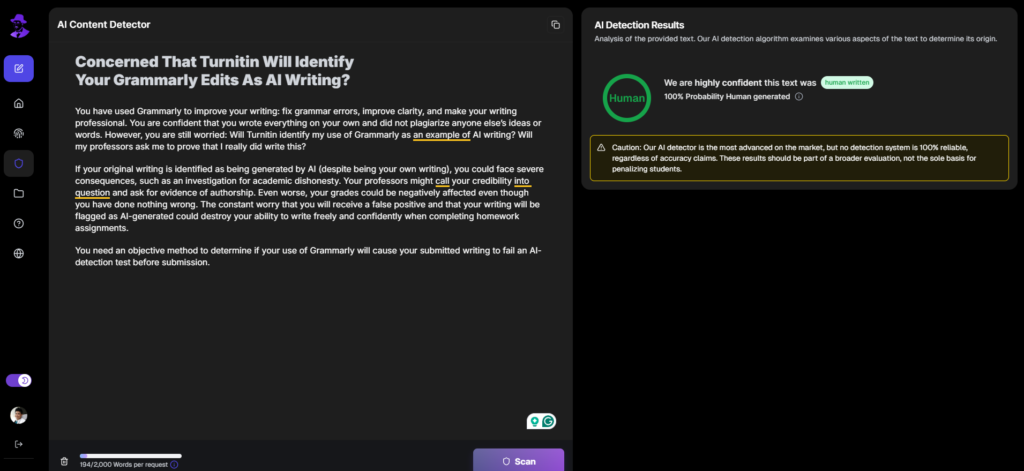
Concerned That Turnitin Will Identify Your Grammarly Edits As AI Writing?
You have used Grammarly to improve your writing: fix grammar errors, improve clarity, and make your writing professional. You are confident that you wrote everything on your own and did not plagiarize anyone else’s ideas or words. However, you are still worried: Will Turnitin identify my use of Grammarly as an example of AI writing? Will my professors ask me to prove that I really did write this?
If your original writing is identified as being generated by AI (despite being your own writing), you could face severe consequences, such as an investigation for academic dishonesty. Your professors might call your credibility into question and ask for evidence of authorship. Even worse, your grades could be negatively affected even though you have done nothing wrong. The constant worry that you will receive a false positive and that your writing will be flagged as AI-generated could destroy your ability to write freely and confidently when completing homework assignments.
You need an objective method to determine if your use of Grammarly will cause your submitted writing to fail an AI-detection test before submission.
How Walter’s AI Detector Can Assist
Walter’s AI Detector provides instant feedback on how your Grammarly-edited writing will be viewed by AI detection software:
- Know beforehand - Test your submissions to see if Grammarly has created AI-detectable patterns in your writing
- Identify where problems lie - Find out where Grammarly has over-edited and needs to be made more natural in terms of style
- Write with confidence - Eliminate second-guessing on using Grammarly and get objective feedback on how your writing will be perceived by your professors and the detection software
In essence, think of Walter’s AI Detector as a pre-submission inspection point. It identifies whether your Grammarly-assisted writing will be considered suspicious by detection software before your professor or Turnitin views your submissions.
Don’t risk losing credit for receiving a false positive on an AI-detection system. Determine how your Grammarly-edited writing will be viewed by AI-detection systems with the assistance of Walter’s AI Detector.
FAQs About Grammarly and AI Detection
Can Grammarly Content Be Flagged as AI by Turnitin?
This can only happen in situations when a person uses the AI features of Grammarly. Otherwise, when it comes to normal spelling and Grammar checks, it’s a rare occurrence. Though scores of a Turnitin report are not conclusive proof of AI usage, they are mere indicators.
Is Grammarly Considered AI for Students?
Grammarly, at its core, is a writing assistant that has introduced new Generative AI features recently. If a student sticks to the use of Grammarly as a tool for simple tweaks, they will not come under the radar of AI usage. On the other hand, something like ChatGPT, whose core feature is to generate new content, is something worthy of being considered as AI.
How Accurate Are AI Detectors When Analyzing Grammarly-Edited Text?
This varies from tool to tool. Originality AI is quite strict, and even small changes like a sentence rewritten may shoot up the percentage heavily. While something like GPTZero and Turnitin are more conservative and will show false positives sometimes.
Is Grammarly Considered Cheating in Academics?
This depends on the academic policies of individual institutions. But, in general, most institutions do not consider Grammarly as a cheating method by itself, but the use of its AI features, such as excessive rewrites and paraphrasing, is what raises the concern of ethics and integrity.
Do I Need to Disclose Using Grammarly for Schoolwork?
This, too, depends on the specific policies of the institution. Usually, proofreading and punctuation correction will not require you to disclose the source of your content. But the use of its AI features may require some transparency. In such cases, an AI humanizer for essays can help keep submissions natural and academically appropriate.
How much AI is Acceptable in Academic Writing?
This will solely depend on the purpose and nature of your written content. In general, content that is AI-generated will be a big no for any respectable institution. However, the level of acceptability will only be till the point of small edits and grammatical errors.
Does Grammarly Rewrite Text or Just Fix Grammar?
As of now, it is able to do both. Grammarly’s core features will allow you to make surface-level changes (like spelling and grammar corrections), but more fundamental changes, such as para rewrites, uniform edits, or paraphrasing, increase the risk of AI detection.
What Should I Use Instead of Grammarly?
Grammarly isn’t inherently bad, but misusing its AI-generative features is. But if you are not using Grammarly, there are some other ways, like doing manual proofreading or reading your work aloud while following a style guide or using AI checking tools to assess the risk of detection. And if your content still feels dissatisfactory, the best approach is to use AI humanization tools, such as Walter Writes, that can help restore natural variation and tone.
Does Grammarly’s Paraphrasing Tool Get Detected as AI?
Yes, it can. Grammarly is able to structure your sentences in such a manner that they may be uniform enough for an AI detector like Turnitin to consider them suspect. Using this tool across a document increases the likelihood of detection. So, do not overuse the paraphrasing tool and always write the suggestions in your own words.
What is GrammarlyGO, and Does It Count as AI Writing?
GrammarlyGo is a tool in Grammarly’s suite of AI-based tools. It creates entire sentences or paragraphs, rewrites your work, summarizes your writing, and even helps develop your ideas through the use of its generative AI features. Unlike Grammarly’s traditional editing tools, GrammarlyGO is creating content, not just correcting it. When you are using it to write original material, consider the created content to be like output generated by the ChatGPT model. Your institution’s AI policies will apply equally to the use of Grammarly GO.
Does Grammarly Have Its Own AI Detector?
Yes - and it actually has two. The first is a free, standalone AI Detector open to anyone. You paste text in, and it flags AI-generated phrases and offers rewrites. No login required. The second is Authorship, available in Education and Pro plans, which tracks how a document was written inside Grammarly - what was typed, pasted, or AI-generated - and compiles it into a report for students and instructors. These are separate tools measuring different things. Neither is the same as Turnitin’s AI score, which analyzes your final submitted text based on statistical patterns. If your school uses Turnitin, run your draft through a detector built for that purpose before submitting.
Can Turnitin Tell the Difference Between Grammarly Edits and ChatGPT-Generated Content?
Not always. Turnitin detects patterns in what you have written rather than what tool or method you used to write it. When Grammarly significantly rewrites your sentences, the resulting sentence structures may resemble AI-generated content, with predictable outputs. Fully AI-generated content will typically receive a higher score on Turnitin’s AI detection than slightly edited Grammarly text. For a better understanding of this scenario, you can read more about how Turnitin handles different scenarios in our Turnitin AI detection guides, and specifically about how Turnitin can detect Grammarly edits.
Do Other AI Detectors Like GPTZero or Originality.ai Flag Grammarly Edits?
Yes, they can. Originality.ai seems to be the most strict of the two, so it will flag content that has been lightly rewritten as well as very heavily rewritten. GPTZero is more conservative than Originality.ai and will flag content that has been moderately paraphrased. How strictly each tool flags your work is dependent upon how much of your work is written in your own words versus your original work. For a full breakdown of how GPTZero evaluates student writing, read this GPTZero review for students.
How Can I Use Grammarly Without Triggering AI Detection?
You can safely utilize Grammarly by utilizing it only as a correction tool, not as a rewriting tool. First, write your initial draft in your own voice, then use it only for the corrections in grammar and spelling. If Grammarly offers a rewrite option for a particular sentence, you should attempt to rewrite the sentence yourself. Also, keep a copy of your original draft as evidence of your work. Finally, run your completed final draft through an AI checker for student writing prior to submission.