



Key Takeaway: This Plagium review covers what the tool actually does well and where it falls short. It works for basic pre-submission similarity checks, but it’s not a Turnitin replacement and shouldn’t be your only safety step before submitting.
- Quick Search is free but often misses paraphrased or rewritten content; use Deep Search for anything important
- Pricing is credit-based and can add up fast if you’re rescanning multiple drafts
- AI detection is included but unreliable on mixed or edited writing
- Turnitin checks academic databases; Plagium checks public web sources. Results will differ
- Always combine with a second tool and review flagged sections manually before submitting
Some students fear the possibility of unintentional plagiarism or that an AI will flag their assignments. Even with honest work submitted, students have the risk of receiving similarity warnings if they do not properly cite their references in their submission.
On the other hand, teachers have a very different issue: finding reliable resources to evaluate student submissions and detect plagiarism or AI-generated content in an assignment, while avoiding incorrect or unfair accusations of academic dishonesty against a student.
In this Plagium Review, we will discuss how this plagiarism checker works for both students and teachers. We will evaluate the product’s features, pricing options, and real-world experiences of actual users. We also provide a number of practical resources and support tools to assist you in verifying and improving your own work.
What Plagium Is (and What It’s Trying to Do)
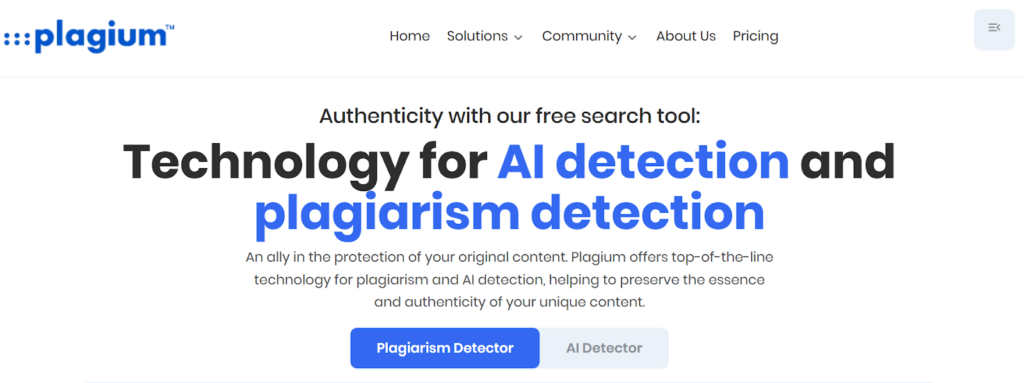
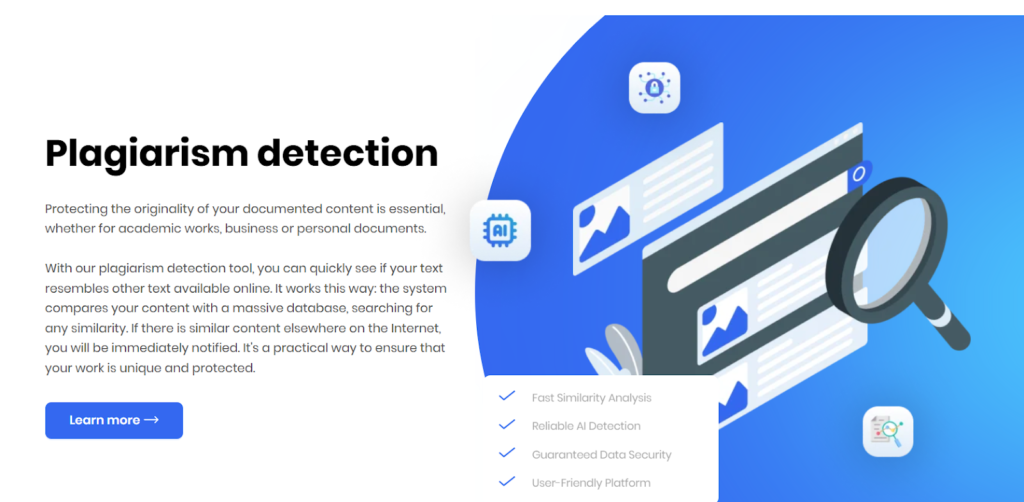
Plagium is an online plagiarism checker that scans text across the web to find similar or copied content. It is designed for individuals, students, teachers, and businesses that want to verify the originality of their work before publishing or submitting it. The platform also promotes an AI detection feature that claims to identify AI-generated writing.
Unlike institutional systems, Plagium works as a web-based checker with different search modes such as Quick Search, Deep Search, and file-based scanning.
The Only 5 Criteria That Matter for Students and Teachers
In this Plagium review, we provide you with the top 5 evaluation points to help assess if Plagium is an appropriate application for your needs.
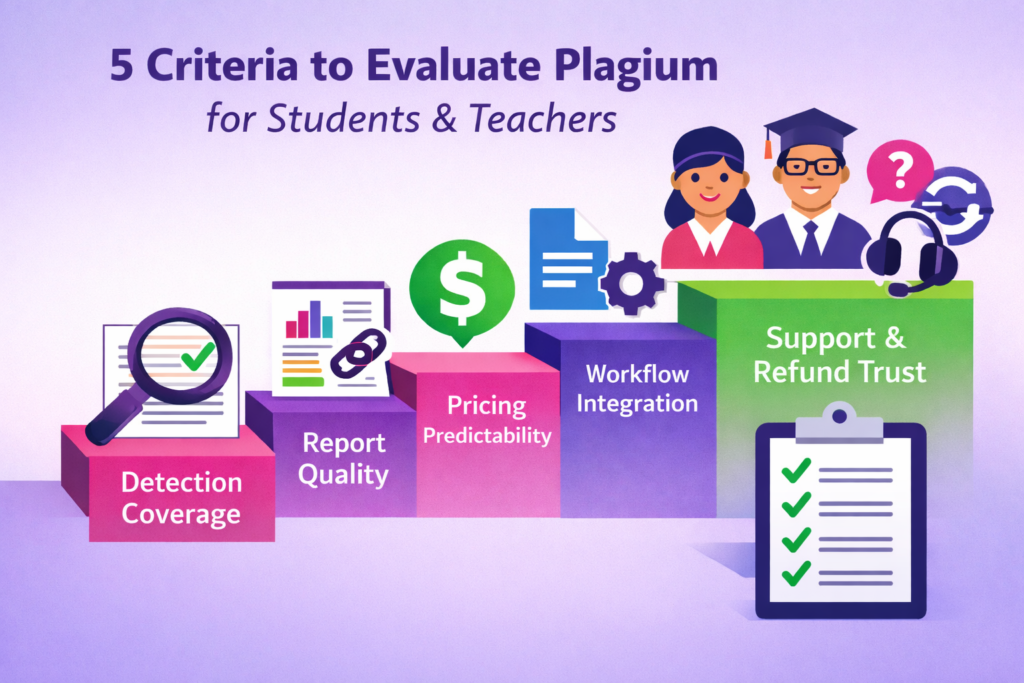
- Detection coverage: Is the tool able to detect copied text, light paraphrasing of text, and reworded content?
- Report quality: Does the report show you where the similarities are and provide links to the sources that you used in your research paper?
- Pricing predictability: How clear is the cost? Are the costs simple to determine, or does the complexity of credits and search limitations confuse you about how much you are paying?
- Workflow integration: Does it allow documents to be uploaded or support tools such as Google Docs for an easier way to check?
- Support and refund trust signals: If something fails, is there reliable support and a clear refund process?
Quick Search vs Deep Search vs File Search
Plagium offers three ways to scan text. Each mode will scan the web for similarities, but the scope of the scan and its reliability may vary.
Quick Search
- Search is fast and free
- Works by simply copying and pasting the text you want to check into the checker.
- Used best as an early draft review tool.
- Often misses rewritten or lightly paraphrased content.
Deep Search
- Paid search using credits.
- Does a more in-depth scan of the web and searches more sites.
- Generally has better results than Quick Search.
- Better suited for your final draft or last-minute submission deadlines.
File Search
- Allows you to upload a document instead of pasting text.
- Also useful for larger assignments and full-length essays.
- Uses the same deeper scanning methodology as Paid Checks.
Simple Rules for Students and Teachers
- Only use Quick Search to get a very basic idea of how well you did with an early draft.
- Avoid relying on it for final submission decisions.
- Use either deep search or file search for high-stakes work such as research papers, capstone projects, and thesis-level work.
Pricing and Credits Explained
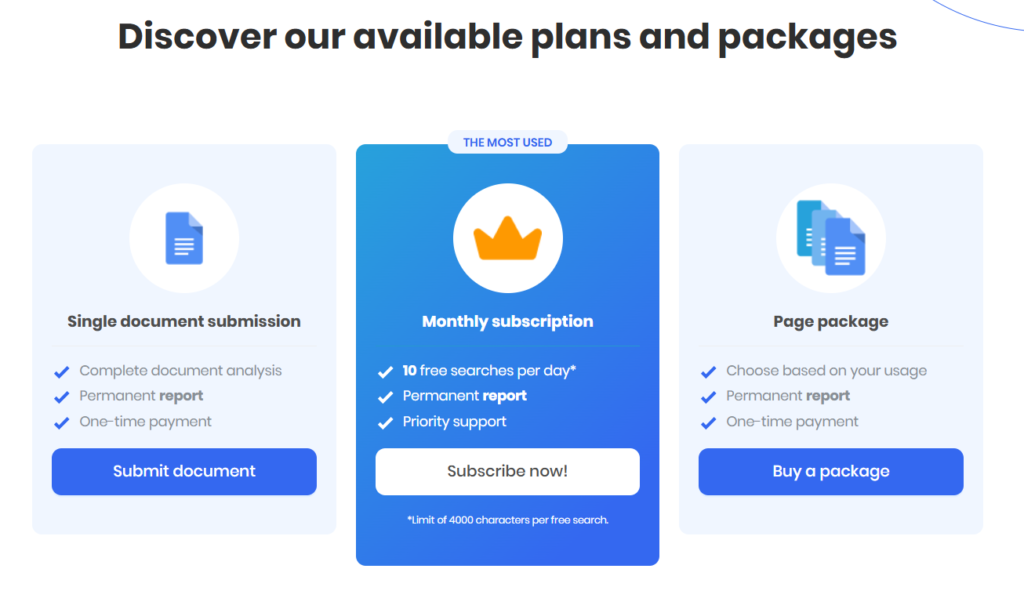
Plagium pricing can feel confusing because it uses two different ways to describe costs. Most users will see either search credits or plan-based access.
Credit-Based searches
- Each Deep Search or advanced scan uses credits.
- Credits are purchased in tiers.
- The more texts you’re scanning, the more credits you will be using.
Prepaid or monthly plans
- Many bundles offer a number of credits per month or per year in either a prepaid package or a monthly package.
- Each scan still consumes credits based on usage.
Example of Subscription plans
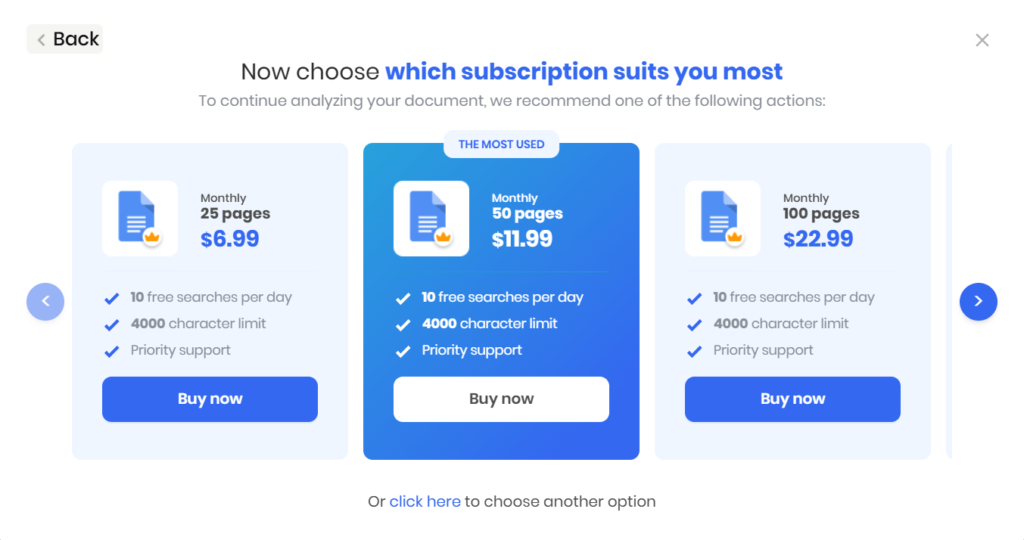
Some plans are offered as monthly page limits instead of pure credit packs. For example, plans may start around $6.99 per month for 25 pages, $11.99 per month for 50 pages, and $22.99 per month for 100 pages, typically including basic search limits and support features.
What This Means in Real Use
Student scenario
- A short assignment may only require a few checks.
- A long piece of writing is likely to be scanned multiple times when it’s being revised.
- Re-reading and re-scanning your draft can also double your cost of using credits very quickly.
Teacher scenario
- You could rapidly accumulate charges from checking 25-120 submissions.
- Per scan billing can very quickly become expensive if you are reviewing every student’s work.
Important note: Although the Google Docs Marketplace listing may indicate that the add-on is free of charge to install, most often this means the add-on itself is free of charge to download or install. Actual plagiarism scans can still require paid credits.
Accuracy and Reliability (What Customer Feedback Suggests)
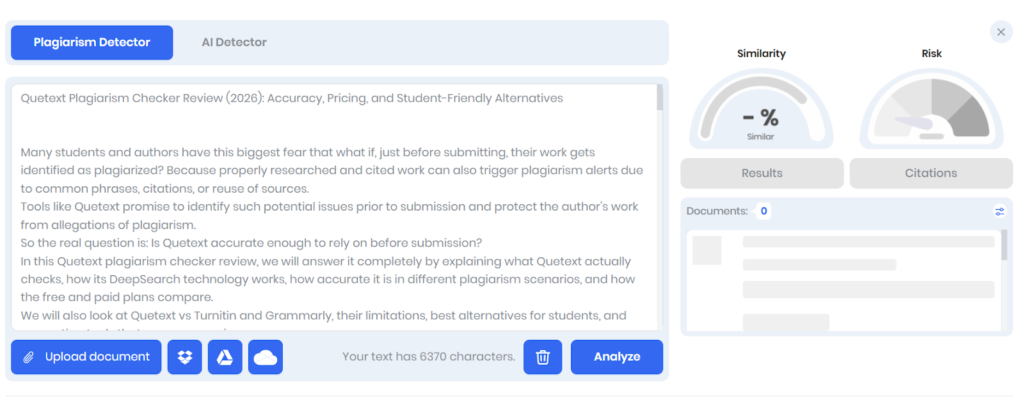
User feedback about Plagium often focuses on two areas. Detection accuracy and customer support experience. There are very few reviews that are publicly available, and several of them show common themes in them.
- Users have sometimes commented on the perceived lack of accuracy with regard to the plagiarism detection tool and expressed concern about the inconsistency in their results.
- Some users have expressed frustrations with how they were dealt with when requesting refunds or other forms of customer service support.
- Feedback from independent testing indicates that while Quick Search may occasionally miss obvious copied text, Deep Search generally performs better and will find additional matches.
But still, the sensitivity of this system is not nearly as high as that of an institutional plagiarism detection system, which many universities use.
Since the number of reviews is so small, these comments should be viewed as indicators rather than the whole story.
Teacher’s Safe Interpretation
- Similarity tools show possible matches, not proof of misconduct.
- A single scan should never be considered to be a final verdict.
- Always verify highlighted sources and review the writing context before drawing conclusions.
Plagium’s AI Detector (What It Can Be Used for and What It Can’t)
Plagium also offers an AI detection feature that claims to identify AI-generated writing. This feature is not fully free and typically uses credits when you run a scan. It is designed to flag patterns that may resemble AI-generated text.
However, AI detection tools are not perfectly reliable. Mixed writing often creates confusing results. For example, the student may have written some of their own work and then edited other parts with AI support, which will likely alter the signal.
Best Way to Use AI Detection
- Take the results as a warning sign, not as a definitive result.
- Look at the citation and draft history of the student.
- If needed, ask for clarification or a short explanation of the writing process.
You can review your draft prior to submitting it with the help of an AI detector for students if you would like to have a clearer workflow.
Google Docs + Uploads (Does Plagium Fit Real Classroom Workflows)
Plagium also offers a Google Docs add-on that allows users to run similarity checks directly from a document. In most cases, this type of integration means the tool can access your document content and connect it to an external checking service.
When installing the add-on, users usually grant permissions such as:
- Access to Google Docs content
- Connection to an external plagiarism checking service
- Basic account information, like email
Some user feedback suggests that the add-on experience can feel inconsistent. A few users report issues where the tool does not run properly or where highlighting and reporting are not as clear as expected.
Teacher Workflow Checklist: If the Add-on Fails
- Export the document text from Google Docs.
- Run the plagiarism check directly on the web version.
- Take a screenshot of your results or save them as an image file for your records to use as evidence.
- Keep a clear evidence trail before discussing results with students.
Plagium vs Turnitin (Comparison for Students and Teachers)
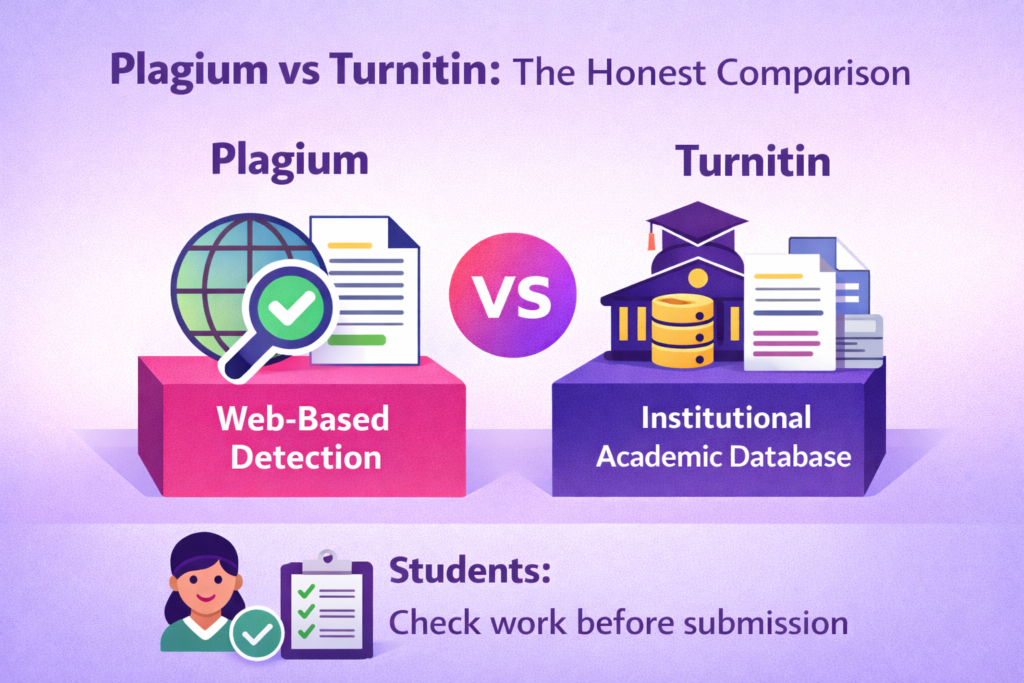
Plagium and Turnitin serve different roles. Plagium is a web-based plagiarism checker that scans public content across the internet. Turnitin is an institutional system used by schools and universities. It checks submissions against academic databases, past student papers, and publisher sources.
Many reviewers describe Turnitin as more sensitive. This usually means it searches deeper into academic databases and submission repositories. It can detect matches that web-based tools may miss. The tradeoff is that institutional systems may also produce more false positives and require policy review.
How to Choose
- Teachers: If you need institution-level enforcement and academic database coverage, tools like Turnitin are the stronger option.
- Students: A practical workflow for both the improvement of writing and the detection of similarity prior to submission is of greater importance than one specific tool.
Many students have concerns as to whether there are platforms that will be able to identify AI-generated work. This guide explains whether Canvas detects ChatGPT, AI, and plagiarism and how institutions review submissions.
Is Plagium Safe to Use for Academic Work
Safety usually depends on three things. Data handling, support reliability, and refund policies.
Data and Permissions
- Tools connected to Google Docs may request access to document content.
- Some integrations also connect to external checking services.
- Before you install a new add-on, always take a look at what kind of permissions it is asking for.
Support Responsiveness
- User feedback from the comments indicates some users found the support process to be either unresponsive or unhelpful.
- The total number of reviews is small, so these should be seen as reported experiences rather than a universal pattern.
Refund Expectations
- Some users mention difficulty with refunds after purchasing credits.
- As with most credit-based tools, it is safer to test with small usage first.
Teacher Policy Note
Teachers should avoid requiring students to upload assignments to third-party tools unless privacy policies have been reviewed. Many institutions prefer official systems for this reason.
To create a better safety net for your writing process, follow these tips to avoid research paper plagiarism before conducting any type of similarity check.
Supporting Tools That Make Plagiarism Checkers More Reliable
Plagiarism checkers alone are not enough for academic integrity. Students usually rely on a few supporting tools alongside them:
- Plagiarism detection tools: Used to detect similarities of text and possible instances of copying.
- Writing improvement tools: Used to enhance the clarity, organization, and originality of the text.
- AI detection awareness tools: Used to check whether writing patterns may trigger AI-generated content flags.
Supporting Tools You Can Use Alongside a Plagiarism Checker
| Tool | Suitable For | Price | Key Use |
| Walter Writes | Human-sounding Rewriting + AI detection awareness | Free trial or Starts at $8/month | Improves readability and checks AI risk patterns |
| Proofademic | Academic proofreading and line-by-line AI detection | Free trial or Starts at $8/month | Academic clarity improvement |
| Grammarly | Writing improvement | Free plan available, Premium starts at $12/month | Grammar, clarity, and tone suggestions |
| QuillBot | Paraphrasing and writing improvement | Free plan, Premium starts at $9.95/month | Rewriting and paraphrasing sentences |
| GPTZero | AI detection awareness | Free plan, Premium starts at $10/month | Detects possible AI-generated text |
| Originality AI | AI detection and plagiarism check | Pay as you go, starts from $0.01 per credit | AI detection with detailed reports |
| The Good AI | AI Essay writing support | Free trial, paid plans available | Drafting and editing assistance |
| Scribbr | Plagiarism checking and proofreading | Plagiarism check starts from $19.95 per document | Academic similarity reports |
For students who want help beyond similarity checking, Walter Writes supports the writing improvement and AI awareness side of the workflow. It is a resource that students may utilize prior to submitting to help assess readability, refine word choice, and minimize risks related to AI detection when finalizing submissions.
A Realistic “Submit-Safe” Tool Stack for Students
Students rarely rely on just one tool before submitting an assignment. A better way to do this is to use a combination of tools that can check for the risk of plagiarizing, improve writing quality, and assess the level of AI risk.
Good for: Students who want to check the risk of plagiarizing and make sure they have polished their essays before turning them in to their instructors for grading.
Tools
- Plagium (Credit-based pricing, around $0.04-$0.08 per page) - The plagiarism detection software that checks students’ submissions against similar content on the internet and identifies copied or plagiarized passages.
- PaperTyper (Free) - Essay draft generator and citation helper for basic assignments and first drafts.
- Walter Writes AI ($8/month) - Provides rewritten human-sounding text and means to check if your submitted work could potentially be identified by AI detection software.
- Grammarly (Free) - Assist students in enhancing the clarity of their writing as well as the overall grammar and readability of their essays.
Cost Per Month: Above $15 (depending upon the number of pages scanned through Plagium, along with a free version of Grammarly and PaperTyper)
Limitation: While plagiarism detection software can assist in detecting potential plagiarism issues, it cannot guarantee that your written content will not be flagged for similarities in academic programs such as Turnitin.
FAQs
Is Plagium a Good Plagiarism Checker?
Plagium can be useful for basic similarity checks across publicly available web content. It offers different scanning modes that allow users to test drafts before submitting work.
But its reliability depends on the search mode used and the type of content being checked. For higher confidence, students often combine plagiarism checking with good citation practices, such as learning how to cite sources in an essay.
Is Plagium Free to Use?
Plagium offers a limited free option through Quick Search, which allows users to paste text and run a basic similarity check. This mode is designed for quick checks on short passages.
More advanced scans, such as Deep Search, usually require paid credits. These paid options provide broader scanning and more detailed similarity results.
How Accurate Is Plagium?
Plagium can detect clear matches from publicly available web pages and copied passages. Its Deep Search mode generally performs better than the basic Quick Search option.
But, like most web-based plagiarism checkers, it may not detect heavily paraphrased text or content stored in private academic databases. Accuracy also depends on how the text is written and revised. You can also check the list of best plagiarism checkers for a deeper analysis.
What Is the Difference Between Plagium Quick Search and Deep Search?
Quick Search is the free option that allows users to paste text and run a fast similarity scan. It is mainly designed for quick draft checks.
Deep Search is a paid option that scans more sources and provides more reliable results. It is better suited for final drafts or high-stakes assignments.
Does Plagium Detect AI-Generated Content?
Plagium offers an AI detection feature that attempts to identify writing patterns that may resemble AI-generated text. This feature typically uses a credit-based system.
AI detection tools should be used carefully because results can vary with edited or mixed writing. They are best treated as indicators that require further review.
How Does Plagium Compare to Turnitin?
Plagium is a web-based plagiarism checker that scans public internet sources. Turnitin is an institutional system used by schools and universities with access to academic databases and past student submissions.
Because of this database access, Turnitin is often considered more sensitive for academic enforcement. Plagium is more commonly used for pre-submission checks or independent similarity reviews.
How Does Plagium’s Credit System Work?
Plagium uses a credit-based pricing model for many of its advanced checks. Each Deep Search or advanced scan consumes credits depending on the amount of text being analyzed.
Users can purchase credits in packages or through certain plans. The more frequently you check drafts, the more credits you will use.
Can Plagium Check Uploaded Documents?
Yes, Plagium allows users to upload documents for similarity checking through its file search feature. This option is helpful when scanning full essays or longer assignments.
Instead of copying and pasting text, the system analyzes the uploaded file directly. This makes it easier to review entire documents in one scan.
Does Plagium Work With Google Docs?
Plagium offers a Google Docs add-on that allows users to run checks from inside a document. This integration usually requires permission to access document content and connect to the external service.
If the add-on does not work properly, users can still copy the text and run the check through the web version. This provides a simple fallback method.
Is Plagium Safe to Use for Academic Work?
Plagium can be used for academic similarity checks when reviewing drafts before submission. It helps identify duplicated passages so they can be corrected.
Students should still verify citations and rewrite risky sections to reduce similarity issues. If you are comparing other plagiarism tools, this EasyBib plagiarism checker review explains another option used by students. You can also read this Quetext plagiarism checker review for a side-by-side look at another web-based tool that uses DeepSearch technology and targets the same pre-submission student workflow.
Final Verdict
Plagium can work as a basic web-based plagiarism checker for quick similarity checks and early draft reviews. It offers different search modes and credit-based scans that help identify copied passages across public web sources.
But often, students and teachers need more than just detection. A complete workflow always includes improving readability, fixing citations, and checking AI-related risks.
For users who want both checking and writing improvement in one place, tools like Walter Writes help complete the workflow as they provide an AI humanizer for students along with AI detection.
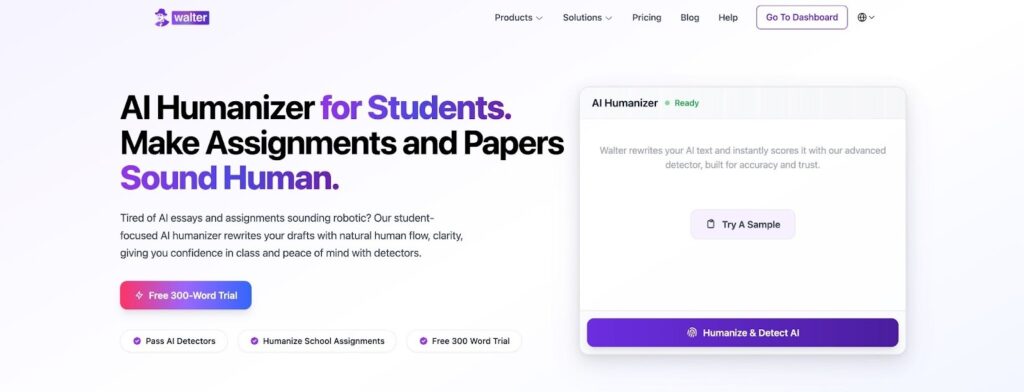
If you need to rewrite AI content fast, try our AI-to-human converter - 300 words free, no signup required.
