



Key Takeaway: No plagiarism checker is perfect, so pick one that matches your document length, budget, and privacy needs.
- Scribbr for final or high-stakes submissions
- Grammarly if you’re already a Premium subscriber
- QuillBot if you also need citation formatting
- Copyleaks for flexible per-scan or monthly pricing
- Quetext or DupliChecker for early drafts only, not final submissions
- Always check if the tool stores your work before uploading anything sensitive
As you prepare to submit your paper, you can’t help but think: Did I plagiarize by accident? Did I paraphrase a source too closely? Did I miss a cite? Is my reference list artificially inflating my similarity score?
What you really need are tools that will not identify your properly cited sources as “plagiarized,” and that will detect paraphrasing, not simply paste-matching. Basically, a Turnitin alternative.
Also, you need to be aware of where your thesis draft is going to go and that it’s not going to land in someone else’s database.
Below is a guide in selecting plagiarism checkers for students, based on student-first criteria, a safe way to submit your papers while addressing all your privacy concerns, and how to understand and interpret your similarity scores.
Summary Table (Choose Fast!)
This table helps you pick the right class of tool quickly. We’re not crowning a universal winner because your situation matters more than any single “best” stamp.
| Tool | Best for (Student Use-Case) | Notable Strengths | Free Limitations | Price | Watch-Outs |
| Scribbr | Detailed reports + broader comparison framing | In-depth comparison across many tools, structured methodology | No free option | ~$20 per scan | Still need similarity % interpretation and institutional policy context |
| Grammarly | Convenience if already subscribed | Easy workflow inside a writing suite you’re already using | Plagiarism checker only in Premium | $12-30/month Premium | Database scope limits vs institutional plagiarism tools |
| QuillBot | Students who want reporting + citation support | Citation formatting help + readable originality reports | Limited pages per scan | $9-20/month Premium | Performance/UX issues noted; not a Turnitin clone |
| Copyleaks | Mixed content / general originality checks | Included among tested tools across multiple sources | Limited word count, 10 pages/month | $9-12 per scan or ~$11/month | Clarify what databases it actually checks |
| Quetext | Quick checks and usability | Widely mentioned, simple interface | 500 words max, limited reports | $10-30/month | Free tier limits; don’t over-trust a single % |
| DupliChecker | Barebones free checks | Common “quick check” name in student circles | 1000 words max, basic reports | Free (with ads) | Often shallow; can mislead for academic submissions |
The Best Plagiarism Checkers for Students
Scribbr: Top Choice for Advanced Academic Integrity Reports
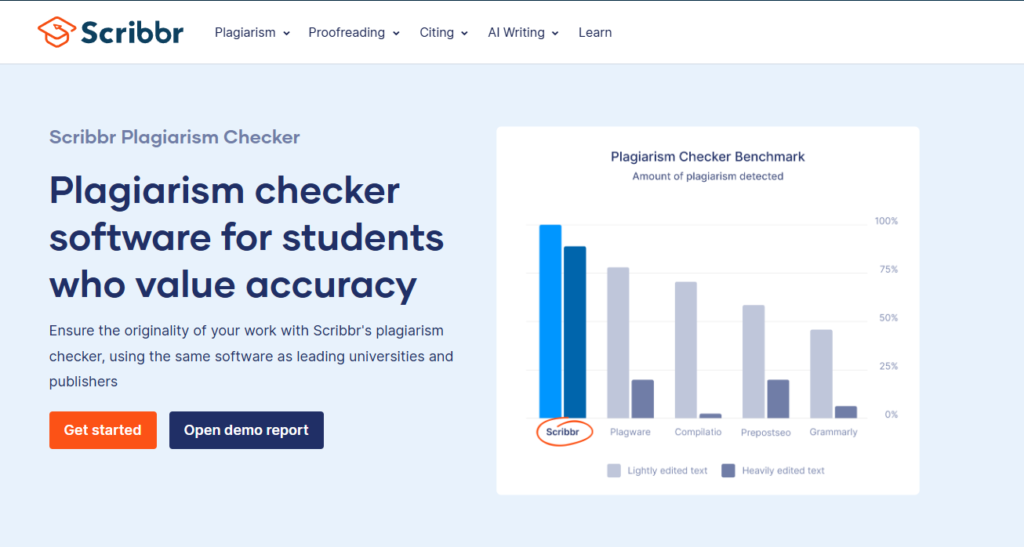
Scribbr is typically recommended by students in an academic environment due to its methodical approach to reviewing products and producing detailed similarity reports. The service does not offer a free version. Users will be charged approximately twenty dollars for each document they wish to have scanned.
This may seem like a lot, but when you are submitting a lengthy thesis or a final paper that could result in serious ramifications should it contain even one plagiarism flag, it is money well spent.
In addition to providing clarity in the reports generated, Scribbr also offers academic resources (such as academic journals and books) within its databases. The tool allows users to upload longer documents, and there is no artificial word limit.
Users who are evaluating plagiarism detection tools and require a level of accuracy that approaches what would be found within an institution would likely use Scribbr first.
Scribbr is a viable option for students who are examining a few large papers per semester and want to purchase a single scan per document.
- Free Version: None Available
- Premium Pricing: Approximately twenty dollars per scan with a comprehensive academic database search, a detailed report of all matched sources along with hyperlinks for review of the source material, and no artificial limits on document size.
Grammarly: Ideal for Existing Premium Members
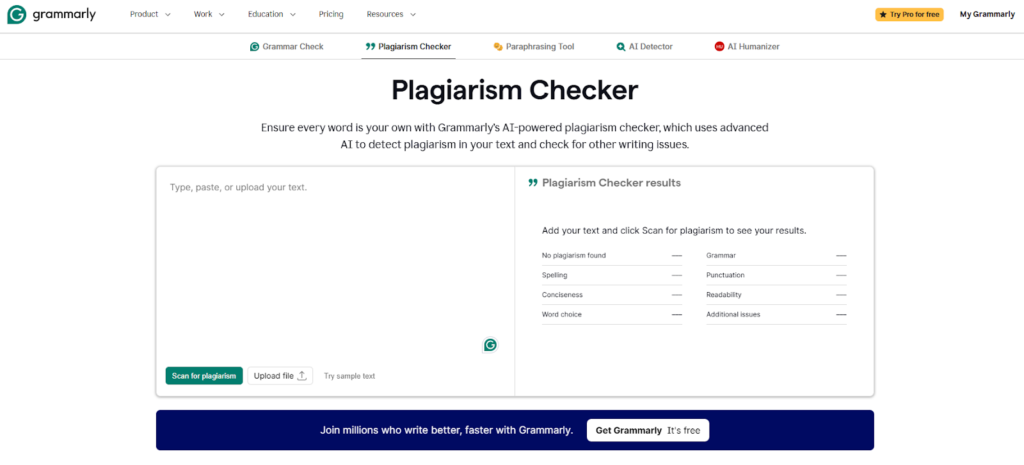
Grammarly is an option to consider if you are already a Premium member ($12-30/month). In this case, the plagiarism detection tool becomes a convenient feature of your writing process. The tool is integrated into your writing workflow. You do not need to add an additional step or upload your work to another service.
Grammarly’s database coverage is much smaller than that of dedicated academic integrity checkers. Grammarly scans web content well, but it does not always detect academic journal and book sources. Suitable for a quick scan of typical essays.
It’s less ideal as your sole plagiarism detection tool for research papers using peer-reviewed sources. Perfectly acceptable to run a paid, more thorough scan after running a quick scan through Grammarly before submitting your final version.
- Free Version: Grammar and Spelling Only. No Plagiarism Detection
- Premium Pricing: $12-30/month with plagiarism detection, advanced grammar, tone adjustment, and an integrated writing suite.
QuillBot: Best for Citation Support + Privacy
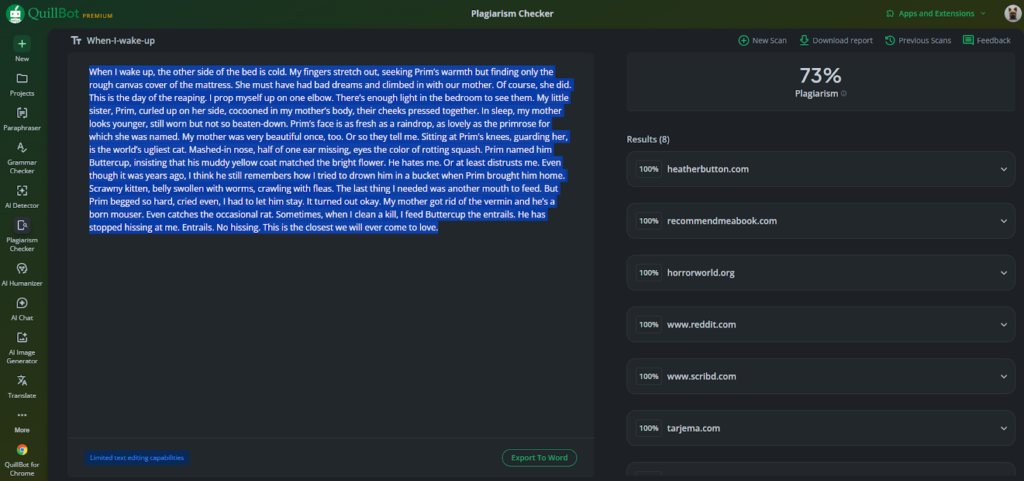
QuillBot offers a combination of plagiarism detection and citation formatting assistance. These are both very valuable for students who are working on improving their citations while also ensuring that they are not plagiarizing. QuillBot clearly describes its data storage practices, which privacy-sensitive students tend to appreciate.
No one wants to submit their thesis draft to a plagiarism detection service and then have it potentially stored in a database.
While the free version of QuillBot is limited, the paid versions start at $9-20/month and are among the least expensive options available. The reports produced by the service are easy to read, the interface is user-friendly, and the citation generation tool is linked to the plagiarism detection tool.
If you are scanning many papers during a semester and want both originality checking and reference management in one location, QuillBot can handle both adequately.
- Free Version: Limited Pages Scanned With Basic Reports
- Premium Pricing: $9-20/month with unlimited scans, detailed reports, citation generation tool, and paraphrasing tools.
Copyleaks: Best for Multiple Scanning Options
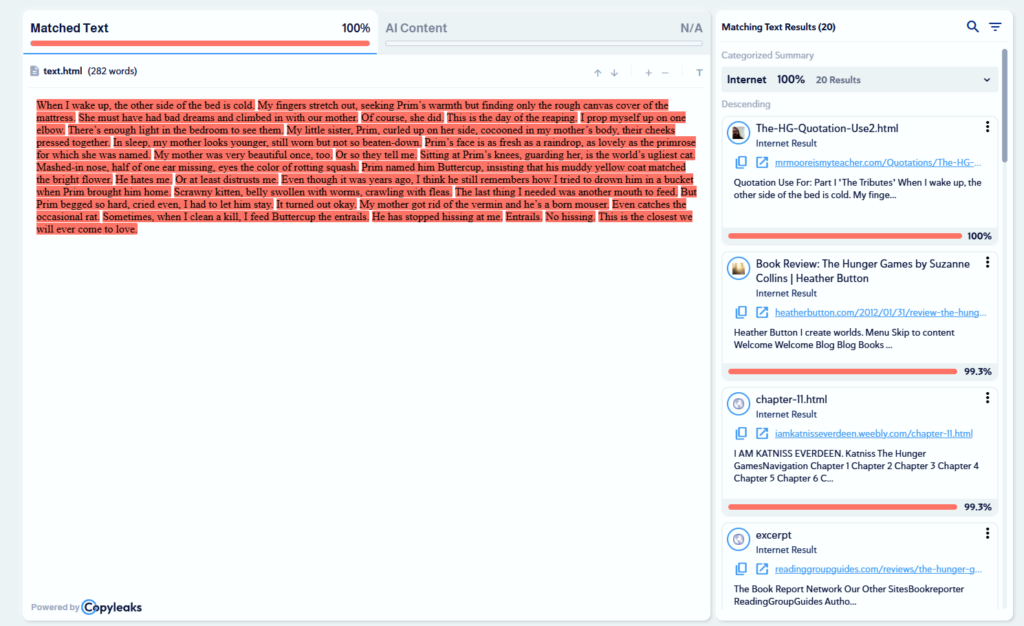
Copyleaks is listed in several independent product reviews and can process a variety of document types. You can choose to either pay on a per-scan basis (approximately $9-$12/scan) or sign up for a monthly subscription (approximately $11/month), depending on your needs and usage frequency.
Per-scan basis is best suited for occasional scans, while a monthly subscription is better suited for scanning drafts throughout a semester.
Copyleaks’ database includes academic sources in addition to web-based content and is capable of processing longer documents without artificially limiting the number of words per scan. Copyleaks will provide you with the exact match sources and a link to the source material, allowing you to evaluate the context of the match.
If you are looking at purchasing a paid plagiarism detection tool and want something that falls between the per-scan cost of Scribbr and the subscription commitment of Grammarly, Copyleaks will allow you to split the difference.
- Free Version: 500-word Limit Per Scan with 10 pages/month
- Premium Pricing: $9-$12/scan or approximately $11/month subscription with academic database search, detailed reports, and support for longer documents.
Quetext: Best Free Option for a Sanity Check
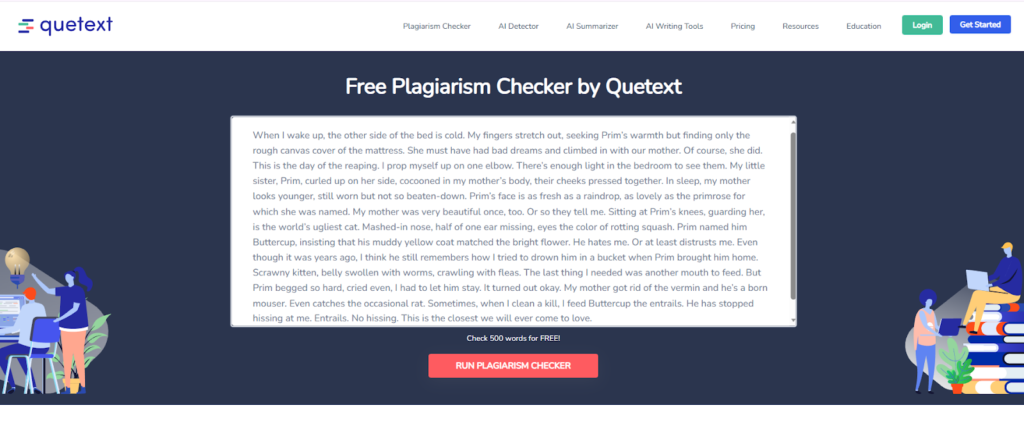
Quetext is the leading free plagiarism detection tool for short essays and sanity checks, but it limits you to 500 words per scan. You will need to scan larger documents in sections. While this is inconvenient, it is acceptable for early drafts of larger documents when you simply want to identify obvious plagiarism problems before you commit to a paid tool.
Quetext scans web content effectively but does not include academic database sources. Use Quetext as your initial plagiarism check to identify potential plagiarism problems such as missed citations, accidental copying of text from other documents, or incorrect quotation formatting.
After completing your initial scan, determine whether the conditions of your project (document length, deadlines, budget) warrant spending more money for a more extensive scan prior to final submission.
- Free Version: 500-word maximum per scan with basic similarity reports
- Premium Pricing: $10-$30/month with unlimited word count, detailed reports, and improved processing speed.
DupliChecker: Best Bare-Bones Free Scan
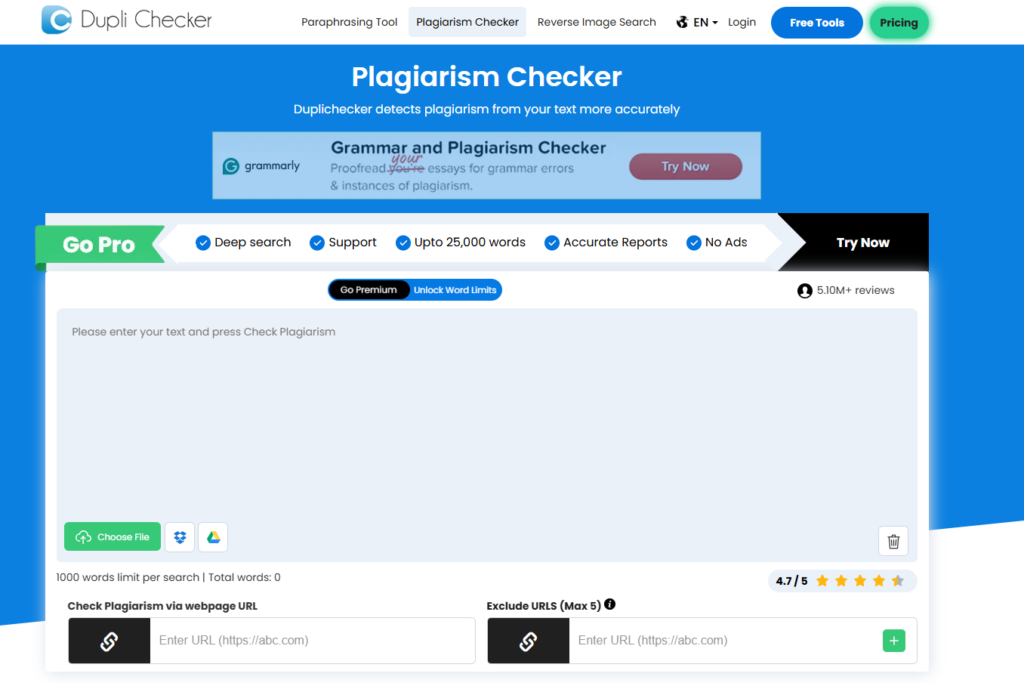
DupliChecker is entirely free with no subscription requirements. It is perfect for a quick “did I accidentally copy/paste something obvious?” check on a throw-away first draft. The tool generates income through advertising. You will see advertisements in the interface.
The reports generated by DupliChecker are basic, and its database is significantly shallower than those of paid academic integrity plagiarism detection services.
You should never rely solely on DupliChecker for academic purposes where accurate reporting is critical. If you are scanning a first draft at 2 am and simply want to know whether you have committed any obvious plagiarism errors before going to bed, DupliChecker is free and will function in a pinch.
Think of it as a metal detector rather than a forensic laboratory. Good for identifying large plagiarism problems, not for verifying the authenticity of specific materials.
● Free tier: 1000 words max per scan with ad-supported interface and basic reports
● Premium price: Remains free with ads, no paid tier for enhanced features
Six Questions to Ask Before Shopping for Plagiarism Checkers for Students
To determine the right plagiarism checker for you, ask yourself these six questions before you choose a tool to scan your draft. Each question takes approximately one minute to answer and will help you decide if you’ve chosen the right tool for your needs.
1. What Databases Does It Search?
Most plagiarism checkers search the open web (public content and blogs), but others search academic journals, books, and research papers. If you are writing a research paper or citing peer-reviewed sources, you should choose a plagiarism checker that includes academic databases in its searches.
2. Will It Catch Paraphrasing or Only Copy-Paste?
Basic plagiarism checkers only flag word-for-word matches. More sophisticated tools will flag paraphrasing (the act of rewording someone else’s text).
If you worry you may have followed a source too closely (even after you’ve rewritten it), you want a plagiarism checker that can catch paraphrasing.
3. Can It Handle Long Documents?
Free plagiarism checkers usually have word limits (typically between 1000 and 5000 words) before you have to purchase a license or upgrade. While this is sufficient for a short essay, it can be frustrating if you are scanning a thesis or dissertation (often 20,000+ words) and have to scan it in pieces.
Breaking down your work into smaller sections can destroy context and increase your cost-per-scan (if you are paying per-scan). Make sure to check the word limit before you begin uploading your work.
4. How Useful Is the Actual Report?
While the percentage of plagiarism detected is important, the report itself is much more important. A good report should clearly explain the potential plagiarism detected and allow you to navigate to the original sources so you can see the context. It should also allow you to export a PDF copy of the report.
Tools that simply state “18% similar” and provide no details as to what was similar are essentially useless when trying to address the plagiarism.
5. Does It Store My Work in a Database?
This is a major concern for many students posting about plagiarism checkers. Some plagiarism checkers store your uploaded work in their database for future scans. This means that your own work could potentially be flagged as plagiarism in the future.
Look for tools that explicitly state they do NOT store your work in a database. If the tool’s privacy statement is vague or hidden in legal jargon, treat that as a red flag.
6. What’s the Actual Cost Structure?
Many free plagiarism checkers show you the percentage of plagiarism detected, but lock the detailed report behind a paywall. Per-scan pricing models (usually $5-$15) make sense if you only plan to scan one paper.
Monthly subscription models ($10-$30) are better suited to students who scan multiple drafts or work on multiple papers over a semester. Determine which pricing model best suits how often you’ll be using the tool.
After spending two minutes answering each of these questions, you’ll know if the plagiarism checker is suitable for your needs or if you should continue shopping around.
When Free Is Enough? When You Should Pay for a Premium Plagiarism Checker?
Free Plagiarism Checkers Are Great For:
- First-draft plagiarism checks (where you’re primarily concerned about obvious copy-paste plagiarism)
- Short essays (<2k words) where you just need to verify your citations look clean
- Pre-verification checks are performed prior to deciding whether you need to perform a deeper plagiarism check
Premium Makes Sense When:
- You are submitting a thesis or dissertation
- You are in a high-risk class where one plagiarism flag could result in severe consequences like in law school
- You need academic database access (journals, books) that free tools do not cover
- You will be scanning multiple papers throughout the semester, and a subscription is cheaper than getting stressed and losing a few hairs
What Premium Gets You:
Access to academic databases, detailed reports linking to source material, support for longer documents, sensitivity to paraphrasing, and the option to rescan after making edits. Both Scribbr and Copyleaks were frequently mentioned in academic writing circles for their comprehensive database coverage and report detail.
Ethical Ways to Minimize Similarity Scores (Without “Cheating” Plagiarism Detection Software)
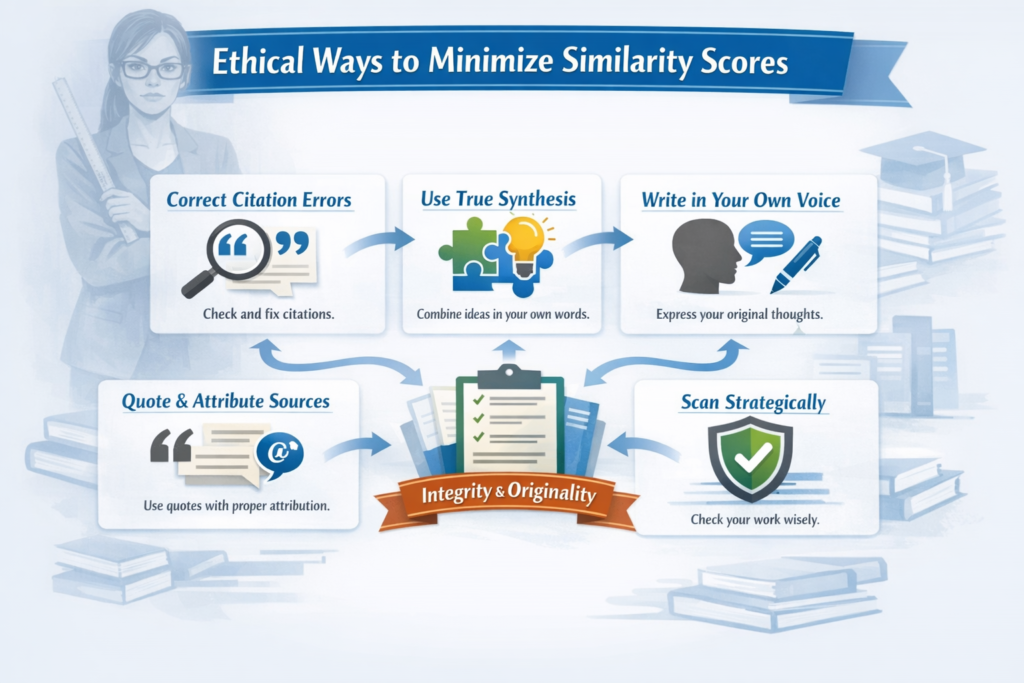
You want to create original, high-quality writing that is free from unintentional plagiarism, and you are using plagiarism checker to minimize the likelihood of a high similarity score being generated based on your writing. In order to accomplish this goal, please see the steps below to ethically reduce similarity scores based on improved writing quality.
Correct citation errors prior to addressing other issues.
Citation errors often result in high similarity scores, and correcting those will typically address many of your concerns regarding high similarity scores. Make sure that you have properly cited all paraphrased or summarized material that you referenced in your paper. Verify that you included quotation marks around quoted material that was not properly identified in your paper.
Use true synthesis rather than patchwriting.
Patchwriting occurs when you rewrite a source document using the same sentence structure and simply substitute the original wording with similar wording. True synthesis occurs when you take the concepts and ideas expressed in the source document and rearrange them into your own sentence structure to convey your understanding of the information.
If you’re struggling to synthesize a source because you don’t fully understand the underlying concept, homework help websites are a good place to start. Understanding the material first makes true synthesis significantly easier than trying to rewrite around something you haven’t fully grasped.
Writing in your own voice is an essential part of demonstrating that you have synthesized the information presented in the source document. It’s also a primary method used to reduce the occurrence of paraphrasing detection flags. Our essay humanizer can assist you in rewriting for originality while maintaining your argument.
Properly quote and attribute your sources.
Each time you quote directly from a source, you should include quotation marks and provide an immediate citation for the source. Each time you paraphrase from a source, you should still provide a citation for the source, even though you have rewritten the information.
Providing proper citation does not increase the risk of plagiarism. Instead, it demonstrates that you recognize where the ideas originated and is one of the fundamental requirements of academic writing.
Properly handle references, appendices, and templates.
Let your professor know (or include in your submission) if there are references, appendices, or templates that were included in your similarity score that did not contain original ideas. Most plagiarism detection tools allow you to exclude certain areas of your paper from the scan, such as references, appendices, and templates.
If your tool does not have this capability, inform your professor when submitting your paper. Your professor will likely recognize that the inclusion of these types of materials would inflate the similarity score.
Scan strategically.
Run a plagiarism scan once to identify the flagged areas, correct the issues, and then perform a second scan to verify that the problems have been corrected. Do not continuously run a plagiarism scan every time you make edits to your paper. You will waste money, waste time, and put yourself under undue stress.
Typically, two scans (one before corrections and one after corrections) will suffice.
Student-Safe Workflow Checklist (Before You Submit)
Below is the repeatable workflow that will decrease stress and identify issues early. Bookmark this page and apply it to every paper.
Draft → citation check → originality check → Fix top matches → Final check → Save Report.
- Complete your draft and verify that all of your sources are cited.
- Run a plagiarism scan. For initial drafts, use a free plagiarism scan tool. For your final draft, consider using a paid plagiarism scan tool.
- Examine your originality report and prioritize fixing the most critical items: citation errors first, followed by patchwriting, followed by quotation formatting, and lastly, ignore reference/boilerplate matches.
- Make the necessary corrections and rescan to validate that the corrections were successful.
- Save a copy of your final report as evidence that you conducted a plagiarism check (some professors request this).
“Do plagiarism scanners keep my work?” decision gate.
Review the tool’s privacy policy.
- If the tool states “we do not retain or share submitted content,” you should be good to go.
- If it states “the content of submissions may be added to our database,” determine whether you are comfortable with this.
- If the policy is unclear or non-existent, do not upload your final draft. Use it for early versions of your paper that you do not wish to protect, or use another tool.
Additional resources for students can be found in our student category, including guidelines on ethical use of AI in academic writing and AI study tools that support your educational development process.
Four Simple Steps to Submit with Confidence
Your next safest move is to take advantage of the knowledge you’ve gained in the areas of using assignment guidelines, having a clear workflow, and understanding the limitations of plagiarism detection tools. The following is an outline of how to use the information you have learned to avoid overthinking.
Step One: First, improve your writing.
Before running your text through a plagiarism checker, be certain you have properly synthesized the material as opposed to merely copying and pasting it. Be certain that you have clarified your arguments and the way you express those arguments in your own words prior to submitting your text to the plagiarism checker.
In doing so, you will reduce the likelihood of accidentally duplicating other people’s work in your draft prior to a plagiarism checker reviewing it.
Building that habit starts in the browser. This guide to Chrome extensions for students covers citation tools like Zotero Connector and Cite This For Me that help you source correctly from the start, before a plagiarism checker ever enters the picture.
Step Two: Select a plagiarism checker to use as outlined in your assignment.
Do not spend too much time researching the best plagiarism checker to use, as the best checker for your purposes is one that matches the characteristics of the project (such as length, budget, and privacy concerns) that you are undertaking. A reasonable plagiarism checker that meets your needs is better than spending hours researching the “best” plagiarism checker.
Step Three: Run the plagiarism checker, correct any issues identified, and then run it again.
Initially, address any citation issues, followed by addressing any patchwriting, followed by addressing any quotation mechanics issues. Ignore reference lists that match and boilerplate unless your professor has specifically asked you to. Once you complete these steps, save the last version of your report.
Step Four: Finally, submit your paper with confidence.
You have reviewed your work to identify any issues, corrected the issues you found, and verified that all of your citations were accurate. If the plagiarism checker developed by your professor identifies a larger percentage of similarity in your paper than the percentage identified by the plagiarism checker you ran yourself, you will be able to determine whether the issue is due to differences in the databases searched versus actual plagiarism issues.
You did the necessary work to produce a quality paper. You are prepared to submit your paper.
One More Step Before You Hit Submit: Did You Humanize Your Content?
You’ve chosen the right plagiarism checker, fixed your citations, and confirmed your similarity score looks reasonable. But here’s what most students miss: even a clean plagiarism report won’t save you if your writing sounds robotic, follows your sources too closely, or reads as if it came from a thesaurus instead of an actual person. Make sure your paper passes a more important test: does it actually sound like a human wrote it?
That’s exactly what Walter Writes for Students helps you fix. Our AI humanizer is built specifically for students who need to transform source-heavy drafts into true synthesis, catch patchwriting before professors do, and polish their arguments without losing academic rigor. Sign up now and humanize 300 words, and get free AI detection for 3 days.
Frequently Asked Questions
Which free plagiarism checker is the most accurate?
The accuracy of plagiarism checkers depends on the type of database you are comparing your document against. Free plagiarism checkers that search against the open web (Quetext, Grammarly) tend to be fairly accurate at detecting plagiarism that exists in web-based materials.
Since most free plagiarism checkers do not search against academic databases (student paper repositories, books), they will typically miss many instances of plagiarism. While free plagiarism checkers are great for conducting preliminary plagiarism checks on drafts of papers, they should never be relied upon as the sole method for verifying the originality of a paper prior to submitting it for evaluation.
Is Turnitin the best plagiarism checker?
Yes. Turnitin is the best plagiarism checker available for institutions to monitor academic integrity in their students’ work because it provides the ability to search across the largest number of academic databases (academic journals, books, web pages, and millions of student papers).
“Best” is always dependent on the specific context in which it is being used. For example, if a professor wants to generate detailed reports of plagiarism for each of their students, Turnitin is clearly the best choice.
On the other hand, if a student is trying to conduct a plagiarism check on a single paper for personal use (not within an institution), there are several excellent alternatives (Scribbr, Copyleaks) that provide equally strong database coverage without the need for institutional access.
What plagiarism checker do professors use?
Since most universities purchase institutional licenses for Turnitin, it is the plagiarism checker most frequently used by professors. Some professors may use plagiarism checkers that are built into their Learning Management System (Canvas, Blackboard, Moodle) or other specialized plagiarism checkers. Blackboard’s built-in checker is SafeAssign - read our SafeAssign review to understand how it scores submissions and what it can’t catch.
If a professor does not indicate the plagiarism checker they intend to use in your course syllabus, you may safely assume they plan to use Turnitin. If you are uncertain about which plagiarism checker your professor plans to use, simply contact your instructor to inquire. I am sure they would prefer to answer your question directly rather than have you worry unnecessarily.
Are free plagiarism checkers reliable?
While free plagiarism checkers are useful for identifying obvious web-based plagiarism and for generating a general sense of how many similarities exist between your document and another document, they cannot be relied upon as your sole method for validating the originality of your work.
Since free plagiarism checkers generally only search against the open web (and not against academic databases), they will likely miss many cases of plagiarism. Use free plagiarism checkers primarily as a way to quickly identify any obvious plagiarism (missing citations, careless quoting).
If you are concerned about plagiarism in your work, consider using a paid plagiarism checker after you have done some initial cleanup of any obvious errors.
What percentage of plagiarism is acceptable?
Similarity scores generated by plagiarism checkers are completely dependent on the nature of your assignment and how heavily you are relying on the work of others. For example, a literature review may contain 15 different sources and could generate a similarity score of 20-25% simply because of all of the proper citations and references included in the paper.
Conversely, a personal essay that relies on only two sources may yield a similarity score of less than 5%. Most professors view similarity scores greater than 20-25% as indicative of plagiarism and will investigate further when encountering such results.
If you are ever uncertain about the similarity score expected by your professor, ask your instructor what range of scores they expect for a particular assignment.
Can plagiarism checkers detect paraphrasing?
Many plagiarism detection tools can identify patchwriting (paraphrasing that retains the same structure as the original text but changes the wording slightly). These types of plagiarism detection tools include Scribbr and Copyleaks, both of which are designed to test for this form of plagiarism.
Simple plagiarism detection tools are only capable of detecting exact word-for-word matches. If you are concerned about paraphrasing too closely to someone else’s work, select a plagiarism detection tool that specifically states that it tests for paraphrasing, and then rewrite your ideas in your own words as opposed to simply substituting synonyms.
Do plagiarism checkers store my work?
Plagiarism checkers vary in terms of whether or not they retain copies of the documents submitted for analysis. Review the plagiarism checker’s privacy statement prior to uploading any files to the service.
Turnitin and other institutional plagiarism checkers retain copies of all papers submitted to them (for example, so that future students may receive a flag for a paper that was previously submitted). Some plagiarism checkers, including Scribbr, specifically state that they do not retain copies of users’ documents.
If the privacy statement of a plagiarism checker is ambiguous or indicates that it may retain your work, use the plagiarism checker only for drafts that you are willing to share with others, or use a plagiarism checker that is more transparent in its practices.
Is Grammarly a good plagiarism checker?
Grammarly is a viable plagiarism checker for students if they are already using the premium version of Grammarly. It’s very useful for catching web-based plagiarism and integrating into your overall writing process.
Grammarly is not a plagiarism checker that searches academic databases, and may not be as comprehensive as other plagiarism checkers. For writing papers for college courses, you may find that you need to use a plagiarism checker that searches academic databases (Scribbr, Copyleaks), as Grammarly’s database is relatively narrow compared to these services.
Grammarly is certainly useful for general writing purposes, including catching plagiarism in social media posts, blog posts, or other informal writing projects.
How much does a plagiarism checker cost?
Free plagiarism checkers are available, but they often have limitations (limited word counts, fewer scans, locked detailed reports). Paid per-scan plagiarism checkers cost $5-15 per scan. Subscription-based plagiarism checkers cost anywhere from $10-30 per month, depending on the features and number of scans included in the subscription package.
Institutional plagiarism checkers, such as Turnitin, are paid for by the university and are available at no charge to students. Based on your needs, you may wish to use a free plagiarism checker for initial checks, a per-scan plagiarism checker for occasional checks, and a subscription plagiarism checker if you will be checking multiple papers throughout the semester.
What is the difference between humanizers and plagiarism checkers?
Humanizers assist you in rewriting artificially produced text (text created by an AI program) or mechanically produced text (the output of an automated writing assistant) to create more natural-sounding and readable text. Plagiarism checkers scan your text to look for matches to existing texts to verify that your text has been properly referenced and does not plagiarize.
Humanizers and plagiarism checkers serve different functions and are used to accomplish different tasks. Use a humanizer (such as Walter Writes) to ensure you have rewritten your text in your own words and properly synthesized your sources. Use a plagiarism checker to verify that your paper is entirely original.
Ideally, use a humanizer to rewrite your text in your own words and then check it with a plagiarism checker to confirm your paper contains nothing that appears plagiarized.
If you are interested in learning more about how AI tools are used in education, please see our guide to the best AI tools for teachers and how AI bias affects academic work.
Curious specifically about SafeAssign? See our updated 2026 guide: Does SafeAssign Detect ChatGPT and AI Writing?
