




TL;DR: Is Quillbot the Best Choice?
- QuillBot is useful for quick paraphrasing and summarizing, but its 125-word free limit makes it impractical for anything longer than a short paragraph without paying for Premium
- It struggles with nuanced, undetectable writing and can trigger plagiarism detection tools like Turnitin, with a reported 25-35% false positive rate on common AI detectors
- The core problem is that QuillBot is a paraphraser, not a humanizer. It rewrites human-written text to reduce plagiarism, but it was never built to make AI-generated content undetectable
- Turnitin and GPTZero analyze statistical patterns in writing, not just word choice, which means synonym swapping alone does not fool them
- Walter Writes is the stronger alternative: an AI humanizer built specifically to rewrite AI-generated text at the structural level, producing output that passes Turnitin, GPTZero, and Originality.AI at a student-friendly price starting at $8/month
- If your goal is to polish writing you already wrote, QuillBot works. If your goal is to make AI-assisted writing undetectable, you need a humanizer, not a paraphraser

If you’ve heard of Quillbot, you probably know how great it can be at paraphrasing, summarizing, and helping with your writing.
However, it’s not always the best choice, especially when you’re aiming for undetectable, human-like writing.
Quillbot’s limitations, such as generic outputs and potential detection risks, often lead users to seek alternatives that deliver better customization and safety.
In this article, we’ll cover the best Quillbot alternatives in 2026, tested specifically for undetectable writing, and explain the difference between paraphrasing tools and AI humanizers, which is the distinction most users miss when they find that Quillbot fails AI detection.
Paraphrasing vs. AI Humanizing: Why the Distinction Matters
Paraphrasing and AI humanizing are not the same thing, and most users searching for Quillbot alternatives don’t realize this until they’ve already been flagged.
A paraphrasing tool, like Quillbot, takes human-written text and rewrites it using synonyms and restructured sentences. It’s designed to help you avoid plagiarism in content you wrote yourself.
An AI humanizer takes AI-generated text, like output from ChatGPT, Gemini, or Claude, and rewrites it so it reads like a human wrote it and passes tools like Turnitin, GPTZero, and Originality.ai.
If you’ve been using Quillbot to make AI-generated content undetectable and it’s still getting flagged, that’s why. Quillbot was built to paraphrase, not to humanize. It doesn’t consistently pass AI detectors.
Walter Writes was built specifically for the humanizing use case. If your goal is to produce writing that passes AI detection, you need a humanizer, not a paraphraser.
Does Quillbot Bypass AI Detection?
The short answer is: not reliably. Quillbot does have an AI Humanizer feature, but independent tests show it has a reported 25-35% false positive rate on common AI detectors. Turnitin and GPTZero still flag Quillbot-humanized text in many cases.
Quillbot’s humanizer adjusts tone and phrasing, but it doesn’t make big structural changes to sentence rhythm or statistical patterns, which is what modern AI detectors analyze.
If passing AI detection is your primary goal, you need a tool purpose-built for it. The rest of this article covers which tools actually deliver.
Why Users Seek Quillbot Alternatives
There are advantages to Quillbot, but also some significant drawbacks. If you’re on AI-powered writing tools, these plays probably sound familiar:
Detection Risks
Quillbot’s outputs get flagged by AI detection tools, including Turnitin, GPTZero, and Originality.ai. Its free humanizer has a reported 25-35% false positive rate, meaning content that’s supposed to have ‘humanized’ still gets detected as AI-generated. For students submitting academic work or professionals producing client-facing documents, this is a critical limitation.
The 125-Word Free Limit
Quillbot’s free plan caps paraphrasing at 125 words per request. For anything longer than a short paragraph, you’re either splitting your work into chunks or paying for Premium (around $4-$9.95 per month, depending on the plan). Most competitor tools reviewed in this article offer significantly higher free limits.
Lack of Depth
Paraphrasing by Quillbot often appears stiff or formulaic and does not work well for subtle, creative, or academic writing.
Limited Features
Quillbot offers several paraphrasing modes (Standard, Fluency, Formal, Simple, Creative, and Academic), but its flexibility for tone, style, and detection-bypass is limited compared to purpose-built humanizing tools.
If you’ve ever struggled with these problems, you’re not alone. A lot of users begin to look for more personalized and undetectable outputs.
Top Alternatives to Quillbot
Let’s take a closer look at some of the most popular Quillbot alternatives and what they bring to the table:
| Tool | Key Features | Pricing | Detection-Proof | Best For |
| Walter Writes | Humanized, detection-proof output, tone and style control | Flat rate (see site) | Yes | Academic and professional work |
| Grammarly | Grammar, clarity, rewrite, AI humanizer | Free / Premium | Partial | Polishing and refining writing |
| Wordtune | Sentence-level rewrites, tone control | Free (10/day) / Paid | No | Quick sentence improvements |
| Undetectable AI | Multi-detector bypass, readability control | From ~$15/mo | Yes | Maximum detection bypass |
| Spinbot | Quick synonym-based paraphrasing | Free | No | Simple, basic rewriting |
| Paraphraser.io | Multiple paraphrasing modes, multilingual | Free / Paid | No | Multilingual paraphrasing |
1. Walter Writes: the Best Alternative
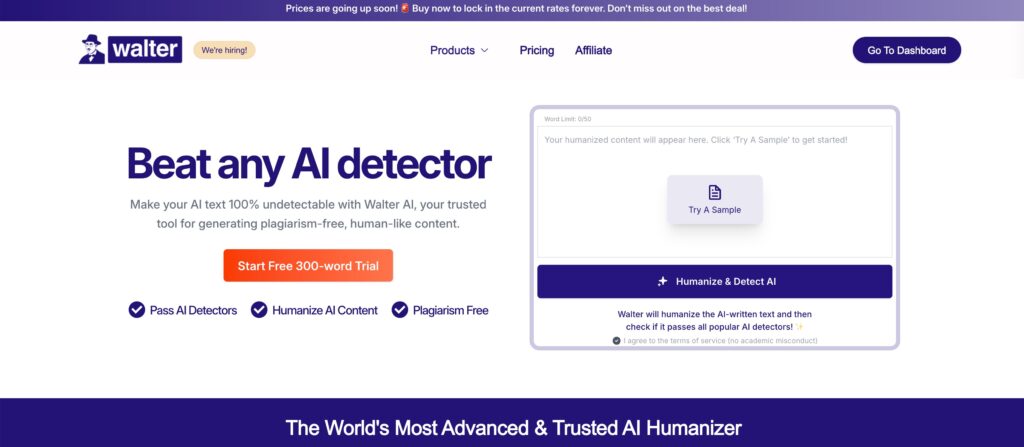
We will head to some other alternatives but let’s first discuss why Walter Writes is in a league of its own. Student, Professional, or Content creator. Walter Writes always does what other writing tools can’t.
Unmatched Authenticity
Most paraphrasing tools shuffle words around. Walter Writes is built differently. It’s an AI humanizer, which means it’s specifically engineered to rewrite AI-generated content so it passes Turnitin, GPTZero, and Originality.ai. The output reads like a human wrote it, because the tool focuses on sentence rhythm, structural variation, and natural language patterns rather than just synonym swapping.
Tailored for Your Needs
Walter Writes really shines when it comes to flexibility. Rather than return a cookie-cutter output, Walter Writes lets you make changes in tone, complexity, and style. Want a blog to sound like a conversation? Done.
What if you are working on a thesis that needs a formal structure? Walter Writes has it all right here. This gives you all the control to make your writing fit your needs.
Truly Detection-Proof
One of the biggest fears when using AI tools is being flagged as AI-generated. Walter Writes was built around this concern. Its outputs are designed to be undetectable by Turnitin, GPTZero, and Originality.ai. Unlike Quillbot’s humanizer, which takes a light-touch approach, Walter Writes makes bigger structural changes to sentence rhythm and phrasing, which is what it takes to consistently pass modern AI detectors.
Affordable and Fixed Rate Pricing
Walter Writes starts at $8/month (billed annually) for the Starter plan, which includes 30,000 words per month and 750 words per request. The Pro plan is $13/month (70,000 words/month) and Elite is $26/month (200,000 words/month). There are no per-request word caps beyond the plan limit, and all plans include the full humanization engine, built-in AI detector, plagiarism-free output, and 80+ language support. Compared to Quillbot Premium at up to $9.95/month with continued limitations on humanization, or Undetectable AI at $15-19/month, Walter Writes delivers more for less, especially at the Pro and Elite tiers where the word volume is substantially higher.
Versatility for Any Task
Walter Writes handles the full range of writing contexts: academic essays, professional reports, blog posts, marketing copy, and creative projects. Unlike most AI humanizers that focus only on making text ‘less robotic,’ Walter Writes also preserves meaning and adjusts tone for the specific context, so the output doesn’t just pass detection, it reads well.
Want to know what others think of Walter Writes? Read this review.
2. Grammarly
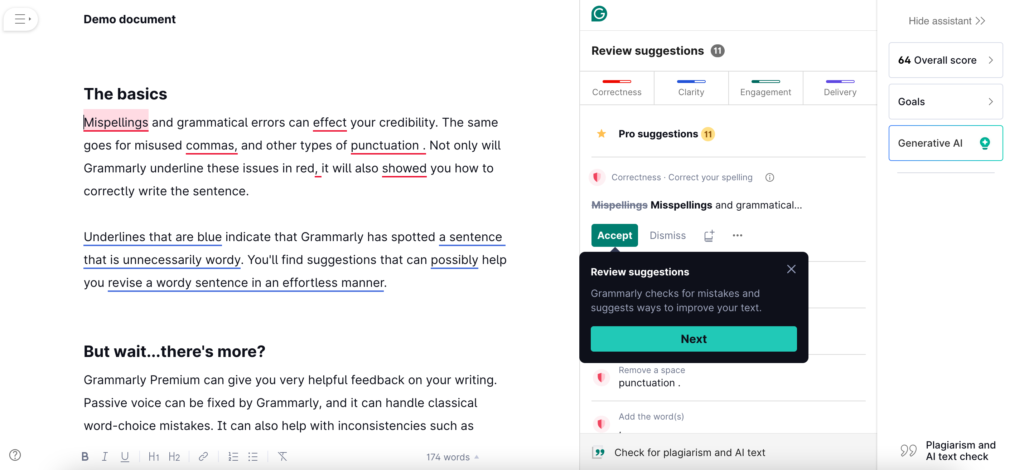
Grammarly is one such tool, which has become a favorite of anyone who wants to clean up their writing.
It started as a grammar checker, but Grammarly now includes a rewrite and paraphrasing feature as well as an AI Humanizer tool. It’s not primarily a paraphrasing tool, but for polishing writing and improving clarity, it’s one of the most trusted options available.
Whether you’re writing an email, drafting a report, or even working on a casual social media post, it’s like having your own trusty editor standing by, ready to help.
What Makes Grammarly Great:
It catches everything from typos to grammatical errors to awkward wording; it’s there for you with specific suggestions to make sure your writing is clear and professional.
- In-the-moment fixes: The real-time corrections are really helpful. No need to come back and re-read everything later, it’s all handled as you type.
- Works everywhere: Grammarly plays well with your browser, your email, and your apps, like Google Docs or Word. Wherever you’re writing, it’s here to help.
- Adjust tone: Need your writing to sound more formal or more friendly? Grammarly can help buttress it to fit the mood you’re aiming for.
Where Grammarly Falls Short:
- Limited humanization: Grammarly’s rewrite and humanizer features are useful for polishing, but they’re not built to consistently bypass AI detectors like Turnitin or GPTZero. For detection bypass, a dedicated humanizer is more reliable.
- Not terribly creative: It’s great for polishing existing content but doesn’t do much for brainstorming or generating new ideas.
If you want to take your writing to the next level by ensuring its error-free, Grammarly is an excellent choice.
But if you’re looking for something that paraphrases, or that can create content from scratch, you may need to use this in conjunction with another tool.
3. Wordtune

Wordtune is a strong option for sentence-level rewriting and quick tone adjustments. It works best when you have a draft and want to improve specific sentences rather than rewrite entire documents.
What makes Wordtune stand out is its intuitive interface. You highlight a sentence, and it gives you multiple rewrite suggestions at different tones, from casual to formal. It’s particularly good for emails, short-form content, and social posts.
What Makes Wordtune Great:
- Sentence-level rewrites with tone control: casual, formal, short, long.
- Real-time suggestions that integrate into your workflow.
- Strong free tier with 10 rewrites per day.
Where Wordtune Falls Short:
- Not designed for AI detection bypass. It improves flow but won’t consistently fool Turnitin or GPTZero.
- Works best on shorter pieces. Long-form humanization is better handled by a dedicated tool.
4. Undetectable AI
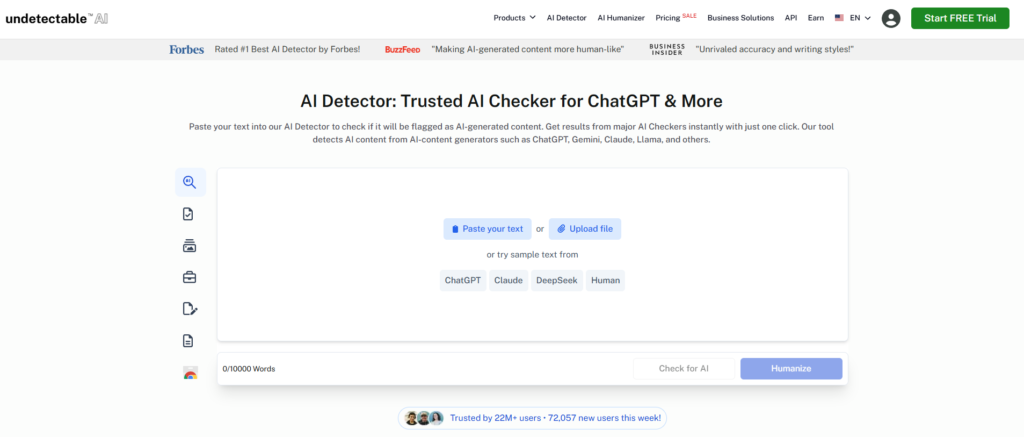
Undetectable AI is one of the most established names in the AI humanizer space and is built specifically for detection bypass. Unlike general paraphrasers, it’s engineered to rewrite text so that it passes Turnitin, GPTZero, Copyleaks, and other detectors.
What Makes Undetectable AI Stand Out:
- Checks your text against multiple detectors simultaneously.
- Lets you set readability level and content purpose before humanizing.
- Strong bypass rates on major detectors.
Where Undetectable AI Falls Short:
- Writing quality can feel choppy after aggressive humanization.
- Paid from the start: roughly $15-19/month, significantly more expensive than Walter Writes.
- Free tier is only around 250 words, barely enough to test with.
If detection bypass is your only goal and writing quality is secondary, Undetectable AI is a solid option. But for writing that needs to both pass detection and read well, Walter Writes produces better output.
5. Spinbot
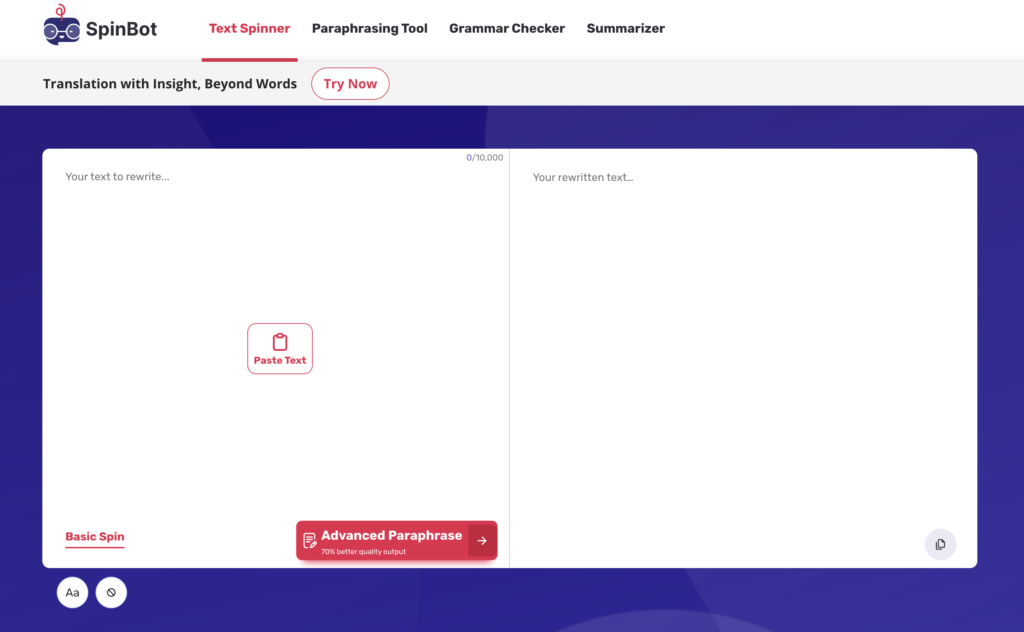
If you are looking for a free and fast option to paraphrase, then Spinbot is the best as it is a free and fast method. It’s simple and gets the job done without much fuss.
What’s Great About Spinbot:
- No payments required: You can rephrase letters at 0$ which makes it a generally good option for anyone with a limited budget.
- Easy and Fast: No training required: paste your text and you are ready to go.
Where Spinbot Falls Short:
- Lack of Polish: The outputs sound robotic and often need to be edited by hand to sound natural and professional.
- Limited Features: Spinbot lacks customization options and advanced tools, so it isn’t the best choice for complex writing requirements.
- No AI detection bypass: Spinbot is a synonym-swapper, not a humanizer. AI detectors will still flag Spinbot-processed text.
However, Spinbot is only a tool that works for very simple paraphrasing, if you want a more advanced and multi-functional results, it can keep you behind.
6. Paraphraser.io
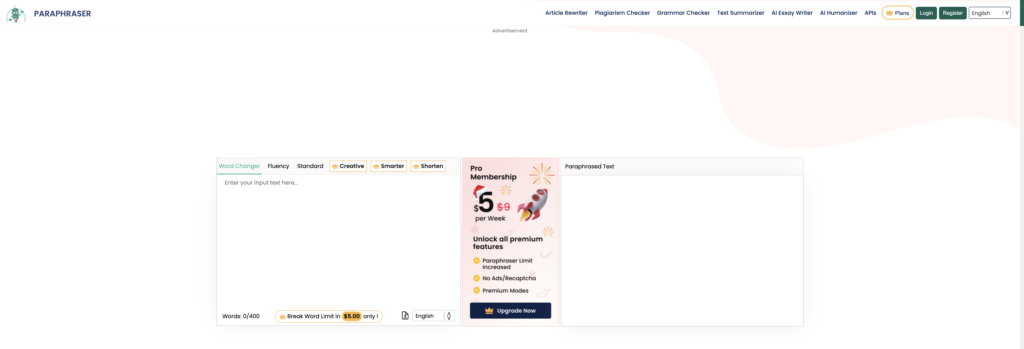
Paraphraser.io offers users a more refined approach to paraphrasing, with options to match different writing styles like fluency and creativity.
It’s a flexible alternative that stands out for its adaptability and support for multiple languages.
What’s Great About Paraphraser.io:
- Variety of Styles: With modes like fluency and creativity, you can tailor the paraphrasing to fit your specific needs.
- Multilingual Support: It works in multiple languages, making it a solid choice for non-English content as well.
Where Paraphraser.io Falls Short:
- Strict Character Limits: The free version restricts how much you can paraphrase at once, which can be frustrating for longer pieces.
- Editing Still Required: While it’s flexible, the outputs often need some manual tweaking to ensure they’re polished and natural.
- Not built for AI detection bypass: Like most paraphrasers, Paraphraser.io doesn’t consistently pass Turnitin or GPTZero.
If you’re curious to explore it yourself, check out Paraphraser.io. It’s a step up from basic tools, but like others, it comes with some limitations that might leave you looking for something better.
Relevant: Quillbot vs Undetectable AI for passing AI checkers
Which Tool Is Right for You?
The right tool depends on what you’re actually trying to do. Here’s a quick guide:
| If your goal is… | Use this tool |
| Pass Turnitin, GPTZero, or Originality.ai | Walter Writes |
| Humanize AI-generated text for professional use | Walter Writes |
| Polish grammar and improve clarity in your own writing | Grammarly |
| Quick sentence-level rewrites with tone control | Wordtune |
| Maximum detection bypass, quality secondary | Undetectable AI |
| Free basic paraphrasing with no account needed | Spinbot |
| Multilingual paraphrasing | Paraphraser.io |
FAQ About Quillbot Alternatives
There are various reasons as to why you may want to search for alternatives of Quillbot.
Quillbot suffers in terms of sensitivity to detection, their output tends to be stiff, and it isn’t flexible enough for nuanced, undetectable writing.
How does Grammarly differ?
Grammarly now includes rewriting and humanizing features, but it’s primarily an editing tool. It’s excellent for polishing grammar and tone, but it’s not built to consistently bypass AI detectors the way Walter Writes is.
Is Spinbot a good option?
Spinbot only does basic paraphrasing and is free and quick, but it probably lacks what you need in terms of polish and advanced features required for professional copy.
What’s the best instrument for undetectable writing?
For undetectable writing that passes AI detectors and reads like it was written by a human, Walter Writes is the most reliable option. It’s built specifically for this purpose, unlike general paraphrasers that only shuffle words.
Does Quillbot bypass AI detection?
Not reliably. Quillbot has an AI Humanizer feature, but independent tests show it still gets flagged by Turnitin and GPTZero in a significant percentage of cases. It’s a paraphrasing tool, not a dedicated humanizer. If passing AI detection is your goal, you need a purpose-built humanizer like Walter Writes.
Can Turnitin detect Quillbot?
Yes. Turnitin can detect AI-generated content even after it has been run through Quillbot. Turnitin analyzes statistical patterns in writing rather than just checking for copied text, which means synonym swapping alone doesn’t fool it. Walter Writes makes bigger structural changes that are more effective against Turnitin’s detection methods.
What’s the difference between paraphrasing and AI humanizing?
Paraphrasing rewrites human-written text to avoid plagiarism. AI humanizing takes AI-generated text and rewrites it so it reads as if a human wrote it and passes AI detectors. Quillbot is a paraphraser. Walter Writes is a humanizer. If your concern is AI detection, you need a humanizer.
Is Quillbot free?
Quillbot has a free tier, but it limits paraphrasing to 125 words per request. The AI Humanizer and advanced modes require a Premium plan at around $4-$9.95/month, depending on the billing period.
What’s the best free Quillbot alternative?
For basic paraphrasing, Spinbot and Paraphraser.io offer free tiers. For AI humanizing specifically, Grammarly has a free humanizer mode, though it’s not built for detection bypass. If you need reliable, undetectable output, Walter Writes offers the best balance of quality and affordability.
So why is Walter Writes the right choice?
Walter Writes is an AI humanizer built specifically for undetectable writing. It produces output that passes Turnitin, GPTZero, and Originality.ai while reading like it was written by a human, at a price that works for students and professionals.
Is Walter Writes legit?
Yes. Walter Writes is a functioning AI humanizer with a real user base. A recurring complaint in negative reviews is that output can contain grammar errors if used without editing. That’s consistent with the broader AI humanizer category: no tool produces publication-ready output without a human check. Treat Walter Writes output as a strong draft, not a finished product.
Does Walter Writes work?
It depends on how you use it. For its intended purpose, taking AI-generated text and rewriting it to sound more natural and reduce AI detection flags, it works. Results are most consistent on shorter pieces and when you do a manual review pass after. For longer essays, processing in sections and editing the output yourself produces better results than running the full document through at once and submitting as-is.
Which is better, Quillbot or Grammarly?
They serve different purposes. Quillbot is primarily a paraphraser, useful for rewording existing text. Grammarly is primarily an editor, useful for catching grammar errors, improving clarity, and adjusting tone. If you want to rewrite a sentence, use Quillbot. If you want to polish a document you’ve already written, use Grammarly. Neither is built specifically for AI detection bypass, which is where Walter Writes fits. Read our review of these two here.
Is using Quillbot cheating?
Whether Quillbot use constitutes cheating depends entirely on your institution’s policy. Most universities distinguish between using AI to generate content (usually prohibited) and using tools to check grammar or paraphrase your own writing (often permitted). Quillbot occupies a grey area: using it to paraphrase a source you read is different from using it to rewrite AI-generated content and submit it as your own. Check your institution’s specific AI use policy before using any writing tool for academic work.
Experience Humanized Writing, Choose Walter Writes!
Quillbot is useful for basic paraphrasing, but it was never designed to make AI-generated text undetectable. If that’s what you need, Walter Writes is the right tool. It’s built from the ground up as an AI humanizer, which is a fundamentally different product from a paraphraser.
Give Walter Writes a try. Whether it’s for school, work, or professional projects, if you need writing that passes AI detection and reads like it was written by a human, Walter Writes is what you’re looking for.
For a cleaner alternative, try our make AI undetectable. It transforms AI-generated text into human-sounding writing while keeping your voice intact.