



Writing may appear easy, but even a single grammatical error could result in a misinterpretation of what’s being said and a loss of professionalism in your content.
Whether you are submitting an assignment, writing a blog post, or sending an email from work, errors will likely result in lower grades, less reader engagement, and a loss of trust and credibility. It is essential to select the appropriate grammar checker for your needs.
This article compares the best grammar checkers for students, professionals, and non-native English speakers while identifying which areas each tool excels at and where they fail, so you can choose the one that best meets your writing needs.
Let’s take a deep dive and look at this step by step.
How We Tested The Best Grammar Checkers
- Grammar accuracy: I made sure to evaluate based on grammar accuracy and how frequently it flags things that are not actually incorrect.
- Clarity and tone suggestions: Another main aspect is clarity and tone suggestions, not just red underline spelling fix suggestions.
- Easy to use: I also made sure to check how easy and user-friendly the tool is, including whether it works in Google Docs, Microsoft Word, and web browsers.
- Niche strengths: Some tools have the best features, such as strongly focusing on academic writing for students and being multilingual for non-native English speakers.
- Pricing value: I tried testing the grammar check online free plans and pricing value and understood that most free plans are good for trying the tools and not for serious writing that actually matters.
The 6 Best Grammar Checkers (At A Glance)
This comparison table shows the best grammar checker tools. Its uses, features, pricing, and limitations.
| Tool | Best for | Standout feature | Key limitation | Free plan / starting price |
| Grammarly | All kinds of editing | Grammar and tone suggestions | English-focused, frequent suggestions | Free / $12 per month |
| ProWritingAid | Creative writing | It gives Deep style and structure reports | The learning curve is very high; you need to buy the paid version for plagiarism checks. | Free / $10 per month |
| LanguageTool | Multilingual writers | It Supports 30+ languages | Paid version needed for deep checks | Free / $5.83 per month |
| Hemingway Editor | Readability | Easy readability scoring | It misses grammar errors. We need to manually check from our end. | Free / $8.33 per month |
| Wordtune | Rewriting & tone | Helpful for Expanding or shortening sentences | Weak grammar accuracy | Free / $6.99 per month |
| Paperpal | Academic writing | Discipline-aware suggestions | Too difficult for casual writing | Free / $11.50 per month |
Pricing
Free grammar checkers online provide trial modes; at the initial phase, they let us test the interface.
Paid plans unlock:
- Plagiarism detection
- Deeper grammar and clarity checks
- Style guides and writing reports
- Higher or unlimited word limits
Note: Make sure to always double-check pricing before subscribing, as pricing changes often.
Related: How does a plagiarism checker work?
The 6 Best Grammar Checkers (Tested Picks)
Grammarly: Best Overall Grammar Check

Grammarly is very safe and user-friendly grammar-checking software. It helps in grammar correction and tone suggestions, and improves the clarity, all into one clean editor
Also, Grammarly adjusts suggestions; it allows us to set goals, like formal or casual, and also we can use the filter option to choose the audience, like a general or expert audience.
Most of the professional teams use the paid version to get the best results from the professional grammar checker, as it helps in detecting plagiarism checks and brand tone tools.
Limitations: It has its own limitations. It’s highly English-focused; it suggests specific options on writing style. We have to choose the suggestion as per our needs. In some cases, writers prefer to review these suggestions manually to add a more natural, human touch.
Best for: It’s best for students, marketers, business writers, and anyone who wants one tool that covers most situations.
ProWritingAid: Best for Creative Writing and Storytelling
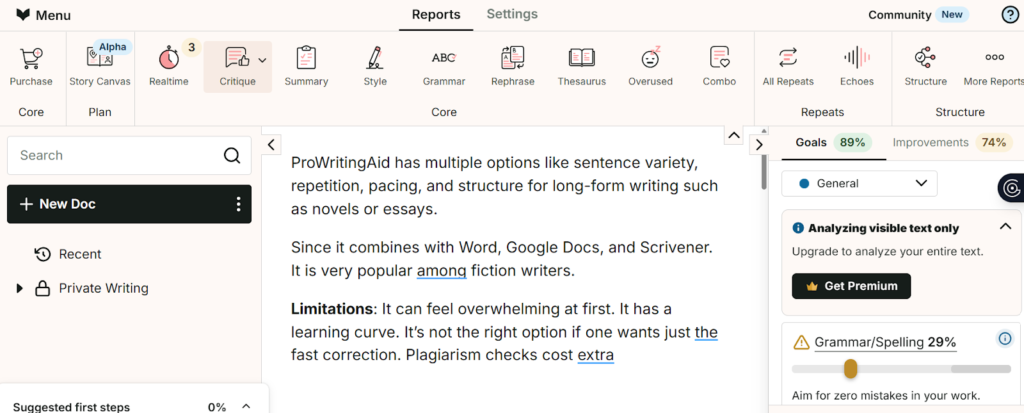
ProWritingAid has multiple options like sentence variety, repetition, pacing, and structure for long-form writing such as novels or essays.
Since it combines with Word, Google Docs, and Scrivener. It is very popular among fiction writers.
Limitations: It can feel overwhelming at first. It has a learning curve. It’s not the right option if one wants just the fast correction. Plagiarism checks cost extra
Best for: It’s best for fiction writers, long blog writers, and editors.
LanguageTool: Best for Multilingual Writers
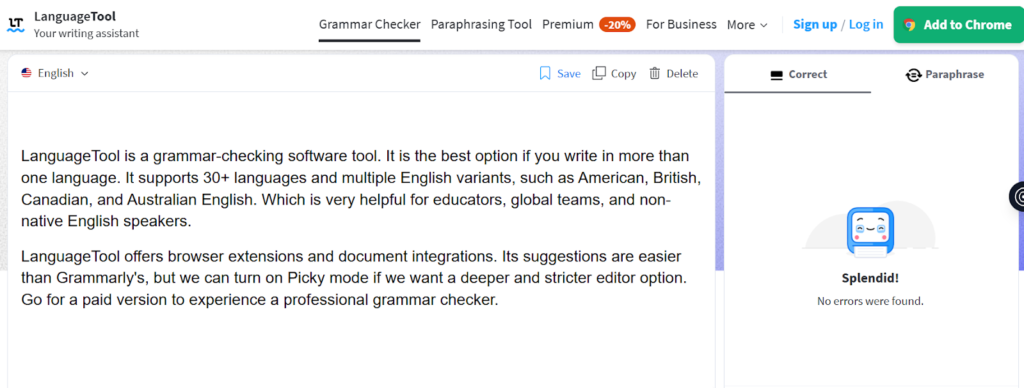
LanguageTool is a grammar-checking software tool. It is the best option if you write in more than one language. It supports 30+ languages and multiple English variants, such as American, British, Canadian, and Australian English. Which is very helpful for educators, global teams, and non-native English speakers.
LanguageTool offers browser extensions and document integrations. Its suggestions are easier than Grammarly’s, but we can turn on Picky mode if we want a deeper and stricter editor option. Go for a paid version to experience professional grammar checker
Limitation: The disadvantage is that when we want to do any deeper checks and are in need of advanced suggestions, we need to buy a premium plan.
Best for: Highly recommended for non-native English speakers and multilingual writers.
Hemingway Editor: Best for readability and clarity
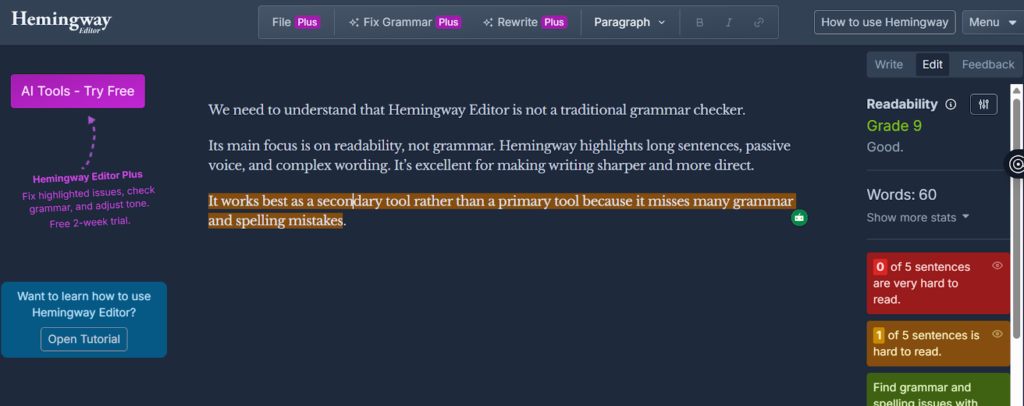
We need to understand that Hemingway Editor is not a traditional grammar checker.
Its main focus is on readability, not grammar. Hemingway highlights long sentences, passive voice, and complex wording. It’s excellent for making writing sharper and more direct.
It works best as a secondary tool rather than a primary tool because it misses many grammar and spelling mistakes.
Limitations: It’s not a full grammar checker.
Best for: Its important feature is that it helps improve clarity and simplicity.
Wordtune - Best for Rewriting, Shortening, and Expanding text
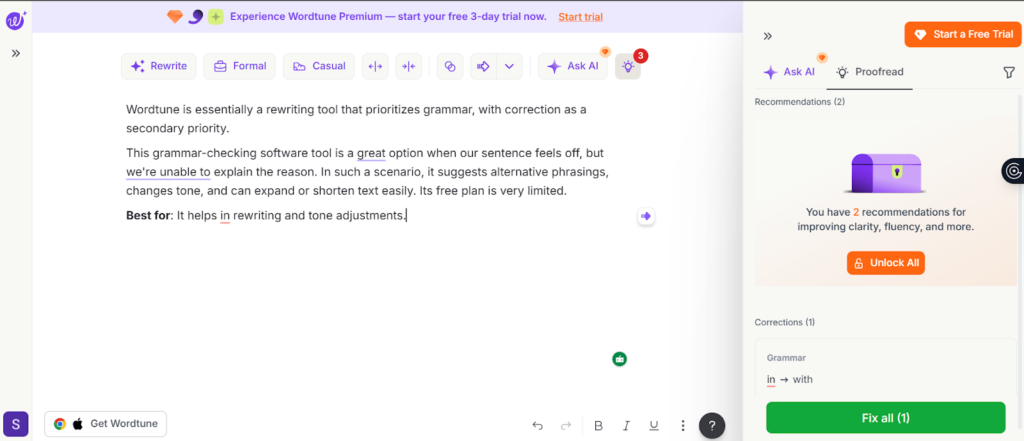
Wordtune is essentially a rewriting tool that prioritizes grammar, with correction as a secondary priority.
This grammar-checking software tool is a great option when our sentence feels off, but we’re unable to explain the reason. In such a scenario, it suggests alternative phrasings, changes tone, and can expand or shorten text easily. Its free plan is very limited.
Best for: It helps in rewriting and tone adjustments.
Limitation: The main drawback is that it has weak grammar accuracy when used independently.
Paperpal: Best for Academic Writing
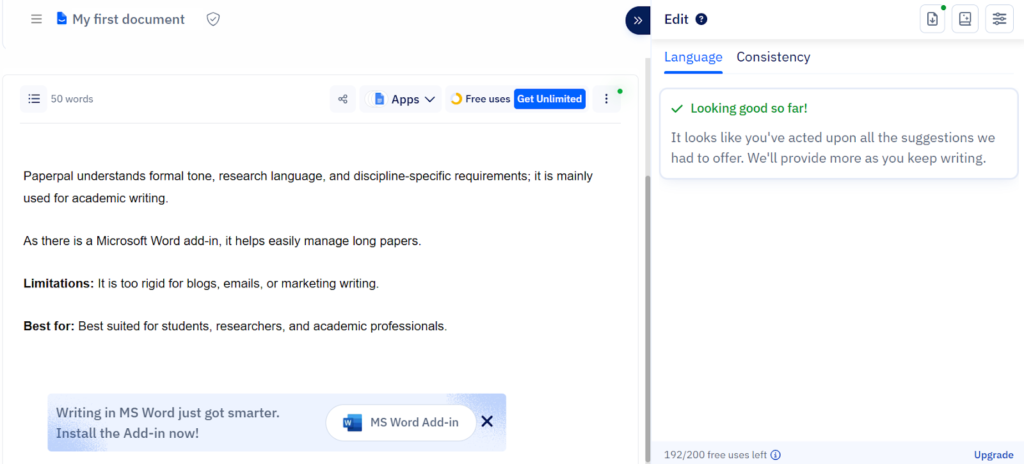
Paperpal understands formal tone, research language, and discipline-specific requirements; it is mainly built for academic writing.
Since there is a Microsoft Word add-in, it helps in easily managing the long papers.
Limitations: It’s too rigid for blogs, emails, or marketing writing.
Best for: Best suited for students, researchers, and academic professionals.
Related: Best AI Writing Tools for Students
How to Choose the Right Grammar Checker (2-minute guide)
Choosing the right grammar checker for writing actually depends on our content type, audience, and language requirements.
If you’re not sure where to start, use this simple logic:
- Write in multiple languages → LanguageTool
- Write fiction or long content → ProWritingAid
- Write academic papers → Paperpal
- Need rewriting and tone help → Wordtune
- Want clearer, simpler writing → Hemingway
- Want one tool for most needs → Grammarly
Best Grammar Checker Combinations (when one tool isn’t enough)
No single tool does everything perfectly. Many writers use two tools together.
Common combinations:
- Grammarly + Wordtune → grammar accuracy + smoother flow
- LanguageTool + Hemingway → grammar + clarity
- ProWritingAid + Paperpal → structure + academic rigor
Best workflow:
- Step 1: Draft your content
- Step 2: Run a grammar check
- Step 3: Improve clarity and readability
- Step 4: Do a final human review
At this stage, writers often evaluate Humanizer vs Paraphraser tools to decide whether they need light refinement or deeper sentence-level transformation before publishing.
Do a final quality check before you hit publish
Even after running multiple grammar checkers, small issues can still slip through. This is where Walter Writes AI Writing Checker becomes useful.
Walter Writes is a polishing tool, one that you use at the very end to identify the remaining grammatical errors, odd sentence constructions, and unnatural-sounding wordings and phrases that all other traditional grammar-checking tools are unable to find.
You don’t rewrite anything. This tool allows you to refine the work you have done while preserving your voice, the way you have expressed yourself.
That final step ensures your work is clear, credible, and ready whether it’s an academic paper, a blog article, or a professional email.
For academic contexts, it functions as a dependable humanizer for students who want to submit work that reads naturally and confidently.
Common pitfalls when using Grammar Tools
Grammar tools are very helpful, but they are very easy to misuse
Common mistakes are:
- Overediting until our voice disappears.
- Accepting rewrites that change meaning
- Using multiple tools without understanding conflicts
One of the best hack to get rid of this mistake is you decide what stays; the tool only suggests
Conclusion: Which Grammar Checker Should You Pick?
If you are looking for something beginner and user-friendly, Grammarly is the safest and easiest tool to start with. It works well for most writing tasks and requires little setup.
Apart from that, if we have any specific needs, we can go for the below-mentioned tools.
- Creative writing → ProWritingAid
- Academic writing → Paperpal
- Multilingual use → LanguageTool
- Readability → Hemingway
Note: The best grammar checker is the one that fits your writing style, not the one with the loudest marketing.
Restore a Natural, Human Tone After AI Edits
Grammar checkers are great, but sometimes they make writing sound too polished or robotic.
When your writing sounds right but no longer like it was written by a human, Walter’s AI Humanizer will assist you.
This is a tool that helps with smoothing the tone of what you write, assists in flowing sentences together smoothly and makes your language as natural as possible. It would be most beneficial for students, marketers, or business writers that wish to create content that is genuine and not overly edited.
Frequently Asked Questions
What is the most accurate grammar checker?
Grammarly and LanguageTool grammar-checking software tools are the most accurate and easiest for everyday use.
Are free grammar checkers good enough for professional writing?
Free plans are best for testing, but for a professional grammar checker, choose the paid version.
Which grammar checker is best for non-native English speakers?
LanguageTool is a strong choice due to its multilingual support
Can AI grammar checkers make writing sound unnatural?
Yes, especially if you accept every suggestion.
Can grammar checkers detect plagiarism?
Some paid tools, like Grammarly, include plagiarism checks.
Is there a completely free grammar checker?
Free tools exist, but they come with limitations
Do universities get to know if you use Grammarly?
Grammarly is generally allowed, but rules may differ.
Will Grammarly be flagged as AI?
Grammar correction is not the same as AI-generated content.