



QuillBot and Grammarly, originally known as writing tools, now claim to detect AI-generated content as well, raising questions around QuillBot vs Grammarly AI Detector reliability. Since many people already trust them for content writing, their AI detection features are also assumed to produce high-quality results. As AI-generated content becomes more common, the reliability of such detection tools has come under increasing scrutiny.
AI detection has also become an important step in this process, but the inefficiency of AI detectors is affecting everyone. Students are being questioned about their own writing. Educators rely on reports that are not even consistent across different tools. Marketers may reject original content or hesitate before fully trusting the results.
This article will only discuss the AI detection feature of these tools, how they work, their efficiency, and where these tools may fail. The comparison focuses specifically on QuillBot vs Grammarly AI detector behavior rather than writing assistance features.
Why AI Detection Tools Matter (and Why Results Are Often Unreliable)
AI detectors are now being used in very crucial situations.
- Universities use AI detection to support academic integrity
- Editors use it to screen original content
- Marketers rely on detection reports to build client confidence
Despite being used for important decisions, AI detection tools lack reliability and cannot be fully trusted because of inconsistent results. This inconsistency is clearly visible when comparing QuillBot vs Grammarly AI Detector outputs on the same text. This makes it difficult to justify enforcing a fixed Acceptable AI percentage across different tools.
AI detectors do not have access to drafts, revision history, or writing intent. Instead, they rely on probability estimates. They analyze sentence structure patterns and flag content as AI-generated if it resembles known AI outputs.
This creates confusion in the following cases:
- Human-edited AI content
- Formal or highly structured human writing
Another limitation is speed. Detection models do not evolve at the same pace as AI writing models. Content flagged as AI-written today may appear normal tomorrow.
Community testing has also shown that:
- Multiple scans of the same content can produce different results
- Verdicts may change without any content edits
As a result, AI detection tools cannot be fully relied upon.
QuillBot AI Detector: Features, Access, and Limits
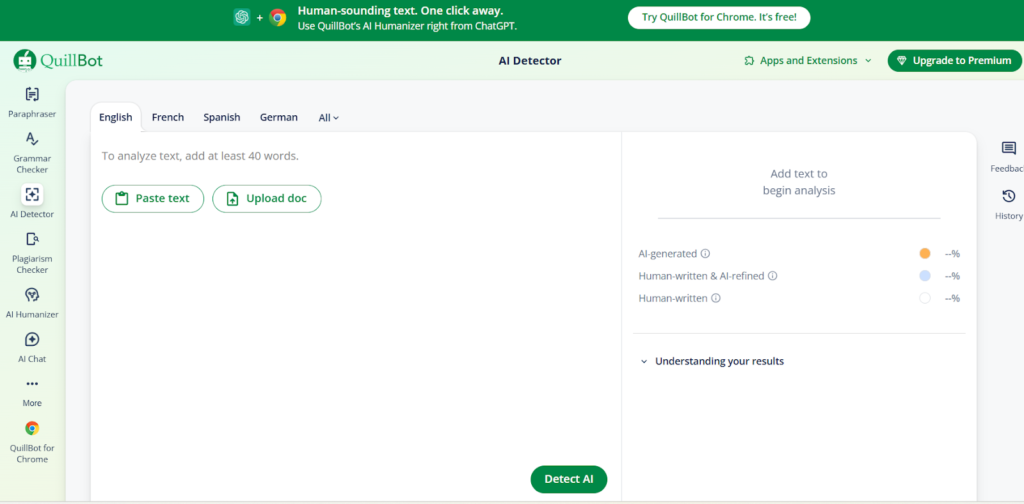
The main reason many people choose QuillBot AI detector is its simplicity. Users can paste text and run a check to receive a likelihood score indicating whether the content appears AI-generated.
What Works Well
QuillBot is preferred for the following reasons:
- Publicly available with no complex setup
- Free to use up to a certain limit
- Suitable for quick checks
- Immediate results without additional explanations
Where It Falls Short
QuillBot has several limitations:
- No published validation studies on AI detector accuracy
- No transparency on how the results are generated
- No explanation for why the content is flagged
Because of these limitations, it is hard to interpret why the content has been flagged, whether it is due to sentence structure, tone, editing style, or actual AI usage.
Hence, it may create serious issues when a single AI flag can be the cause of misjudging someone’s integrity.y
Grammarly AI Detector: Features, Access, and Limits
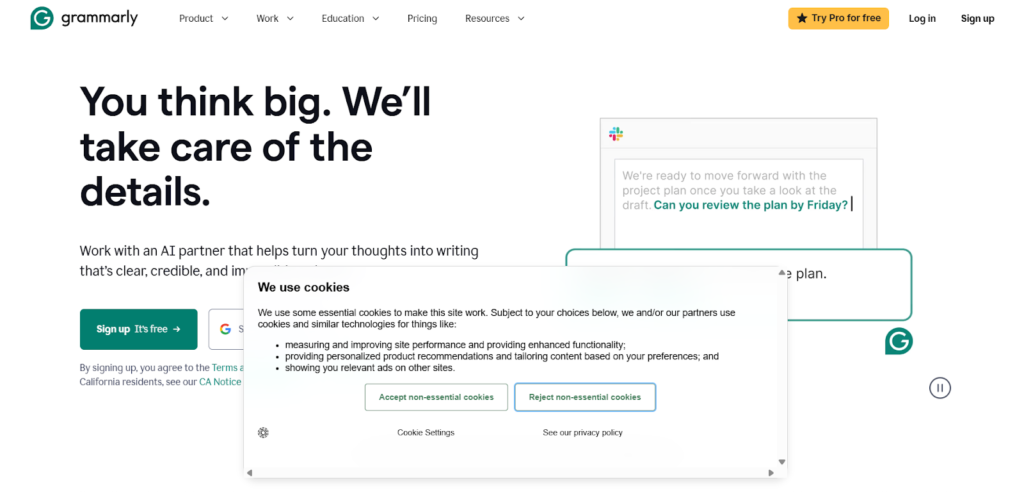
Grammarly offers two separate AI detection features that work very differently. The first is a standalone, free AI Detector available to anyone - no account needed - that scans pasted text and flags AI-generated phrases with one-click rewrite suggestions. It currently ranks #1 on RAID’s independent quality benchmark and detects output from GPT-4, GPT-5, and Gemini. The second is Authorship, available on Education and Pro plans, which tracks how a document was written inside the Grammarly editor. These two tools measure different things and should not be treated as the same feature.
How Grammarly Handles AI Detection
Grammarly’s AI detection works in two ways:
- Standalone free detector: Available publicly at grammarly.com/ai-detector, no login required, returns phrase-level flags and rewrite suggestions
- Authorship (Education and Pro plans): Integrated into the writing environment, tracks what was typed, pasted, or AI-generated, and compiles a report for instructors
Results from the standalone detector may vary by text length and content type.
Where it becomes unclear
Grammarly does not provide clarity about its detection mechanism. Many users cannot find detailed explanations for the results. Verifying consistency is also difficult.
Due to the lack of transparency, Grammarly’s AI detection should be treated as a suggestion rather than a definitive indicator.
Is the AI Detector Free? QuillBot vs Grammarly AI Detector Access
QuillBot AI detector allows free detection with limited usage. Users can paste text and run checks easily.
Grammarly’s standalone AI Detector is also free with no usage limits disclosed and requires no account. Its Authorship feature, which tracks writing process data, is plan-dependent and available on Education and Pro tiers.
How We Tested the AI Detectors
Our editorial team conducted hands-on testing to observe how both tools behave in real situations.
Step 1: Text samples
We created four text samples of similar length on the same neutral topic.
- Sample A: Written entirely by a human
- Sample B: Raw AI-generated text
- Sample C: AI-generated text rewritten by a human (about one-third changed)
- Sample D: AI-generated text processed through the Walter AI Writing Humanizer, with no manual edits
Step 2: Detection
Each sample was tested using:
- QuillBot AI Detector (free version)
- Grammarly editor-based detection (free account, where available)
We recorded verdicts, confidence indicators, and usage limitations.
Step 3: Documentation
Results were summarized and compared.
Disclosure: This test is illustrative and not a scientific benchmark. Results may vary over time.
Test Results: What We Observed
Results were inconsistent across both tools.
Key observations
- Fully human-written content was sometimes partially flagged as AI-generated.
- AI-generated text edited by humans showed varied results.
- AI-humanized text detection fluctuated significantly.
- QuillBot vs Grammarly AI detector results often disagreed on the same text.
What this means
AI detectors produce inconsistent results based on sentence structure, wording, and the tool used, which fuels the AI Humanizer vs AI Detector debate. Therefore, results should be treated as mere signals and not concrete indicators.
What QuillBot and Grammarly Do Not Disclose
Both tools lack transparency regarding how AI detectors work. Neither discloses:
- Accuracy benchmarks or validation studies
- False-positive rates
- Training data sources
- Independent audits or third-party evaluations
This makes it difficult for users to trust results, especially in academic or legal contexts.
For a deeper breakdown beyond this comparison, this full Grammarly AI detector review explores its strengths, weaknesses, and real-world accuracy.
Side-by-Side AI Detector Comparison
The table below compares QuillBot and Grammarly strictly on AI detection features. It highlights practical differences observed during QuillBot vs Grammarly AI Detector testing. It does not measure writing quality or overall product value.
| Feature | QuillBot AI Detector | Grammarly AI Detector |
| Standalone vs integrated detector | Standalone AI detector available as a separate checker | free standalone detector open to anyone, plus Authorship integrated into the editor for Pro/Education users |
| Free access vs limits | Free access available with usage limits | Availability varies by plan and context |
| Output clarity | Provides a likelihood or percentage-based indicator | Provides contextual signals without a fixed score |
| Transparency | No publicly disclosed methodology or benchmarks | Detection logic and benchmarks not publicly disclosed |
| Best-fit users | Users needing quick, standalone AI checks | Users reviewing content within an editing workflow |
| Known weaknesses | Limited explanation for flags and potential false positives | Lack of consistency and limited visibility into detection signals |
Which AI Detector Fits Your Case
- For students: QuillBot is easier to use for quick checks, but the results should not be entrusted fully.
- For editors: Grammarly’s standalone detector is useful for a quick pre-publish check, and its Authorship feature suits teams working inside the Grammarly editor. Results should still undergo human evaluation.
- For marketers and SEO teams: Neither tool should be used alone, as polished or human-edited AI Content is difficult to detect by either tool.
In all cases, the interpretation of the results should be done carefully.
Using AI Detectors Responsibly
AI detectors should be used with caution:
- Never rely on a single detector
- Expect false positives
- Treat results as indicators, not proof
- Prioritize human judgment
Alternatives Worth Considering (and Why)
Because both tools have limitations, they may not be suitable for high-stakes decisions.
Proofademic
Proofademic should be used when academic integrity is the topmost priority. It mainly depends upon academic writing patterns, which makes it highly useful for students and educators in universities where false positives can be triggered.
Why some users prefer it:
- This AI detector is designed specifically for academic contexts
- Easier interpretation in educational settings
- Used as a supporting signal rather than a sole indicator
Walter Writes AI
Walter AI is useful when AI-assisted content needs to appear more human. Instead of only flagging content, it analyzes human-like writing patterns.
Why content teams consider it:
- Identifies differences between AI and human writing
- Useful for reviewing AI-edited drafts
- Supports AI humanizing rather than simple flagging
FAQs
Can Turnitin detect Grammarly?
Turnitin AI detection analyzes text patterns, not tools. AI-generated content may be flagged, but tool usage is not detectable.
Can universities tell if you use Grammarly?
Universities cannot see Grammarly usage. Many allow it for editing purposes.
Can professors detect QuillBot?
Professors cannot detect QuillBot itself, just the text characteristics.
Why do AI detectors flag human-written content?
Formal tone, predictable patterns in sentence formation, and polished structure often resemble AI patterns.
Should AI detectors be entrusted with SEO or client work?
They should be used carefully, and editorial judgment should always be applied. In some cases, a humanizer for essays can support revision, but it should never replace critical review.
What is the safest way to use AI writing detection tools?
Use AI as an assistance tool. Edit in your own voice and expect inconsistency.
Wondering how QuillBot fares against the most common university detector? Our independent testing on whether QuillBot passes Turnitin covers all 4 modes and how they compare to a purpose-built humanizer.
