


Students working on essays, theses, research papers, or coursework are required to submit their work without having the opportunity to preview it on Turnitin. This lack of visibility leads to a genuine fear of being flagged for AI use or plagiarism, increasing stress even when the writing is original.
This might happen because Turnitin does not provide individual plans and is only available through institutional access.
According to Turnitin’s press release, the company’s products are used by over 34 million students across 15,000 institutions in 153 countries, showing its strong global recognition and wide use.
But what most people do not know is that there are multiple other AI checkers also available that can help one understand how the writing can score without direct Turnitin access.
This guide explains how to use Turnitin for free and the limitations for students. We will also discuss alternatives and which actually work, and how your writing might appear inside Turnitin so you can feel more secure about your work.
Can I use Turnitin for free?
Turnitin does not offer open access to students, so if you are a student, you cannot create a separate personal account or upload your work on your own.
The platform is built for universities, not individuals, which means the only free access you can get is through your school library or an instructor who submits your work for a private check. These are the only legitimate routes that give you the real Turnitin scan.
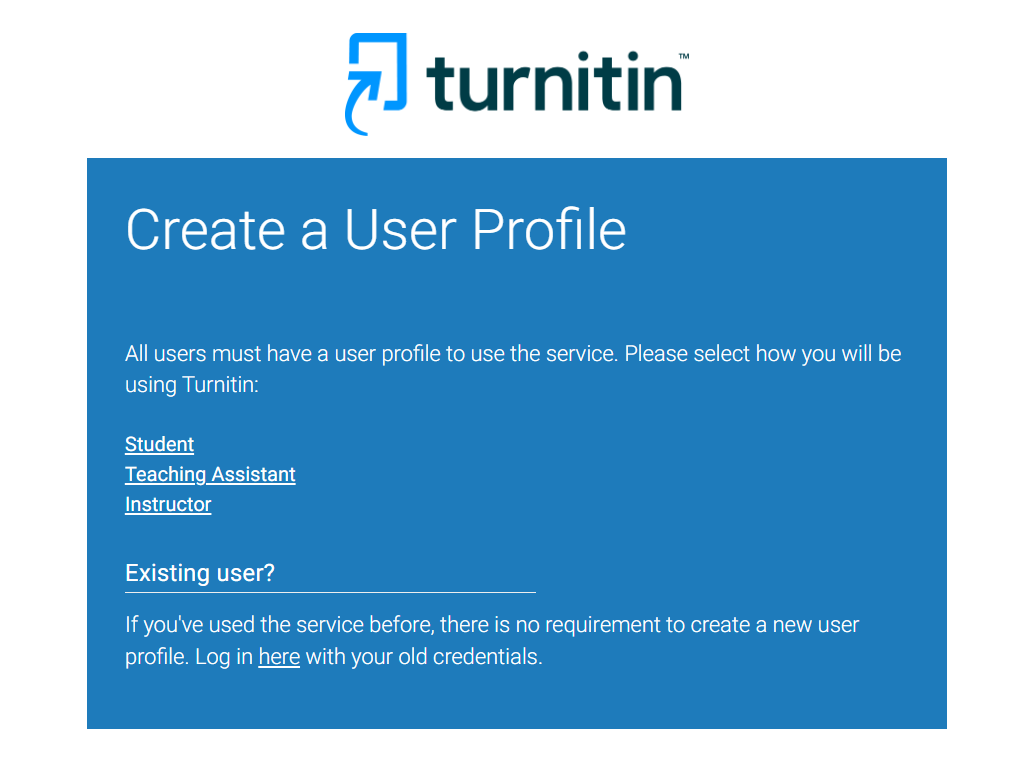
While researching this topic, I came across a Reddit thread in which a student asked how to access Turnitin on their own. Further, the student described how AI detectors had flagged parts of a thesis that he claimed were fully written by hand, leaving him uncertain about how Turnitin might assess the work.
This situation reflects a broader challenge: students often lack a reliable way to verify how their writing will be evaluated. In such cases, the best option is to use the official Turnitin access provided by the institution.
Alternatively, check your writing on reliable alternative detectors.
How to legitimately use Turnitin for free
You can use the tool properly in many ways.
1. University or College LMS Access
Most students get automatic Turnitin access through platforms like Canvas, Blackboard, Moodle, or Brightspace, where assignments are linked to Turnitin.
2. Instructor-Submitted Private Check
If you don’t have direct upload access, many instructors will run your draft through Turnitin privately and share the similarity report.
3. Public Libraries or Learning Centers
Some learning centers, writing labs, or local libraries have institutional Turnitin licenses and allow supervised submissions.
4. Partner Programs
Certain academic support programs and tutoring centers partner with institutions that use Turnitin, giving their members limited access.
If you haven’t found access through your school yet, checking which online tutoring platforms offer institutional tools or plagiarism support is another route worth exploring.
5. Trial Access (Institution-Level Only)
In rare cases, schools in a trial phase provide temporary student access during onboarding or evaluation.
Despite these legitimate options, many individuals on online platforms claim to provide free access to Turnitin, which is typically a scam, and some even ask for payment in exchange for access. These services may charge money, misuse your personal information, or store and resell your unpublished documents, too, causing serious risk to your academic integrity and privacy.
Full Comparison: Best Free Alternatives That Mimic Turnitin
While Turnitin is one of the most trusted academic integrity tools, direct access to it is limited to institutions. Free and low-cost options still matter because they allow students and writers to check for plagiarism or AI-generated content in advance, reduce last-minute risks, and improve content originality before final submission.
Below is a quick listing of tools that can detect AI writing and plagiarism that can help you provide a preview of what Turnitin generally detects.
Tools Similar to Turnitin (Free or Affordable)
| Tool | AI Detection Accuracy | Plagiarism Accuracy | Cost | Best Use Case |
| Copyleaks AI Detector | High | Medium | Free tier available | Good for checking mixed or human-polished text |
| Originality.ai | Very High | High | Paid | Deep AI detection and plagiarism scanning for long documents |
| Walter Writes AI | High | High | Free credits available | Closest AI detection behavior to Turnitin especially for raw AI text |
| GPTZero | Medium | Low | Free & paid versions | Checks burstiness and perplexity good for spotting overly uniform text |
| Quillbot Plagiarism Checker | None | High | Paid but offers limited free features | Strong plagiarism detection and citation matching |
| Proofademic.ai | High | Very High | Free Trial available | Two-in-one check of AI detection and plagiarism for essays / assignments |
| Grammarly Premium | Low | Medium | Paid with trial | Grammar plus basic plagiarism checker, ideal for pre-submission polishing |
How Humanization Can Improve Your Turnitin Detection Results (Step-By-Step)
Humanization is one of the most effective ways to make your writing pass through Turnitin AI checks because it turns stiff, machine-style text into something that feels natural. Turnitin can flag drafts even when only minimal AI assistance has been used. This means that, apart from checking your draft with other tools, you also need to humanize it.
Humanization solves this by adding natural flow and genuine variation so even minor AI traces get balanced out in order to escape detection.
This is worth understanding if you use tools that generate full drafts, like those covered in the MyEssayWriter AI review, where the built-in plagiarism checker has monthly caps and won’t replace a proper pre-submission workflow.
Step 1- Enhancing Natural Flow and Tone
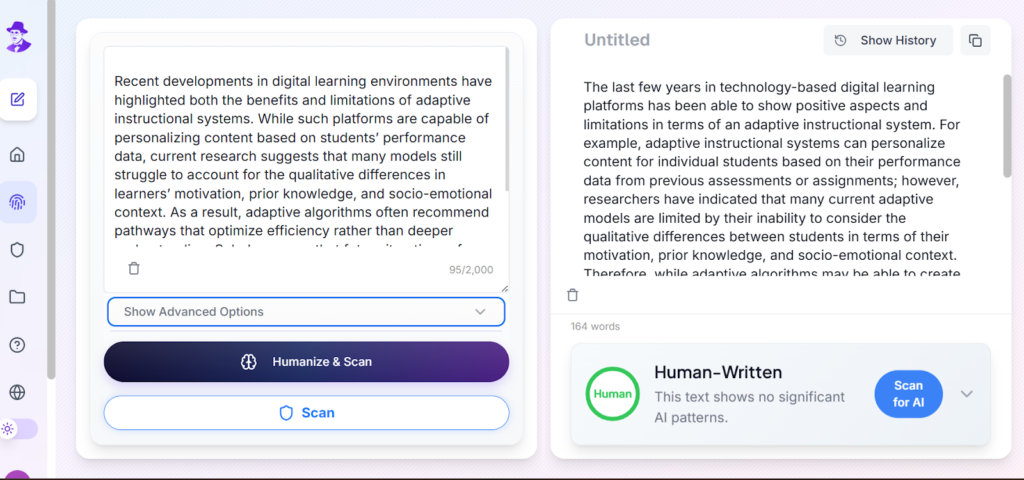
You can use a humanizer tool like Walter AI to smooth out your text and remove patterns that AI detectors look for. Walter rewrites the draft in a more natural style and adds small shifts in structure and tone that make the writing feel real. Even if you feel your writing is almost human, Walter can still help you remove any slight AI influence or pattern that may cause Turnitin to flag your work.
I am placing a demonstration about how I humanize academic writing with Walter, where a sample of academic writing is humanized to show how the tool adjusts rhythm, clarity and tone.
Step 2- Add Human Elements to Your Writing
You need to add elements that only you can provide because these will make your writing more original and natural. Here is the list of three components that will strengthen the humanization of your text and provide a clear, natural voice.
Perspective
Add your perspectives, feelings, or logic on the subject. This shows that the content is structured based on your experience and not produced through a mechanical pattern. Any single or two viewpoints are enough to shift the whole tone of the writing.
Facts
Add genuine information, examples, or references that align with your topic. These details indicate that you know the subject well and that you are truly engaging with it. Minor factual touches can also be useful in removing any uniform AI rhythm.
Human touch
Adjust the flow sentence by sentence in a way that feels natural to you. This can either be a slight adjustment of words or phrasing in such a way that it sounds more like personal style. These small touches make your writing sound like it came from a real student with a real voice.
Step 3- Verify authenticity through AI Detectors
To preview how your writing may appear in Turnitin, use an academic-focused checker like Proofademic before final submission.
Walter Writes can also be used, as it is a very powerful AI detector.
These tools confirm whether your writing looks human enough before you submit anything. Once your text passes their checks, you can feel confident that it will perform well during Turnitin detection.
Relevant: Can Turnitin Detect AI?
Final Thoughts for Confident Turnitin Success
You cannot use Turnitin for free on your own, but you can prepare your writing in a way that removes the need to worry about detection. If you choose to use a small amount of AI support, you can humanize your draft and then refine it with your own perspective, facts, and human touch.
After that, it can be checked with appropriate alternative tools such as Walter or Proofademic to ensure that your text is prepared. This approach retains the authenticity of your work, protects your academic integrity, and enables submission of the writing that reflects your true understanding.
FAQs about using Turnitin
Can I use Turnitin without a school?
This tool is inaccessible to an individual. You need an institution or a teacher account to use it.
Is it legal to use Turnitin for free?
Yes, it is legal when you use it through a school library shared classroom link or any legitimate institutional access.
What is the most accurate free Turnitin alternative?
Proofademic gives results very close to Turnitin AI detection. Our detector comes a close second.
Can Turnitin detect ChatGPT?
Yes, Turnitin can detect patterns that match ChatGPT and other AI models when the text is not fully humanized.
Can I use Turnitin as a student?
Yes, you can use it through your school, college, or any teacher who has a valid Turnitin account. You cannot access it legitimately outside these.
How to reduce similarity on Turnitin for free?
Rewrite sections in your own voice, adjust sentence flow, and make sure all sources are properly cited before submitting.
Is 25% on Turnitin too high?
Not necessarily, as many schools allow this range, as long as the matches come from references, quotes, or commonly used phrases. Note that there’s no real threshold for these. For full information, check our article on How Much AI is Acceptable in Writing.
Can Turnitin see copy and paste?
Yes, Turnitin can detect copy-pasted content by matching text against its database of academic papers, websites, and previously submitted work.
Is Turnitin 100% accurate?
No, Turnitin is highly effective but not 100% accurate, which is why similarity reports should be reviewed carefully rather than relied on blindly.