





Can Humbot AI Really Beat AI Detectors?
Can Humbot AI Really Beat AI Detectors?
If you’ve been looking for a solution to make your AI-generated content sound more human while evading tools like Turnitin, ChatGPTZero, or Originality.ai, then you’ve likely stumbled across Humbot AI.
Promoted as a better AI humanizer, this tool claims to turn ChatChatGPT outputs that sound robotic into living, breathing, non-detectable newspapers.
But does it live up to its promise, or is it just another overpromised solution among a plethora of quick fixes?
In this Humbot AI review, we’ll take an enhanced look at what Humbot AI is, how it works, and if it can genuinely humanize AI text with sufficient quality to pass leading AI detectors. Whether you’re a student trying to avoid AI plagiarism triggers or a content creator looking to enhance your written word’s natural flow, this article will help determine if Humbot is a suitable choice or a tool to forget altogether.
Let’s get into the straightforward truth behind Humbot AI.
What Is Humbot AI?
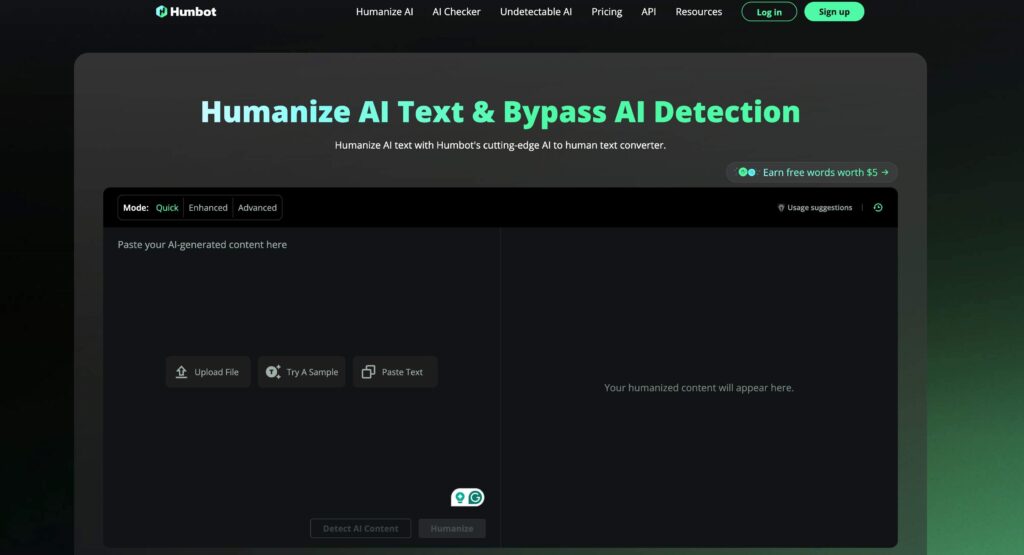
Humbot AI is an online tool designed to humanize AI-generated content. In simple terms, it takes text created by AI models like ChatChatGPT and attempts to rephrase it in a way that makes it sound more human-written and less likely to trigger AI content detectors.
Its primary audience includes students, marketers, SEO writers, and professionals looking to make their content sound authentic and bypass plagiarism or AI detection systems.
The tool positions itself as a solution to the rising challenge of AI detection tools that scan for machine-generated patterns, syntax, and predictability. With detectors like ChatGPTZero, Turnitin, and Originality.ai becoming more advanced, many users are concerned about being flagged even when the content is rewritten or paraphrased.
Humbot aims to address this by rewriting AI-generated text using proprietary algorithms that claim to fix grammar, tweak sentence structure, and remove tell-tale AI signals.
Its web interface is straightforward: paste your content, hit “humanize,” and within seconds you’re presented with rewritten text that promises to sound more natural and be undetectable by AI checkers.
No installation, no setup—just quick rewriting.
However, despite its bold claims, early user feedback paints a mixed picture.
While some say it offers light surface edits that help fool basic AI detectors, others argue that the tool still leaves behind patterns that flag under stricter scrutiny.
So who is Humbot AI really for?
- Students who want to avoid plagiarism flags on AI-assisted assignments.
- Writers and bloggers needing quick rephrasing for AI-written content.
- Professionals seeking to make AI output sound more personalized or brand-specific.
In theory, it sounds like a dream tool for anyone looking to beat AI detection. But how well does Humbot AI hold up in practice? Let’s dig in.
How Humbot AI Works
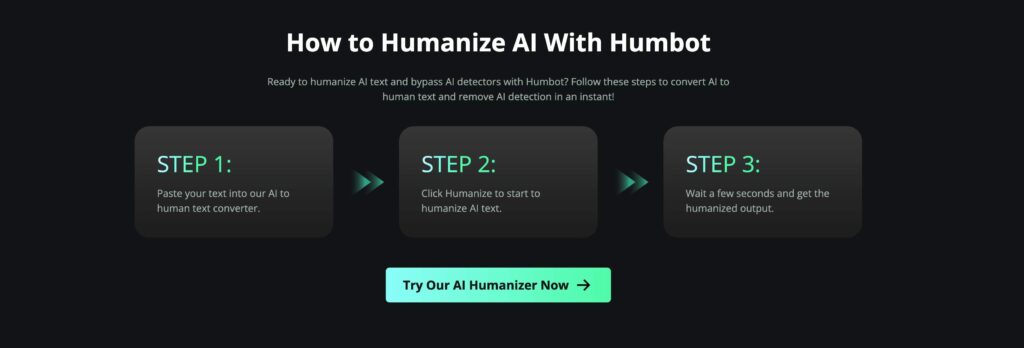
Humbot AI markets itself as a next-gen rewriting engine designed to humanize AI text and help it fly under the radar of even the most advanced AI content detectors. But what’s actually happening under the hood?
At a high level, the tool uses algorithmic rewriting to modify patterns that AI detectors commonly flag.
This includes reducing overused phrases, adding more natural syntax, and modifying predictable sentence structures often associated with ChatChatGPT, Gemini, or Claude outputs. Essentially, Humbot tries to break the “AI signature” that makes a piece of text look machine-written.
Once a user pastes AI-generated content into the Humbot interface, the tool scans for known AI traits: overly perfect grammar, uniform sentence length, and generic tone. It then applies a rewriting algorithm that substitutes words, reorders clauses, and injects slight stylistic variation. The goal? Make the writing sound like it came from a human, not an algorithm.
However, this logic has limits. Unlike more robust humanizer tools, Humbot doesn’t offer deep semantic rewriting or tonal customization. It doesn’t “understand” the context in a human way—it merely reshuffles phrases in hopes of avoiding detection.
The intended output is human-like content that reads smoothly, avoids robotic phrasing, and ideally passes AI checkers like ChatGPTZero or Turnitin. But user results vary.
Some experience moderate success with basic AI detection tools, while others find that rewritten content still gets flagged. That’s largely because the rewriting often feels superficial—more like a glorified thesaurus than a true humanizer.
In short, Humbot AI works by masking AI content with cosmetic changes. It’s fast, simple, and automated—but it doesn’t provide the nuanced transformation that serious use cases demand.
Key Features of Humbot AI
Let’s break down the core features Humbot AI offers—and how they stack up in terms of performance, usability, and SEO content optimization.
1. AI Detection Bypass
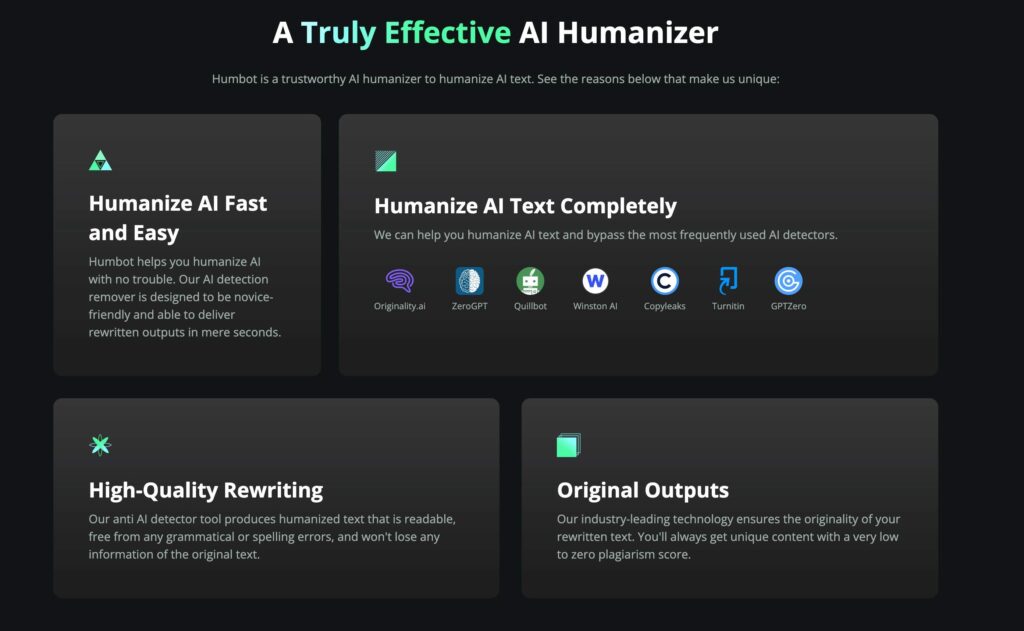
The main draw of Humbot AI is its promise to bypass AI detection tools like ChatGPTZero, Turnitin, and Originality.ai. It claims to reword content just enough to make it slip past detection systems trained to flag AI patterns. For simple or low-stakes use cases, it can sometimes succeed. But against more sophisticated detectors, its results are inconsistent.
Because Humbot doesn’t deeply restructure or semantically enhance the content, detection tools often still spot the underlying AI-generated fingerprints. This limits its reliability for academic, legal, or professional work—especially where originality is closely scrutinized.
2. Fast and Simple Interface
One thing Humbot does get right is ease of use. Its interface is extremely clean and beginner-friendly. Users just paste their AI-generated text, click a button, and get instant rewritten output.
There’s no learning curve, no plugin installation, and no complex dashboard. It’s streamlined for quick fixes—but not tailored for users seeking control or precision.
3. Customization and Control
Here’s where Humbot shows its biggest weakness. Unlike competitors that let you tweak the tone (formal vs conversational, like Walter Writes’ AI Humanizer), depth of rewrite, or even target reading level, Humbot provides virtually no options. What you get is what you get.
This lack of customization makes it harder to tailor content for different platforms, audiences, or SEO goals. If you’re a content marketer or student needing polished, on-brand writing, this can be a major limitation.
4. Content Quality and Flow
Output from Humbot often lacks consistency. Sometimes it’s readable; other times it’s full of run-on sentences, clunky transitions, or odd word choices. Because the tool primarily swaps synonyms or restructures sentences with minimal nuance, the result can feel forced or artificial.
This is especially problematic if your goal is not just AI detection bypass, but also improving engagement or trust. Readers—and AI checkers—can still sense something’s off.
5. Use Cases
Humbot AI is best suited for light rewriting of AI-generated content when the stakes are low. It might help:
- Bloggers quickly rephrase content
- Students do first-pass humanization
- SEO writers prep text for basic originality checks
But it’s not ideal for:
- Academic submission under strict AI policies
- High-value branded content
- Content requiring tonal consistency
In summary, Humbot AI is easy to use and fast—but not flexible or advanced. If you’re after serious AI humanization or content that reads and ranks like a real writer created it, the tool has clear limitations.
Performance Evaluation
Now that we’ve looked at how Humbot AI works and what features it offers, let’s evaluate how it performs in the real world.
First up: bypassing AI detection. We tested Humbot AI across several top content checkers—Turnitin, ChatGPTZero, and Originality.ai. In short-form content under 400 words, it occasionally slipped past detection. But with longer essays or blog posts, the AI signature was still noticeable. ChatGPTZero often flagged the outputs as AI-generated due to tell-tale pacing, repetition, and flat tone.
Turnitin was even stricter. When we submitted Humbot-humanized content, the detector not only flagged the document but also highlighted sections with AI probability scores. The tool’s rephrasing just wasn’t deep enough to mask the original structure.
Second: readability and natural flow. Humbot sometimes nails basic sentence reshaping but struggles with coherence in longer passages. For example, it might replace a few words here and there but leave jarring transitions or mismatched tones between paragraphs. You’ll likely need to manually edit for grammar, readability, and narrative cohesion.
We also ran SEO readability checks using tools like Hemingway and Yoast. Humbot content generally ranked “OK” but rarely hit “Great”. Sentences often fell into the “hard to read” range. Passive voice and repetitive phrasing hurt flow and keyword optimization.
In terms of originality, Humbot does reduce direct matches to the original ChatChatGPT text. But it doesn’t create unique enough language to consistently score high on originality tests or SEO content quality scales.
So does Humbot AI work? It works… kind of. If you’re trying to lightly tweak AI-generated text to avoid casual detection or quickly improve surface-level human-likeness, it might do the trick. But if you’re aiming for deep transformation, better SEO performance, or reliable detection bypass, its current capabilities fall short.
It’s a decent stopgap—but not a long-term solution for creators who care about quality, consistency, and stealth.
Humobot AI Review: Pricing and Plans
When evaluating any AI tool, cost is a major consideration—especially if you plan to use it regularly. Humbot AI offers a simple tiered pricing structure, but does it match the value you get?
Free Plan
Humbot offers a limited free plan designed more as a demo than a useful solution. You can rewrite small snippets—up to a few hundred words per month—but the restrictions make it nearly impossible to test the tool at scale or assess its true performance. There’s no tonal control, no output variations, and no long-form support.
Paid Plans
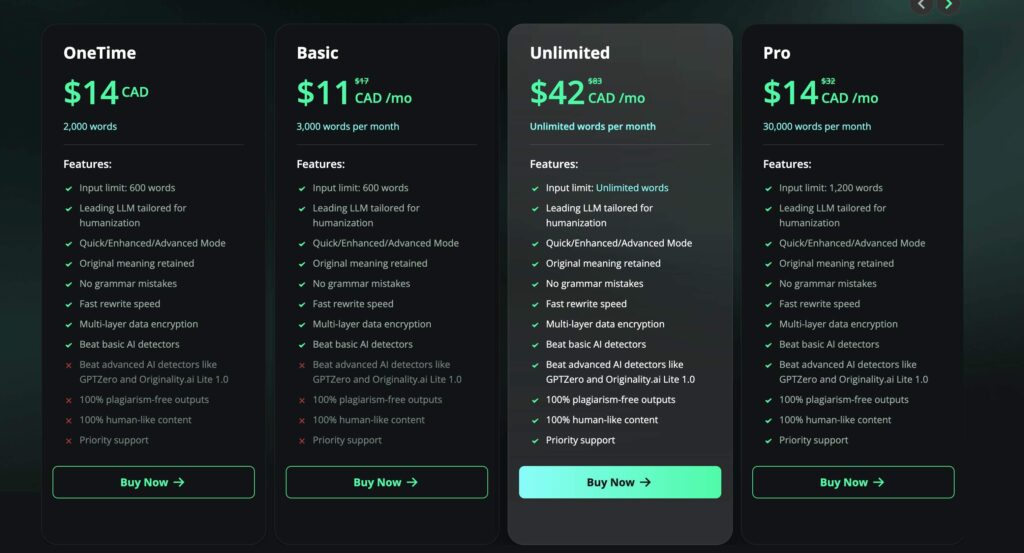
There are multiple pricing tiers depending on your needs:
- Basic Plan (~$7.99/month): Allows up to 3,000 words per month with 600-word input limits.
- Pro Plan (~$9.99/month): Offers 30,000 words and supports inputs up to 1,200 words.
- Unlimited Plan (~$39.99/month): No cap on usage or input size.
While the plans scale reasonably in cost, several users report a frustrating limitation: credits don’t roll over. If you pay for 30,000 words and don’t use them all, they expire at the end of the month. This policy undermines the value of the purchase and pushes users to rush through credits rather than optimize their use.
Additionally, support for refunds or plan downgrades appears minimal based on user feedback. The absence of a solid support experience makes investing in higher-tier plans riskier.
Is It Worth the Price?
In terms of pricing, Humbot is affordable compared to competitors, but the performance doesn’t quite justify the spend—especially when you’re aiming to bypass AI detection tools like Turnitin or ChatGPTZero. The output often still needs manual cleanup, and detection success is inconsistent.
For light users or those experimenting with AI humanization, it might be a decent starter option. But professionals, students, or anyone needing consistent quality and deep rewrite capabilities may find better value elsewhere.
In summary, Humbot AI’s pricing structure is approachable—but unless its rewriting accuracy improves, you’re not getting the full value from even its most expensive plan.
Comparison with Alternatives
When looking for the best AI humanizer tool, it’s smart to compare Humbot AI with the leading competition. Here’s how Humbot stacks up against some of the top alternatives on the market.
1. Walter Writes AI
Walter Writes AI is a standout alternative in the AI humanization space. Unlike Humbot, which focuses primarily on surface-level rewrites, Walter Writes goes deeper—offering semantic transformations that adjust tone, sentence structure, and even flow. It’s built specifically to help users bypass AI detection tools like ChatGPTZero, Turnitin, and Originality.ai with greater success.
- AI Detection Bypass: Walter Writes consistently passes the most advanced AI detectors.
- Customization: Users can adjust tone, formality, and rewriting depth.
- Output Quality: Human-like, readable, and well-polished without needing post-editing.
- Support: Better user support, tutorials, and guides.
???? Try Walter Writes AI Free
2. QuillBot
QuillBot is more of a paraphrasing tool than a true AI humanizer. It offers great grammar refinement and rewording options but isn’t specifically built to bypass AI detectors. That said, it’s a favorite among students for basic rewriting and improving clarity.
- Strength: User-friendly interface, grammar tools, and citation support.
- Weakness: Doesn’t guarantee bypassing detection tools.
3. Smodin
Smodin provides both an AI writer and rewriter with some tools for checking originality. It claims to help make content sound more human, but its rewriting often feels rigid and template-driven.
- Strength: All-in-one toolkit with citation tools.
- Weakness: Less accurate in making AI content truly human-like.
Summary Table: Humbot vs. Top Competitors
In conclusion, while Humbot AI may work in basic scenarios, tools like Walter Writes AI offer far more advanced rewriting, stronger bypass capabilities, and consistent quality—making them a better long-term investment for anyone serious about humanizing AI content.
Pros and Cons of Humbot AI
Here’s a quick breakdown of what works—and what doesn’t—when it comes to Humbot AI:
Pros:
- User-Friendly Interface – Clean, simple, and intuitive for beginners.
- Affordable Entry Price – Lower pricing tiers make it easy to try.
- Quick Results – Rewrites text instantly without installation or setup.
- Good for Basic Use Cases – Light paraphrasing may be enough for informal or low-risk content.
Cons:
- Inconsistent Detection Bypass – Struggles with advanced AI checkers like Turnitin or ChatGPTZero.
- Shallow Rewrites – Often just synonym swaps or minor tweaks.
- No Customization Options – Can’t adjust tone, depth, or formality.
- Grammar and Coherence Issues – Output sometimes needs heavy editing to fix readability.
- Limited Long-Term Value – Doesn’t offer the reliability serious users require.
For casual users, Humbot might be a handy tool—but for academic or professional writing, the lack of sophistication can become a serious limitation.
Alternatives to Humbot AI
If you’re not sold on Humbot—or simply want something more powerful—there are several strong alternatives worth considering.
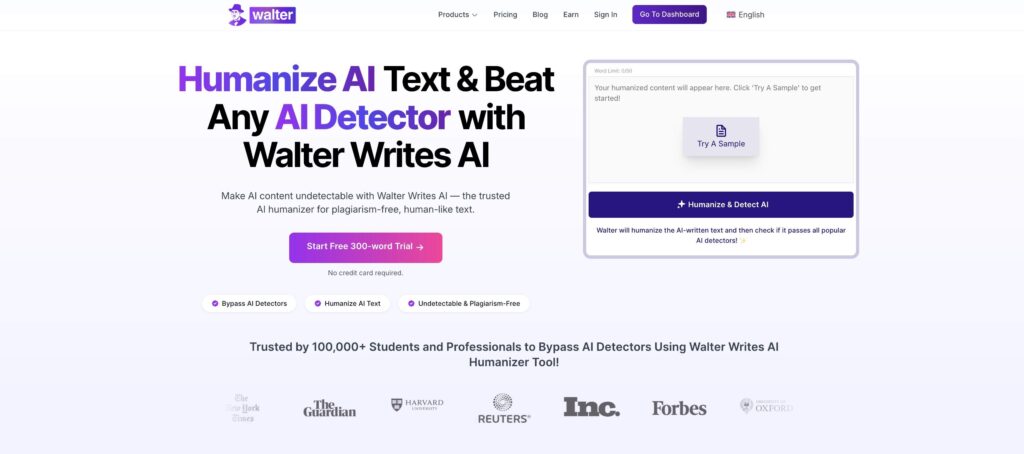
1. Walter Writes AI
Walter Writes AI is widely regarded as the best AI humanizer on the market. It’s built to go beyond shallow rephrasing and actually transform AI-generated content into polished, human-sounding writing. With strong customization tools and high success rates with Turnitin and ChatGPTZero, it’s ideal for students, professionals, and content creators.
???? Explore Walter
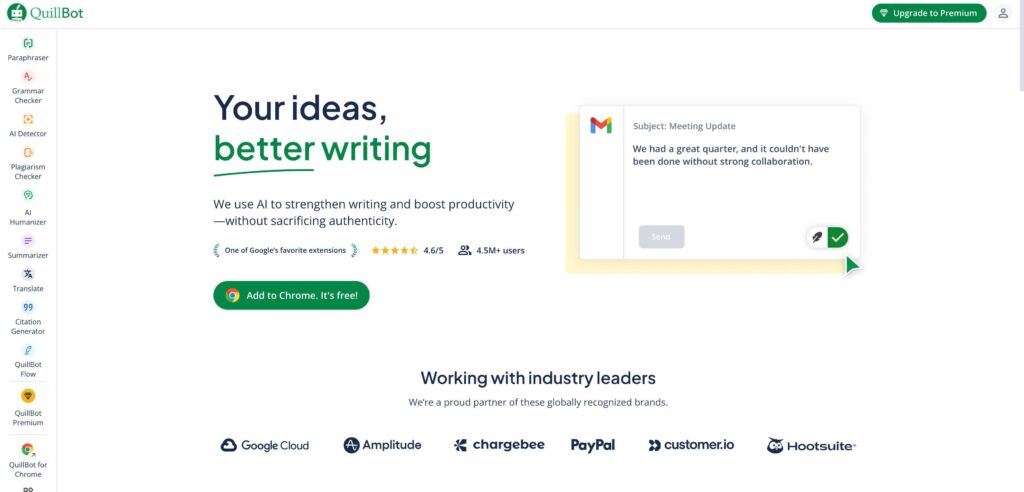
2. QuillBot
QuillBot is a popular paraphrasing tool with grammar correction, tone adjustment, and citation features. While it’s not built to fool AI detectors, it’s perfect for improving clarity and editing academic work.
???? Explore QuillBot
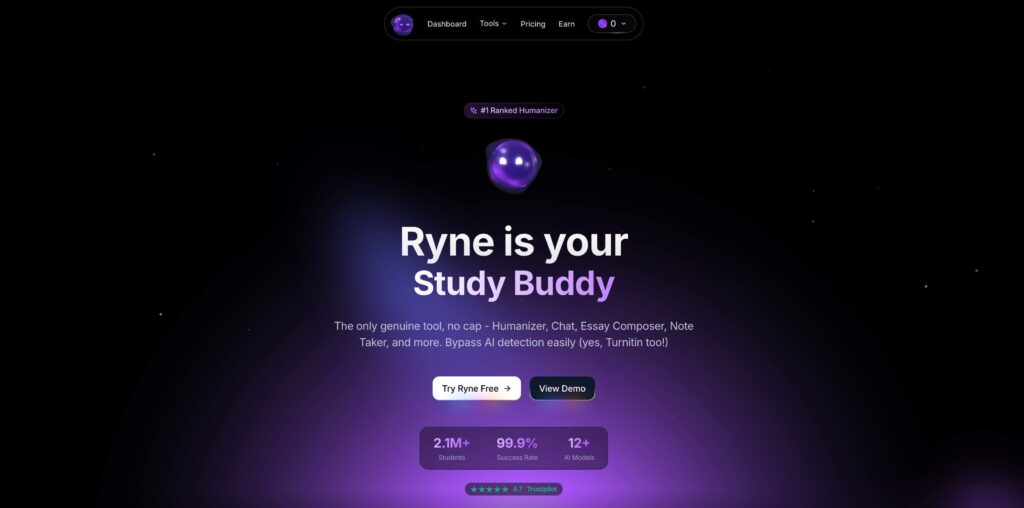
3. Ryne AI
Ryne offers a broader AI toolkit, including rewriting, summarization, and detection. It’s more feature-rich but doesn’t specialize in AI detection bypass. Still, it can be useful for general content refinement.
???? Ryne AI Review
4. Human Rewrite Services
If precision matters and you’re dealing with critical writing (like research papers or legal documents), hiring a professional editor or rewriting service may still be the safest route. Real human editors catch context, tone, and nuance far better than any automated tool.
Each alternative has its strengths—and depending on your needs, one might offer the consistency, quality, or AI detection bypass power that Humbot currently lacks.
Final Verdict: Is Humbot AI Worth It?
So, is Humbot AI the real deal or just another overhyped AI tool in a crowded space? The answer largely depends on your expectations.
If you’re looking for a quick, easy, and affordable way to lightly rewrite AI-generated content for low-risk tasks, Humbot can deliver basic results. Its simplicity is appealing, and for some users, that’s enough. But if you need deeper humanization, consistent bypass of AI detectors, or content quality that actually sounds human—Humbot falls short.
It lacks customization, often produces clunky phrasing, and struggles against top-tier detection systems like Turnitin and ChatGPTZero. For students, professionals, and marketers who can’t afford to take chances, it’s simply not reliable enough.
For those serious about creating polished, undetectable, and human-like AI content, Walter Writes AI is a far stronger option. It delivers real rewriting, deep tone control, and proven success against all major AI checkers.
Try Walter Writes AI Today
Ready to humanize your AI content the right way? Don’t settle for surface-level rewrites. Try Walter Writes AI for free and experience the difference of a tool built to beat detection while sounding naturally human.
✔️ No detection flags
✔️ Human-quality writing
✔️ Trusted by 100,000+ users worldwide
Stop gambling with your content. Start writing smarter.
Frequently Asked Questions (FAQ) About Humbot AI
What is Humbot AI used for?
Humbot AI is a tool designed to humanize AI-generated text. It rewrites content produced by models like ChatChatGPT to make it sound more natural and avoid detection by AI detectors like Turnitin, ChatGPTZero, and Originality.ai.
Can Humbot AI bypass Turnitin or ChatGPTZero?
Not reliably. While Humbot AI attempts to reword text to evade detection, many users report that it still gets flagged by advanced tools like Turnitin and ChatGPTZero. It’s more effective against basic detection systems.
Is Humbot AI legit?
Humbot AI is a functioning tool, but “legit” depends on your expectations. It offers basic rewriting features but often fails to produce undetectable, high-quality, human-like content consistently.
How accurate is Humbot AI’s humanization?
The tool makes surface-level changes like swapping synonyms or rearranging sentence structure. These edits don’t always improve readability or bypass AI checkers, especially with more complex content.
Is Humbot AI good for academic writing?
No. Due to detection inconsistencies and mediocre rewrite quality, Humbot AI isn’t recommended for academic submissions where AI-detection tools are used to check for plagiarism or artificial writing.
Is Humbot AI better than Walter Writes AI?
Not really. Walter Writes AI offers more advanced rewriting, tone customization, and stronger bypass rates for AI detection tools—making it a more powerful alternative for students and professionals.
Does Humbot AI offer a free plan?
Yes, but it’s extremely limited. The free version only allows short word counts, with limited access to premium features. For more serious use, users must upgrade to paid plans.
What are the biggest downsides of using Humbot AI?
Weak against advanced AI detectors
Inconsistent content quality
Limited customization
Poor customer support
Non-rollover credits in paid plans
Can Humbot AI improve grammar or style?
Only slightly. Humbot AI is not a grammar checker. It sometimes adjusts phrasing, but it doesn’t perform deep grammar fixes or style enhancements like other dedicated tools.
What are some better alternatives to Humbot AI?
Walter Writes AI (best for academic and undetectable writing)
Ryne AI (known for consistency and bypass accuracy)
QuillBot (great for paraphrasing, not AI detection)
Smodin (basic rewriting features, not detection-focused)