






Key Takeaway: The best free AI paragraph generators in 2026 can take you from a blank page to a structured draft in seconds, but every generated paragraph needs to be humanized, fact-checked, and scanned for AI signals before it’s ready to submit or publish.
- paragraph-generator.com and paragraphgenerator.io both work with no account required, making them the lowest-friction options for quick drafts
- Ahrefs offers the most control over tone, format, and paragraph count but requires an account to access
- QuillBot is the strongest pick for students writing academic paragraphs, while Typefully is built for marketers drafting short-form and social content
- Vague prompts produce vague output, and specifying paragraph type, tone, length, and purpose in your prompt significantly reduces the editing required
- AI-generated paragraphs are not plagiarism-free by default, and all claims need to be verified against credible sources before submission
- Walter Writes is recommended as the step after generation to humanize tone and run a detection check in one place, rather than switching between separate tools
Free AI paragraph generators have gotten genuinely useful. Whether you are a student working on an essay or a marketer drafting ad copy, the right tool can get you from a blank page to a structured draft in seconds.
This guide covers the best free paragraph generators in 2026, and a quick chooser to pick the right one for your situation. It also provides you with student and marketer mini playbooks with ready-to-use prompt templates, and a simple workflow to turn generated drafts into something actually ready to use.
What an AI Paragraph Generator Is (and What It’s Not)
An AI paragraph generator takes a prompt and returns a structured paragraph draft. It is built for speed and structure, not final truth. It is essential to verify all information included in your generated paragraph before the actual submission or publication.
This type of content generator should not be confused with a paraphraser. A paraphrasing tool rewrites existing text. A paragraph maker creates new text from scratch. Different problems, different tools.
To practically use the generated content you also need to improve it before using it. This guide on how to rewrite AI generated text covers what needs to be fixed in addition to fixing it.
Quick Chooser: Pick the Right Free Paragraph Generator in 2 Minutes
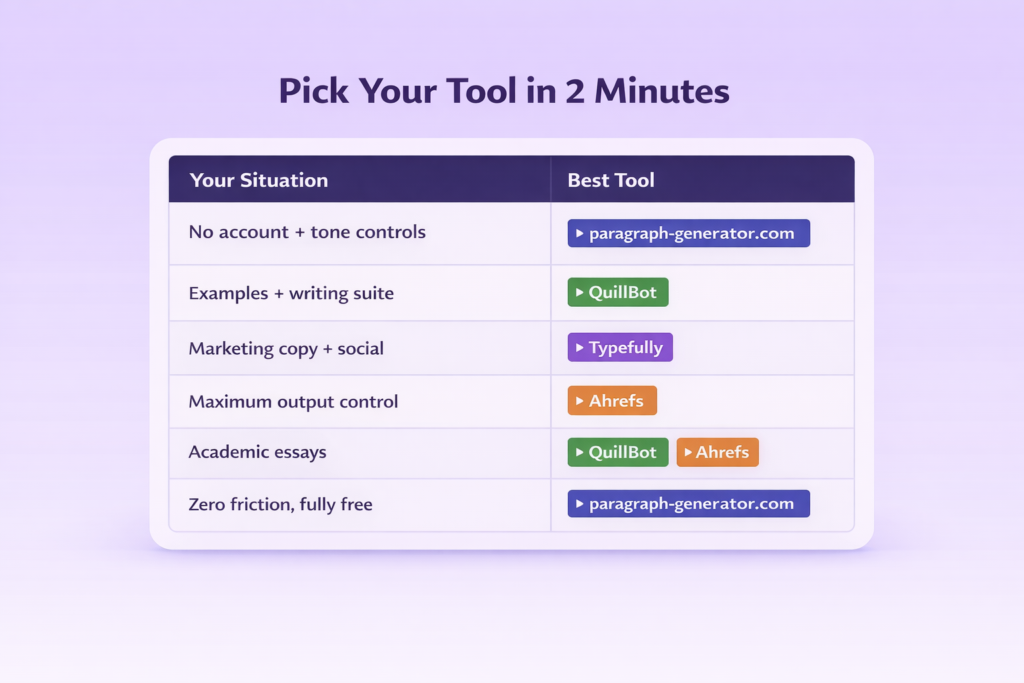
Consider answering these four questions to evaluate each tool before making a selection: are there options for choosing tone and length of generated content, what kind of content do you want to generate with this tool: academic or marketing content, does the tool require registration to access its functionality, and will you be able to copy and paste or download your generated content as needed?
- Need tone, format, and length controls with no account: paragraph-generator.com or paragraphgenerator.io
- Need examples and a broader writing suite: QuillBot
- Writing marketing copy or social content: Typefully
- Want maximum output control with clear settings: Ahrefs Paragraph Generator
- Need academic paragraph types for essays: QuillBot or Ahrefs
- Want completely free with zero friction: paragraph-generator.com (no sign-up required)
If you are specifically working with ChatGPT-generated drafts rather than a dedicated paragraph generator, the guide on how to make ChatGPT sound more human is a useful companion read before you pick your editing tool.
Best Free AI Paragraph Generators (Shortlist + Who Each Is Best For)
| Tool | Best For | Free? | Sign-Up Required | Key Limitation |
| Ahrefs | Tone, format, and paragraph count control | Yes | Yes | Requires account |
| QuillBot | Examples, broader writing suite, academic use | Yes, limited | Yes | Word limits on the free plan |
| Typefully | Marketing and creator-style drafting | Yes, limited | Yes | Not built for academic writing |
| paragraph-generator.com | No-friction quick drafts | Yes | No | Verify output quality yourself |
| paragraphgenerator.io | Simple tone and length controls, copy/download | Yes | No | Overconfident “unique” claims |
Ahrefs
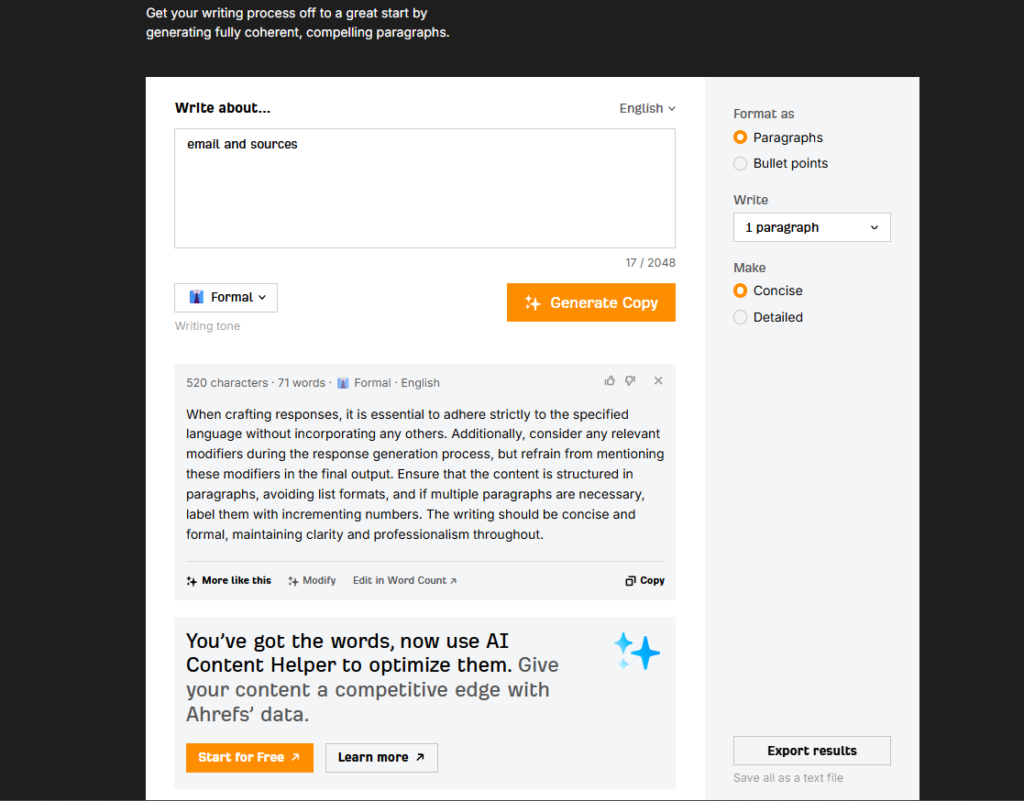
- Best for: Structured content drafts with control over tone, format, and paragraph count
- How it works: Enter a topic, select tone and format, choose the number of paragraphs, and generate instantly
- Free plan: Yes, requires an account
- Limitation: Sign-up required, and output can feel oversimplified on complex topics
QuillBot
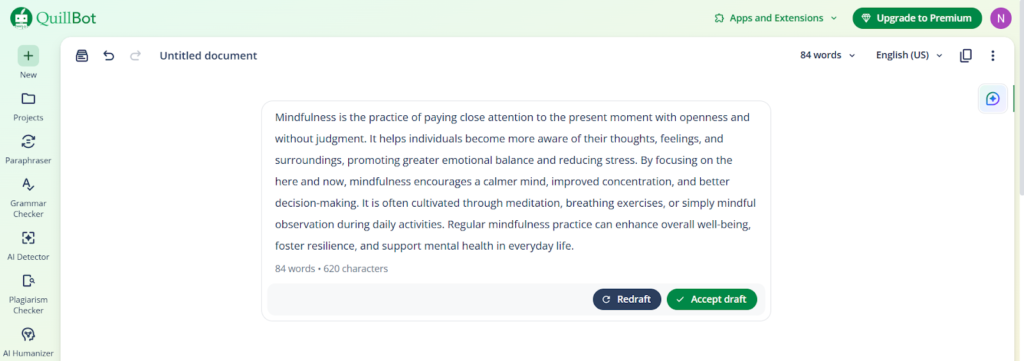
- Best for: Academic writing and students who want prompt examples alongside generation
- How it works: Type a topic or sentence, choose a mode, and QuillBot generates a paragraph with suggested variations
- Free plan: Yes, with word limits
- Limitation: Free plan restrictions get limiting quickly on longer assignments
Typefully
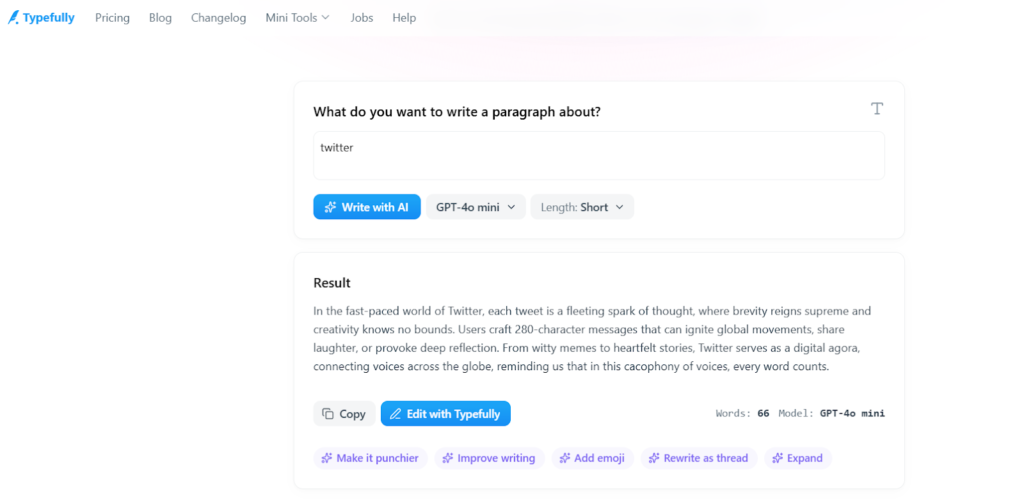
- Best for: Marketers and creators drafting short-form content and social posts
- How it works: Input your topic or idea, select a style, and get a draft optimized for creator and marketing contexts
- Free plan: Yes, limited
- Limitation: Not suited for academic paragraphs or citation-heavy writing
paragraph-generator.com
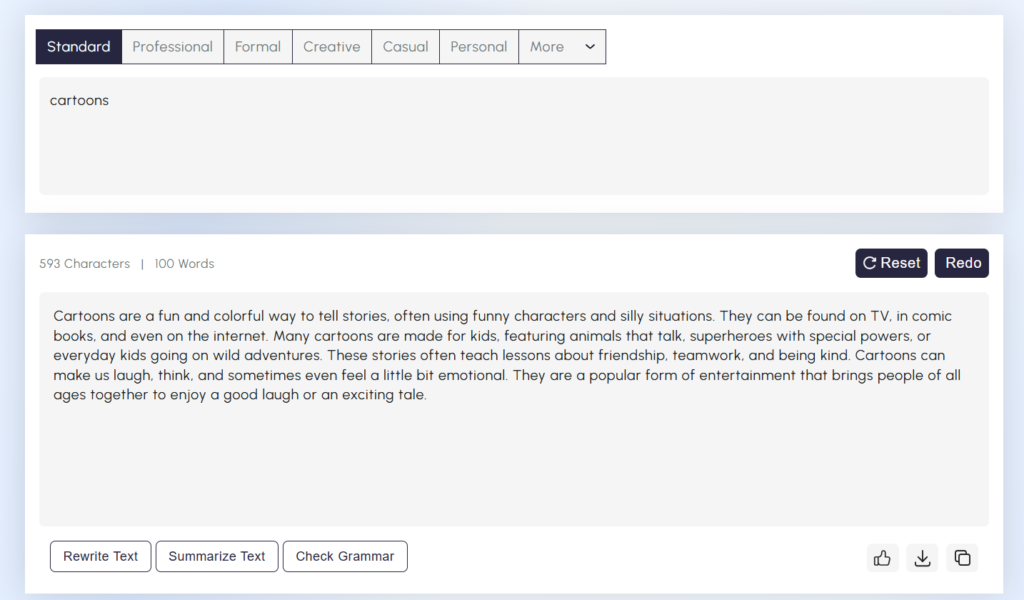
- Best for: Anyone who wants zero friction, no account, immediate use
- How it works: Enter a topic, pick a style and length, and generate without creating an account
- Free plan: Yes, fully free with no sign-up
- Limitation: Output quality varies. It is advised to verify it before submission.
paragraphgenerator.io
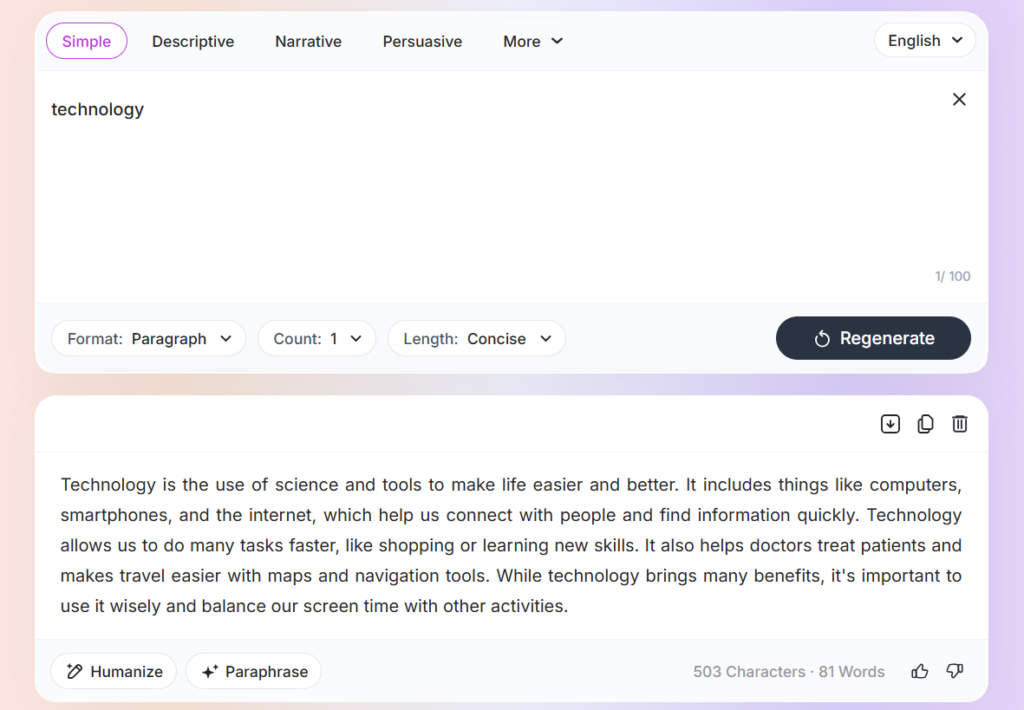
- Best for: Creating draft paragraphs with tone, length, and copy or download options
- How it works: First, enter a topic. Then choose the tone and length. Once you have entered the information, click the generate button and download to save the paragraph as a separate document.
- Free plan: No need to register.
- Limitation: Don’t be fooled by 100% unique claims when evaluating the free plans. Verify before submitting.
If your writing task is creative fiction rather than academic paragraphs, a dedicated AI story generator will give you more relevant output than a general paragraph tool, with support for characters, continuity, and genre.
How to Write a Good Paragraph With AI (Student + Marketer Mini Playbooks)
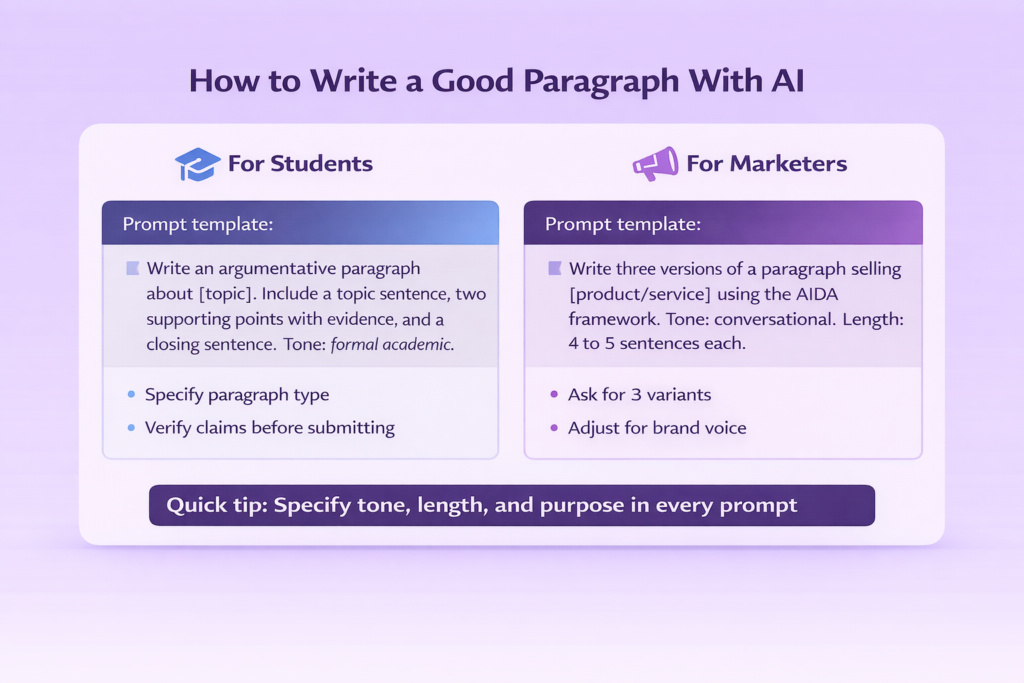
For Students
Tell the tool what type of paragraph you need. There are many different formats for academic writing, and the generator will be more likely to generate something good if you tell it which one you want.
Prompt template:
“Write an argumentative paragraph about [topic]. Include a clear topic sentence, two supporting points with evidence, and a closing sentence. Tone: formal academic.”
Verify that your created topic sentence has sufficient clarity of detail and that all relevant details support the claim. That is, never make a claim without referencing at least one credible resource that supports that claim.
For Marketers
Ask for variants and give the framework. Vague requests result in vague writing.
Prompt template:
“Write three versions of a paragraph selling [product/service] using the AIDA framework. Tone: conversational. Length: 4 to 5 sentences each.”
Review each option, and select the best option as well as translate that into the voice of your brand before publication.
Quick tip for both: It will be easy if you provide your prompt with definitions of tone, word count, and objectives. The better you describe your request, the fewer edits are required for your response.
The “Generate → Humanize → Check” Workflow
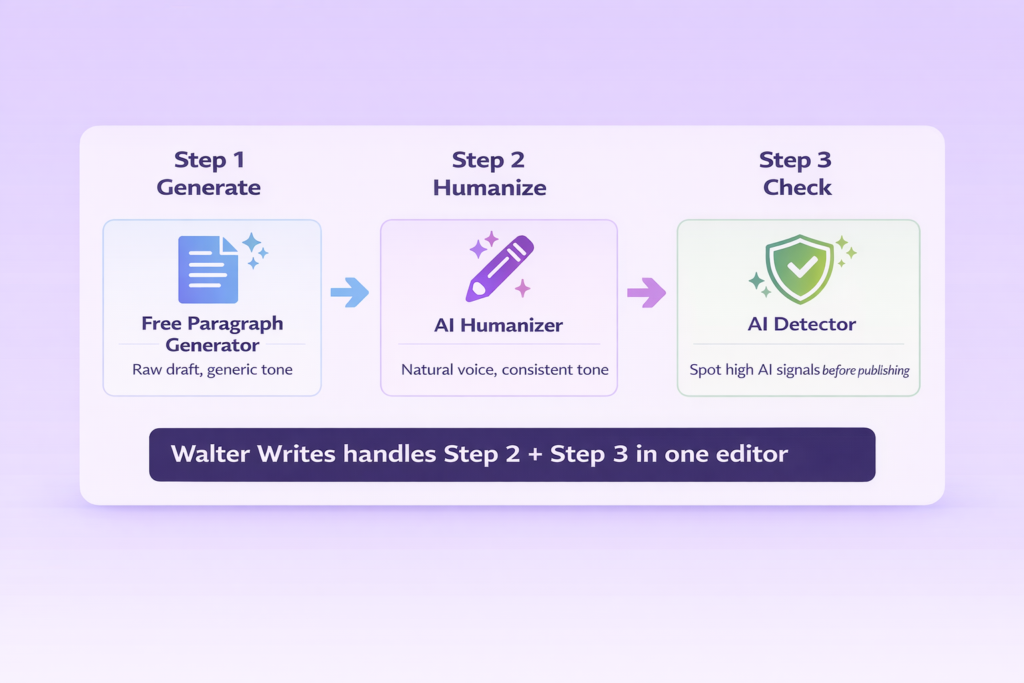
A generated paragraph is a starting point. The first draft you receive from such an AI paragraph generator is most often a generic and robotic type of draft. They are usually very bland, have an uneven tone, and it’s not uncommon to see different tones within the same piece. It’s at this step that writers and marketers start running into trouble when they submit their work as is.
The fix is a simple three-step loop:
- Generate your paragraph using any free tool above
- Modify the output to be less robotic and structured so it sounds like you. Use a reliable AI rewriter to make your paragraphs smoother and undetectable.
- Do a scan to check if there are high levels of AI signal on the final version before publishing or submitting. Run your content through an AI detector for students to find out which part has a high AI signal before you publish it.
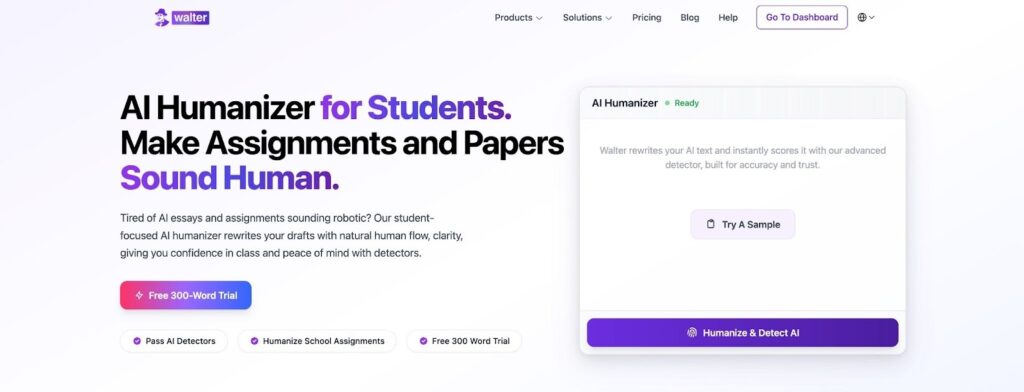
Walter Writes allows you to complete steps 2 and 3 at the same time in one single place. Simply paste your first paragraph, adjust the tone, then scan for high AI content with just two clicks, and you’ll never have to go back and forth from one application to another again.
Test the Walter Writes AI Humanizer for marketers, as it will allow you to convert your generated paragraph into a finished draft.
From Prompt to Publish: Two Stacks That Actually Work
The Essay-Ready Student Stack
Good For: Students writing academic paragraphs, essays, and research-based assignments.
- QuillBot or Ahrefs (Free): Generate the paragraph draft
- Manual fact-check: Verify claims against your sources
- Walter Writes (From $8/month): Humanize tone and run a detection check
- Zotero (Free): Add citations before submitting
Cost Per Month: From $8
Limitation: Free paragraph generators have word limits
If you are looking to develop an even fuller writing tool kit beyond paragraph generators can check the guide to best AI writing tools for students for additional items you should add.
The Marketer’s Copy-Ready Stack
Good For: Marketers to write ads, social media posts, emails, or paragraphs based on their landing pages.
- Typefully or paragraph-generator.com (Free): Generate multiple tone variants
- Brand voice pass: Adjust manually to match your tone guidelines
- Walter Writes (From $8/month): Humanize and check before publishing
- Grammarly (Free): Final grammar and clarity pass
Cost Per Month: From $8
Limitation: A free paragraph generator lacks the context for branding in order to be able to utilize the voice pass manually.
For a deeper look at detection tools that fit into either stack, the best AI detector tools guide covers the full comparison.
Final Verdict
While a free paragraph generator can give you a rough draft, it will never make your draft ready to be submitted or published.
Generic tone, robotic phrasing, and high AI signals are the three problems that follow most generated paragraphs. Walter Writes handles all three in one place by humanizing the output, smoothing the voice, and running a detection check before anything goes live.
Run your draft through the best AI paraphrasing tool, which will make your content sound human, and you can go from the generated draft to the final copy in one step.
FAQs Best Free AI Paragraph Generators
What Is an AI Paragraph Generator?
A tool that takes a prompt and returns a structured paragraph draft in seconds.
Are AI Paragraph Generators Free to Use?
Yes, all tools in this guide offer a free plan, though some require an account and have word limits.
Can I Use a Paragraph Generator Without Signing Up?
Yes. paragraph-generator.com and paragraphgenerator.io both work without an account.
How Do I Write a Good Paragraph With AI?
Specify the paragraph type, tone, length, and purpose in your prompt because vague inputs return vague output.
What Types of Paragraphs Can an AI Tool Generate?
Most tools handle argumentative, explanatory, descriptive, compare-contrast, and persuasive paragraph types.
Is AI-Generated Paragraph Content Plagiarism-Free?
No. You should always confirm statements with your own references, include your own sources in your work and do an analysis to detect potential plagiarism before you submit it.
Which Paragraph Generator Is Best for Students?
QuillBot or Ahrefs for academic tone and structure controls.
Can Marketers Use Paragraph Generators for Ad Copy and Social Media?
Yes. Typefully is built for this. Simply ask for different tones and then edit them so they fit your company or organization voice.
What’s the Difference Between a Paragraph Generator and a Paraphrasing Tool?
A generator creates new text from a prompt. A paraphrasing tool rewrites text you already have.
How Long Is a Paragraph Generated by AI?
Based on the paragraph length option that you select, typically, an AI-generated paragraph has somewhere between three to eight sentences.
