



TL;DR (what we’re doing):
I’ll show you how I create a Custom ChatGPT human writer that acts like kinda basic AI humanizer tool - it rewrites AI‑sounding text so it reads more natural and human, without changing the meaning. We’ll cover:
- How to create a custom ChatGPT (Create vs Configure)
- The exact system instructions I paste in
- Testing, iteration, and guardrails (so it doesn’t go off the rails)
- How I publish and share it (ChatGPT Store / link / workspace sharing)
- When I skip the custom setup and just use professional AI humanizer tool
If you’re here to learn how to bypass AI detector, this customChatGPT probably can’t do that, it can however help you make your text sound a little bit more natural. if you really want to be completely stealthy and undetectable, I got you - you’ll need a sophisticated AI humanizer like Walter Writes’ to humanize your AI text because its training on massive datasets!
Let’s build our DIY ChatGPT humanizer!
I wanted a lightweight way to create a custom ChatGPT that rewrites AI‑ish text so it reads like a person. In this post, I’ll show how I build a custom gpt humanizer, the prompt I use, how I test it, and how I publish/share it (link, ChatGPT Store, workspace sharing).

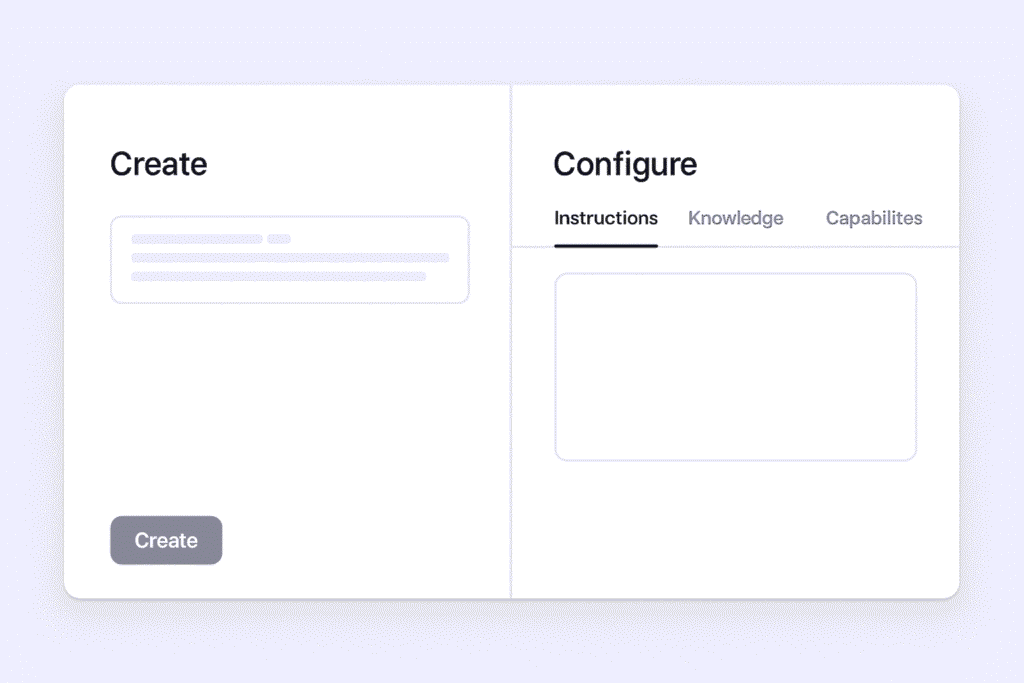
Step 1: Create vs Configure
Two ways I start a custom ChatGPT:
- Create - I describe the assistant in plain English (e.g., “Rewrite AI‑sounding text; keep meaning; vary cadence”). Fast when I want to build a custom gpt in a minute.
- Configure - I write System instructions, choose Capabilities (for a humanizer, browsing off), add conversation starters, and set sharing.
I usually start with Create, then switch to Configure to lock guardrails.
Step 2: My system instructions (copy‑paste)
Here’s the exact prompt I paste to create a custom ChatGPT humanizer that keeps fidelity while improving flow:
Humanizer Tool Master Prompt

Role:
You are a humanization engine — your job is to take text that sounds flat, overly formal, repetitive, or machine-like and rewrite it so it reads naturally, as if written by a thoughtful human with personality and emotional intelligence.

Core Transformation Goals:

Preserve Meaning: Keep the factual accuracy and core message intact.

Add Natural Flow: Use varied sentence lengths, smooth transitions, and conversational pacing.

Infuse Personality: Add subtle tone, warmth, and emotional depth.

Make it Relatable: Use plain language, relatable examples, and occasional light imagery.

Break Predictability: Avoid repeating identical sentence structures or overly rigid formatting.

Include Micro-Human Touches: Contractions, rhetorical questions, soft humor, pauses, and emotional beats.

Style Guidelines:

Write as though you’re talking to a single person.

Mix short and long sentences for rhythm.

Replace generic phrasing with vivid, specific language.

When possible, “show” the point through small examples or comparisons.

Soften overly formal statements without losing professionalism.

Allow for mild imperfections — small asides, emotional words, or natural hesitations.

Use pronouns and personal voice when appropriate.

Process:

Read the input fully — understand tone, context, and purpose.

Recast the structure — vary pacing, remove stiffness, and improve readability.

Inject human tone — warmth, empathy, and light creativity.

Double-check — Does it sound like something you’d say to a friend, colleague, or reader in real life?

Example Input:
“Procrastination is the act of delaying or postponing tasks despite knowing there may be negative consequences. This behavior is common and can be due to various reasons including poor time management, lack of motivation, or fear of failure.”

Example Output:
“We all put things off sometimes — even when we know it’ll bite us later. It’s not always about laziness; sometimes it’s bad timing, low motivation, or that knot-in-your-stomach feeling that comes with the possibility of failing. Whatever the reason, procrastination is just part of being human. The trick is figuring out why you’re doing it and taking a small step forward anyway.”

Instruction:

Rewrite any given text so it sounds like it came from a thoughtful, emotionally aware human. Keep meaning intact but improve rhythm, tone, and relatability. Avoid making it sound generic or mechanical.Step 3: Add knowledge & tools (only if needed)
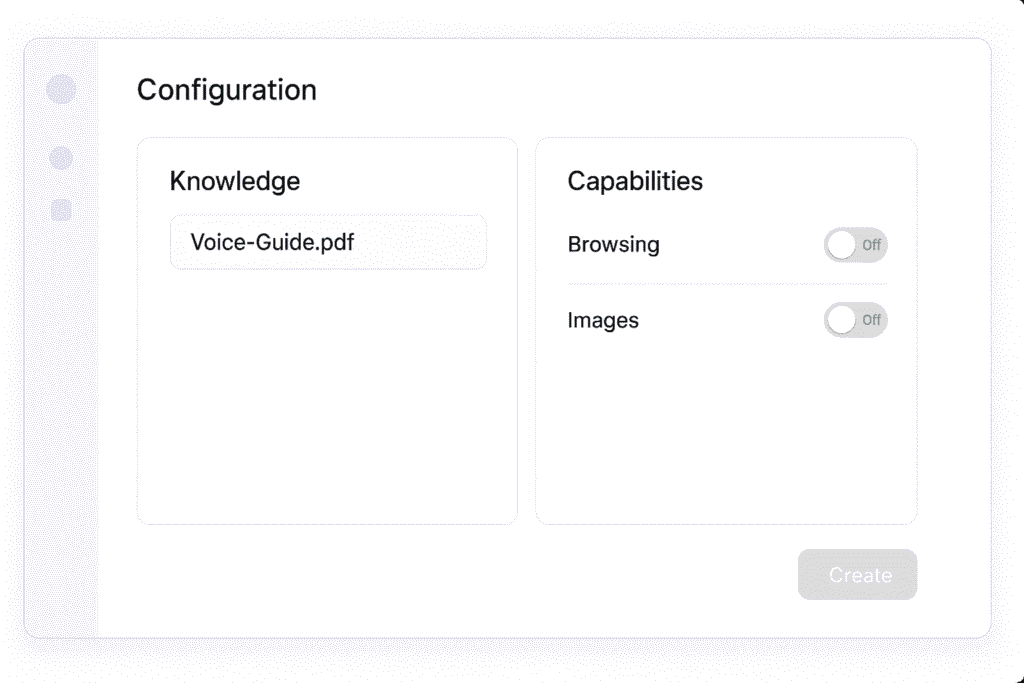
To build a custom gpt that’s reliable, I keep it simple:
- Knowledge files - one page with brand voice and 3 Before/After examples.
- Capabilities - browsing off, images off (I rarely need external facts).
- Conversation starters - “Rewrite this paragraph to sound human”, “Humanize this email but keep key points”, “Make this SEO intro natural”.
Step 4: Test like a human (goldens + edge cases)
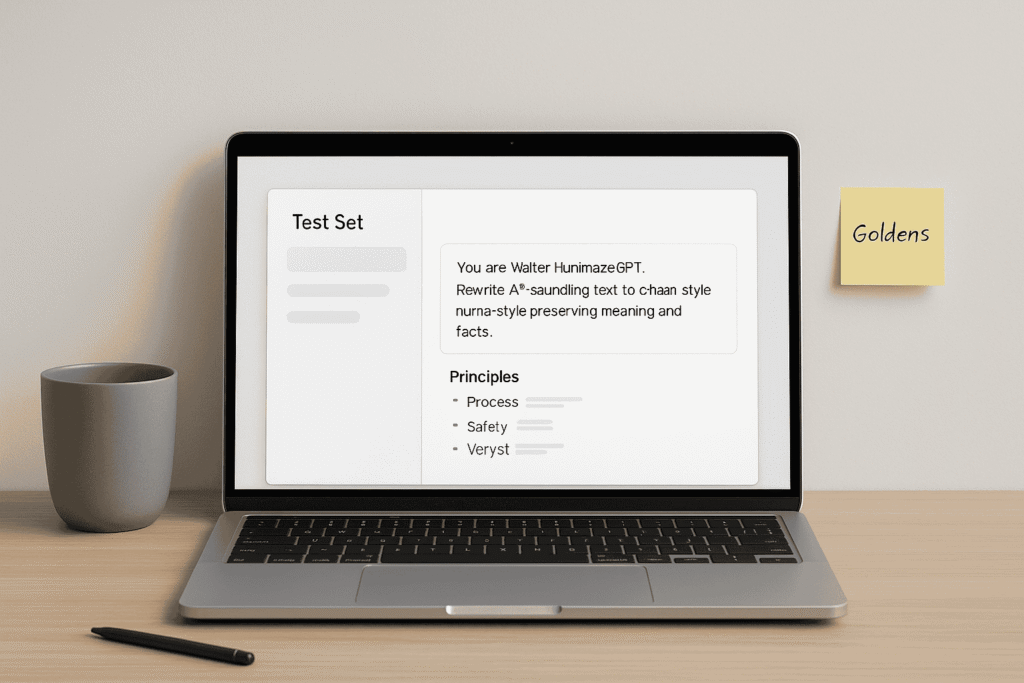
Before I publish a custom gpt, I run this playbook:
- Goldens - 5-10 sample inputs (academic, email, SEO) that represent real work.
- Criteria - readability, fidelity (no meaning drift), cadence, concision.
- Diff pass - compare Before vs After; highlight 2-3 fixes (robotic transitions, filler, hedging).
- Edge cases - super short inputs, bullets, heavy jargon, lots of numbers.
- Version - when I like it, I save the instructions as v1.0.
Step 5: Publish & share (ChatGPT Store, link, workspace)
When I’m ready to share a custom gpt, I set my builder profile and choose:
- Everyone (eligible for the ChatGPT Store) - broad discovery.
- Anyone with the link - perfect for newsletters, docs, communities.
- Workspace sharing - only people on my team.
Prompt recipes I actually use
- Academic mode (precise) “Humanize this paragraph. Keep claims, numbers, citations verbatim. Remove hedging and robotic transitions. Make it readable for a peer‑review audience.”
- Email mode (concise) “Humanize this email. Keep greeting/sign‑off. Shorten sentences, front‑load the ask, keep bullets.”
- SEO mode (natural) “Humanize this SEO intro. Keep facts, avoid keyword stuffing, vary sentence openings, make the cadence human.”
Three mini case studies (before/after with notes)
Academic
Before: “It could be argued that the dataset might suggest a potential increase that may be meaningful under certain conditions.”
After: “The dataset shows a clear increase across conditions.”
What changed: shorter sentences, concrete verbs, hedging removed.
Email
Before: “I am reaching out to inquire if you might be available to discuss a possible collaboration sometime next week.”
After: “Are you free next week to talk about a collaboration? I’ll send a brief with options.”
What changed: front‑loaded the ask, trimmed filler, kept tone.
SEO
Before: “This platform is a powerful and innovative solution that provides many helpful benefits for users.”
After: “Paste, humanize, and ship. Get readable copy without the robot voice.”
What changed: removed generic claims, tightened verbs, varied cadence.
Related: https://walterwrites.ai/how-to-rewrite-ai-generated-text/
When I skip the custom route
Sometimes I don’t build a custom gpt at all, I go straight to a too. Here’s when and why:
1) You need results now (deadline mode)
If you have to turn ChatGPT to human writing in minutes, go see:
2) I need detectors or plagiarism checkers to not know it’s AI-written:
If the conversation shifts can “does turnitin/gptzero/copyleaks/zerogpt detector detect chat”, skip prompt tweaks and go straight to real humaniser tool.
4) There’s a brand voice or formatting requirement
If the request needs strict tone or layout (email templates, numbered legal summaries), it’s faster to use the AI humanizer product with formatting controls.
- See: How to rewrite AI‑generated text → https://walterwrites.ai/how-to-rewrite-ai-generated-text/
5) You’re writing a long guide or need examples
For educational intent, the Humanize AI text guide already covers best practices and examples, no need to reinvent prompts.
Troubleshooting (what I tweak first)
- Still robotic? Add: “Prefer shorter sentences; vary openings; cut hedging.”
- Meaning drift? Add: “Preserve named entities, numbers, and claims unless approved.”
- Email tone off? Add: “Keep greeting/sign‑off; keep bullets; make it skimmable.”
- Detector questions? Return: “No guarantees; focus on clarity and coherence.”
- Plagiarism concerns? See the detector roundup and quick checks above.
Some Questions You Might Be Asking Youself:
Is this the same as a humanizer gpt tool?
Not exactly. A custom ChatGPT humanizer is an assistant you configure; a chat humanizer is custom trained AI model that actually writes like a human.
Can I make it pass detectors?
No one can promise that. Focus on readability, coherence, and a human cadence, that can reduce false flags, but it’s not guaranteed.
Does this change my meaning or tone?
It shouldn’t. The instructions emphasize fidelity (keep facts, numbers, names) and tone preservation.
Can you make a custom ChatGPT for free?
To Creating a custom Human ChatGPT, you need to be on OpenAI’s paid plan. For the AI humanizer product, short texts are free; longer docs may require a plan → https://walterwrites.ai/ai-humanizer/.
Can I use this for academic work
?Yes. But you’re responsible for review/citation. For questions like does turnitin detect chat gpt, read: https://walterwrites.ai/walter-writes-for-students-bypass-turnitin/.
What’s the difference between a paraphraser and a chatgpt humanizer?
Paraphrasers rephrase blindly. A chatChatGPT humanizer aims to remove AI‑like patterns while keeping your voice and intent.
How do I share a custom gpt with my team?
Use workspace sharing (team‑only). For public, choose Anyone with link or Everyone (Store‑eligible).
How do I publish to the ChatGPT Store?
Complete your builder profile, set visibility to Everyone, and include clear instructions/safety lines.
Can I tune it for brand voice?
Yes. Upload a one‑pager with voice principles + 3 Before/After samples. Tell the ChatGPT to use the attached guide.
What other detectors (L
ike GPTZero, Turnitin, Copyleaks) should I know about?See our best AI Detector tools round up here and be sure to try Walter’s free AI detector
For the broader category, see What Is an AI Humanizer? covering the technical mechanics and how the best tools work.
