



Key Takeaway: This Sudowrite review finds it a strong brainstorming and scene-level tool for fiction writers, but its inconsistent output on longer drafts, credit limits, and lack of AI detection features mean it works best as a starting point rather than a complete writing solution.
- Sudowrite is built exclusively for fiction writing and has no tools for essays, research papers, or academic non-fiction
- The Story Bible is the most underrated feature, keeping character details and plot notes consistent across AI-generated output
- The Story Engine can generate scenes and chapters from an outline, but output quality drops significantly on complex or emotional scenes
- The Hobby & Student plan starts at $10/month billed annually and includes 225,000 credits, roughly 20,000 to 30,000 words of generation
- Credits run out faster than expected when using advanced models like Muse, and unused credits don’t roll over on the Hobby plan
- Walter Writes is recommended as the final step after Sudowrite to humanize AI-assisted prose and check for detection risk before submission
If you have ever stared at a blank page for an hour trying to figure out what happens next in your story, Sudowrite was built for that exact moment.
It is an AI writing tool for novels designed specifically for fiction writers. Not for blog posts, not for essays, not for marketing copy, only for stories. The fact that it is focused only on story writing makes it both very powerful and limited in comparison to other tools as well.
This Sudowrite review will provide all the information you need to make an informed decision about whether to purchase Sudowrite. It includes what Sudowrite actually does, its main features, the actual cost of purchasing it with a credit breakdown, pros and cons, and real reviews from real users.
We also provide comparisons of alternative options and supporting tools to assist you in taking your manuscript from draft to ready for submission.
Verdict First: Who Sudowrite Is For (and Who Should Skip It)
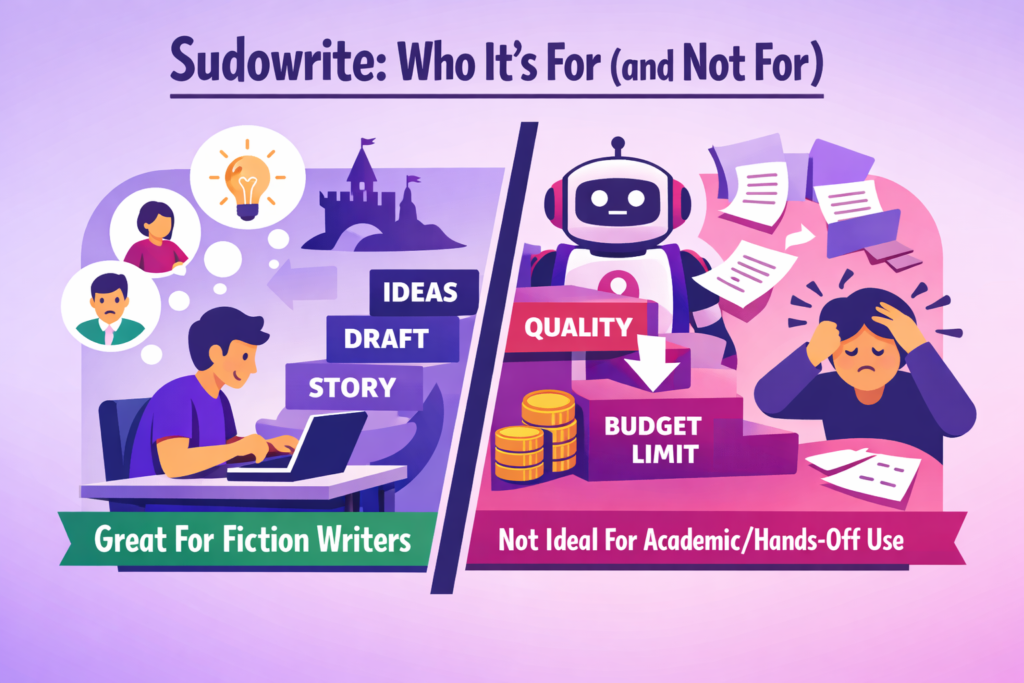
Sudowrite is a good fit if you:
- Write fiction and need help breaking through creative blocks
- Want a brainstorming partner for plot ideas, character details, or scene descriptions
- Are working on short stories, novels, or creative writing assignments
- Do not mind editing and refining the AI output before using it
Sudowrite is probably not for you if you:
- Need help with essays, research papers, or academic non-fiction
- Want the AI to write full chapters with no quality drop-off
- Are on a tight budget and cannot absorb a monthly credit limit
- Need polished, submission-ready prose straight out of the tool
The honest framing is this: Sudowrite works best as a co-writer and brainstormer, not as an autopilot novelist.
It may be able to help get you “unstuck,” provide you with some raw content for use, assist you in figuring out plot issues, but ultimately, what it will never be able to do is replace your voice throughout a full-length manuscript.
The majority of the real work for students lies within the gap between AI-generated draft and submission-ready writing. This is where the Walter Writes Student Workflow comes into play to provide the humanization and AI detection check that Sudowrite does not have the capability to complete on its own.
What Is Sudowrite and How Does It Work?
Sudowrite is an AI writing tool that is specifically designed as a web-based platform for creative fiction writers. As you are writing in the Sudowrites editor, there is a set of writing tools sitting next to your draft waiting to provide assistance whenever you need help with your story or character development.
There are two design elements that define how it works:
- Story Bible: A context layer where you store characters, settings, and worldbuilding details. Sudowrite references this when generating content to keep output consistent with your existing story.
- Story Engine: Writers simply need to input an outline or a series of beat sheets, and the engine will attempt to create draft versions of complete scenes and chapters. Output quality varies and usually needs editing before it is usable.
Apart from these, there are several other tools that help with writing, describing, rewriting, and providing feedback on a paragraph level.
All of the tools cost credits. The amount each tool will take up in terms of credits is dependent upon how you choose to use them. Additional information about this is provided in the Pricing Section.
Sudowrite Features That Matter Most (Student Lens)
Story Bible: Worth Using Even If You Skip Everything Else
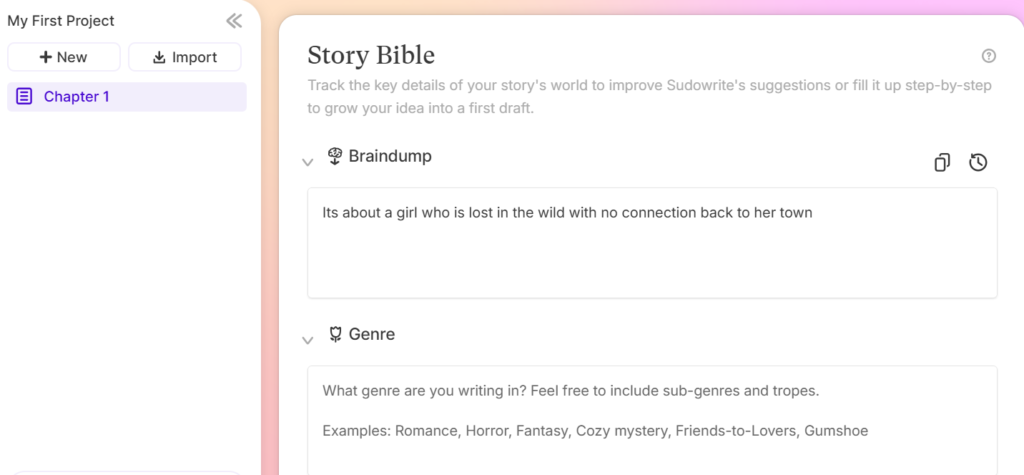
Most students will not use Sudowrite to generate full chapters. But the Story Bible alone is worth opening the tool for. As your characters’ traits, locations, and all your plot notes are stored within this structured format, it makes developing your plan much quicker and ensures that whatever writing AI generates is consistent with what you have created.
Story Engine: Strong Concept, Inconsistent Output
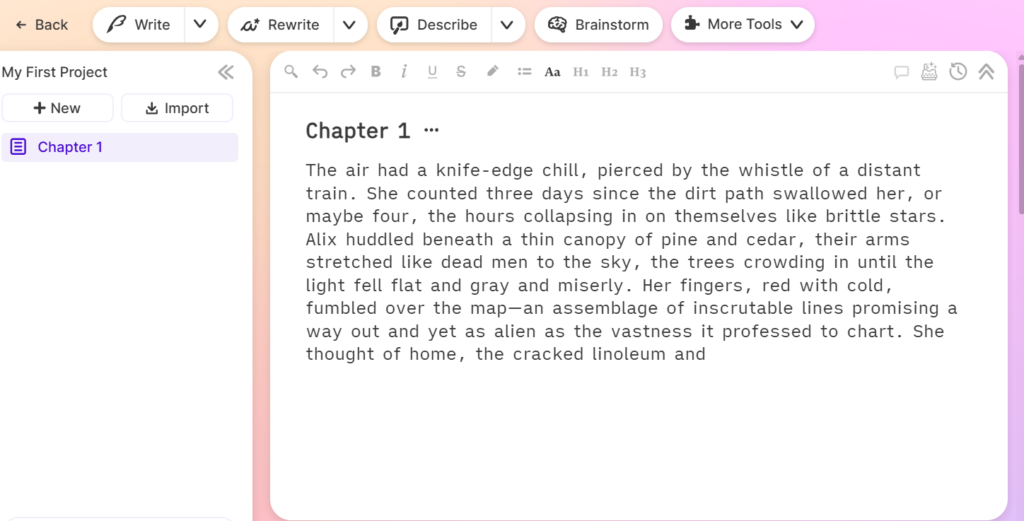
Chapter generation sounds impressive, but it works best on simple, straightforward scenes. If you try to generate chapters with more detail or complexity, then you should be prepared for possible inconsistencies, such as the new chapter may not fit the mood of the original scene, the details are likely to be repeated, or may be missing some very important emotional parts. Be prepared to make many changes to whatever comes from the tool.
Write, Describe, and Sensory Tools: Best Bang for Credits
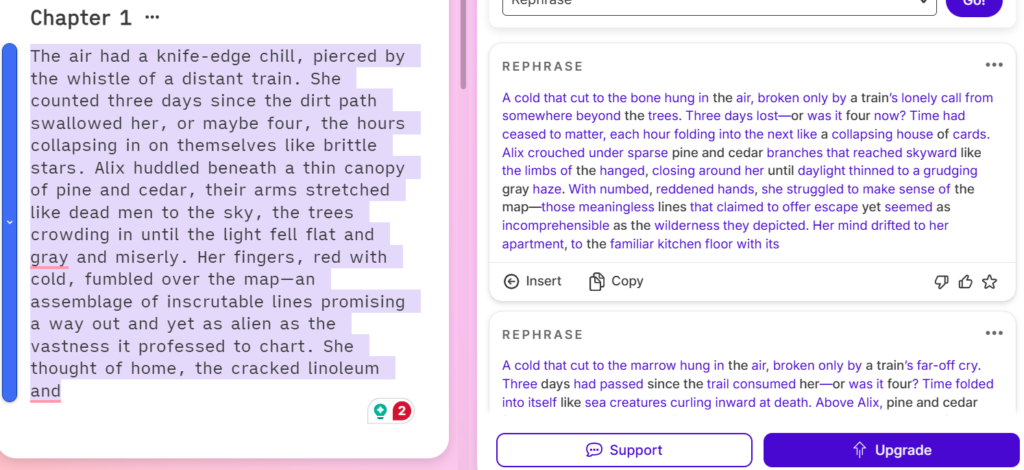
These are the most reliable features for students on short fiction assignments.
- Write your story from where you stopped
- Describing adds more vivid detail to a moment or object
- Sensory layers in sight, sound, smell, taste, and touch
Faster to use and more affordable in terms of credit cost, this service provides the user with better consistency in usefulness compared to generating an entire chapter.
Beta Reader Feedback: Useful for Short Passages, Not Deep Critique
The feedback tool flags pacing, clarity, and emotional impact. This may be helpful when you need to do a quick review of your paragraphs or other short passages. For longer pieces, it can give you some general surface-level information rather than editing suggestions regarding the overall structure of your project.
To explore other resources supporting the full student writing process, view the list of the best AI writing tools for students.
Pricing, Plans, and Credits (What You Actually Get)
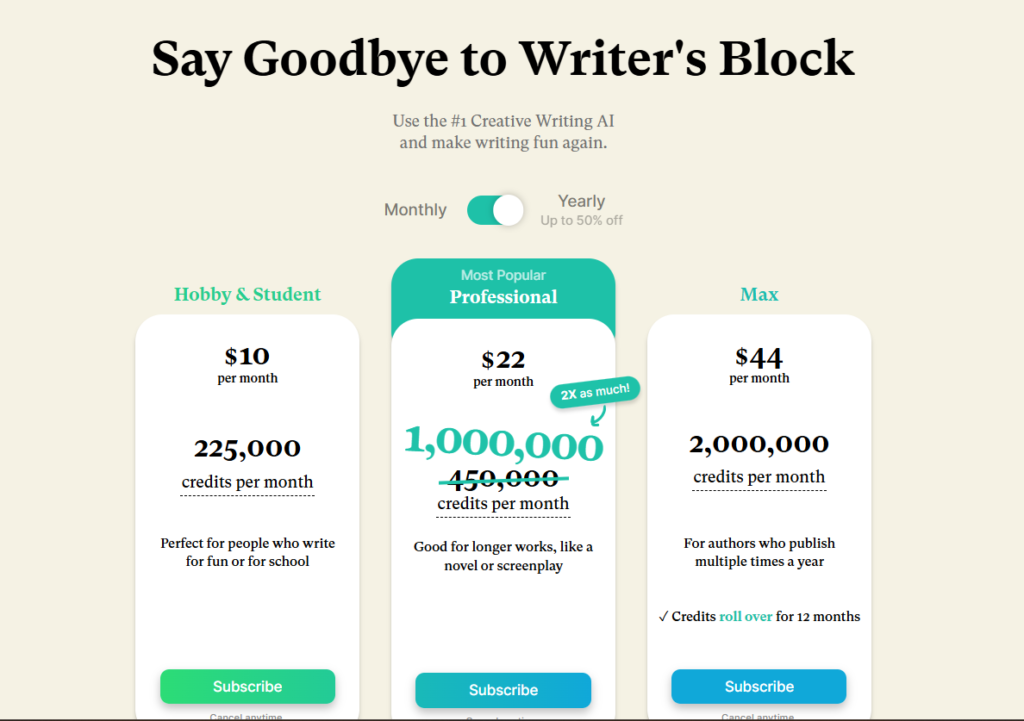
Sudowrite has three plans. All include full feature access, and the only difference is how many credits you get each month.
| Plan | Annual | Monthly | Credits/month |
| Hobby & Student | $10/mo | $19/mo | 225,000 |
| Professional | $22/mo | $29/mo | 1,000,000 |
| Max | $44/mo | $59/mo | 2,000,000 (rollover) |
What do credits mean in practice?
- When you have an AI write something, you are burning through credits. The cost of generating a single sentence will be lower than creating a complete scene.
- 225,000 credits = roughly 20,000 to 30,000 words of generation
- Budget plans like the Hobby & Student plan burn through fewer credits than advanced models like Muse.
Most students will find that the Hobby & Student plan is sufficient for their needs regarding short fiction and assignments. A trial version, which offers approximately 10,000 Credits, is offered for free without requiring a credit card.
What Happens If You Run Out of Credits?
- AI features stop working until your credits reset at the next billing cycle
- You can upgrade mid-month if the work is urgent
- No automatic top-up or overage charges apply
This makes it logical to use the smaller tools, such as Describe or Rewrite, on a regular basis and use the larger tools that include Chapter generation when you need to.
If your assignment is specifically creative fiction and you want to compare Sudowrite against other options before committing, the best AI story generators for students guide ranks it alongside NovelAI, Rytr, and Squibler by use case, continuity, and output quality.
Real Reviews from Real Users
| What users liked | What users didn’t like |
Real User Experience: What People Like (and What They Complain About)
What users consistently like:
- Breaking through writer’s block fast, especially on scenes they have been avoiding
- The Describe and Sensory tools for adding depth to flat passages
- Story Bible keeps output consistent once set up properly
- The workflow clicks once you stop expecting it to write for you and start using it as a brainstorming partner
What users consistently complain about:
- Credits run out faster than expected, especially when using advanced models like Muse
- Chapter-level output often needs heavy editing before it is usable
- The interface feels clunky for new users until they learn where everything lives
- Prose can feel generic or repetitive across longer drafts
- Unused credits do not roll over on the Hobby plan, which frustrates lighter users
The “It’s Great Until It Isn’t” Pattern
The first couple of weeks really do help you get moving. They make your dull scenes a little more interesting, and they take some of that fear away from staring at a blank screen. And then the real problem starts to surface.
You see repetition in what is coming back, like the same phrases and ideas. Your tone seems to jump around between scenes. And most people using Sudowrite on an ongoing basis will find themselves spending much more time fixing up its output than if they had simply written it all out by hand.
The users who continue to use it as a tool tend to use it for very specific or targeted needs. But the users who ultimately lose interest in using Sudowrite to generate their work are the ones who tried to complete the entire draft.
Common Failure Modes (and How to Reduce Them)
Repetition and continuity errors
- Characters re-enter rooms they have already walked into
- Details introduced earlier get repeated or contradicted
- Fix: keep your Story Bible updated and review output paragraph by paragraph before moving on
Beat-to-prose mismatch
- The Story Engine follows your outline, but misses the emotional tone of the scene
- Generated prose can feel mechanical even when the plot beats are technically correct
- Fix: use the Engine for structure, then rewrite the actual prose yourself or with smaller tools
Spoiler and secret leakage
- Story Bible context sometimes bleeds into scenes where that information should still be hidden
- A character’s secret or twist can show up in narration before it is meant to be revealed
- Fix: keep sensitive plot details out of the Story Bible until after the relevant scene is written
Generic or flat tone
- Output lacks personality, especially across longer passages
- The more you generate without editing, the more the voice flattens out
- Fix: stop generating when the prose feels lifeless and switch to editing mode instead
If flat or AI-sounding tone is a recurring issue in your drafts, the best AI humanizer tools for natural tone cover options that help restore voice before submission.
Sudowrite vs ChatGPT for Fiction Writing (Student Decision)
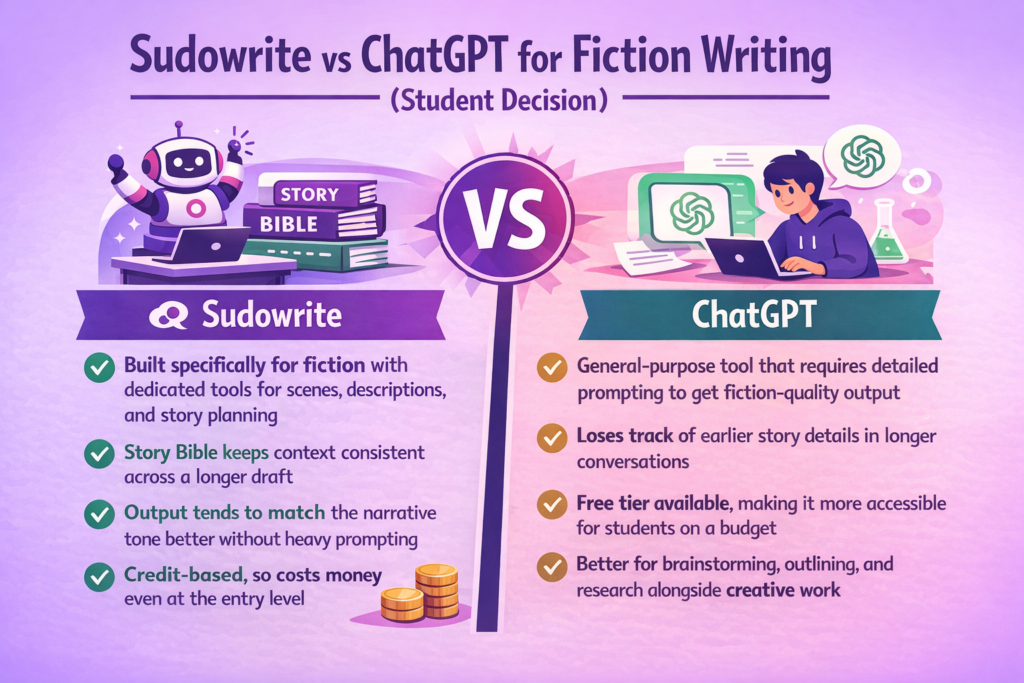
You will be able to write creatively using either tool, but the amount of structure provided by each and how much you are required to contribute is where the two differ.
Sudowrite:
- Built specifically for fiction with dedicated tools for scenes, descriptions, and story planning
- Story Bible keeps context consistent across a longer draft
- Output tends to match the narrative tone better without heavy prompting
- Credit-based, so costs money even at the entry level
ChatGPT:
- General-purpose tool that requires detailed prompting to get fiction-quality output
- Loses track of earlier story details in longer conversations
- Free tier available, making it more accessible for students on a budget
- Better for brainstorming, outlining, and research alongside creative work
For students, the decision usually comes down to this:
Sudowrite is typically the better tool if you are doing a short piece of fiction, as well as being time-sensitive, since it allows for faster results and is more streamlined.
ChatGPT would likely be the better choice when looking for a free alternative that performs many functions that go far beyond simply assisting with fiction.
Regardless of whether you choose Sudowrite or ChatGPT, neither tool will generate submission-ready material. You will need to manually edit for voice consistency and finish polishing before submitting your work.
For a more in-depth analysis of available options across both creative and content writing, there is a comprehensive guide to the best AI content writing tools available. This resource examines the differences in context between various tools.
Does Sudowrite Work for Non-Fiction Writing (and For Students Specifically)?
The short answer is no. The software is made for fiction and has no tools geared towards research, argumentation, citation, or how to structure an academic paper.
Use Sudowrite for:
- Short story and creative writing assignments
- Brainstorming plot ideas and character development
- Adding descriptive detail to creative passages
- Getting unstuck during a fiction draft
Avoid Sudowrite for:
- Essays, research papers, and academic reports
- Any assignment that requires citations or factual accuracy
- Non-fiction writing where tone and structure follow academic conventions
- Work where your institution has strict AI use policies
If your assignment allows for creativity, then Sudowrite may be useful. Otherwise, the fact that it’s based on fictional concepts works directly against most student assignments. In general, all of your output will include some form of narrative, and the structural elements such as source, citation, or arguments needed in non-fiction will not be provided by this tool.
Models, Privacy, and Data Use (What Students Should Check)
AI Models Used by Sudowrite
Sudowrite uses a mix of models across all plans. Based on their own disclosures, this includes their proprietary Muse model fine-tuned on published fiction, alongside models from OpenAI and Anthropic, such as GPT-4 and Claude. Different models burn credits at different rates, and Muse tends to produce the best fiction-quality output but costs more credits per use.
Privacy Concerns and Data Usage
Sudowrite states that they claim no rights over anything you write in or generate through the tool. But their specific data retention and training practices should be verified directly in their current privacy policy before you upload anything sensitive.
What Students Should Check Before Using Sudowrite:
- Whether your institution has policies on uploading coursework to third-party AI tools
- Whether Sudowrite’s current privacy policy covers training data opt-outs
- Whether the writing you upload contains anything sensitive or personal that you would not want stored on an external platform
The safe habit is to treat any AI writing tool the same way: do not paste in personal information, unpublished work you want to protect, or anything your school considers confidential. Check the privacy policy directly on Sudowrite’s site, as these terms can change.
Best Sudowrite Alternatives (When You Should Switch)
Sudowrite is a solid tool for fiction-focused brainstorming and scene-level writing. But it is not the right fit for every student or workflow. Here are the closest alternatives worth considering.
| Tool | Best For | Starting Price | Free Plan | Key Difference from Sudowrite |
| ChatGPT | General writing, brainstorming, and research | Free / $20/month (Plus) | Yes | Generalist tool, no fiction-specific structure |
| NovelAI | Experimental fiction, anime-style storytelling | $10/month | Limited (50 generations) | More creative freedom, less structured workflow |
| NovelCrafter | Long-form fiction with deep worldbuilding control | $4/month | Free trial | Bring your own AI model, more customizable |
| Claude | Non-fiction, academic writing, long context | Free / $20/month (Pro) | Yes | Better for essays and research, not fiction-specific |
Sudowrite is worth keeping if creative fiction drafting is your primary use and you are comfortable editing its output heavily. For everything else, the tools above cover the gaps it leaves.
For a broader comparison of writing tools across content types, the Jasper AI alternatives and review is a useful next read.
Supporting Tools Students Can Pair With Sudowrite
Sudowrite handles the drafting and ideation side. But converting an AI-assisted first draft to a final submission-ready material can be challenging. That’s why we have provided a table of supporting tools to help students easily get through the entire process of writing.
| Tool | Category | Best For | When to Use | Cost | Limitations |
| Walter Writes | AI humanization + detection | Refining tone, checking AI detection risk before submission | After Sudowrite, the final step | From $8/month | Not a drafting tool; works best on existing content |
| Grammarly | Grammar and clarity | Fixing grammar, spelling, and readability issues | After drafting, before final submission | Free / From $12/month | AI rewrite features can trigger detection tools if overused |
| Cite This For Me | Citations | Generating quick citations while researching | Before or during drafting | Free/limited paid | Always verify output; metadata errors are common |
| QuillBot | Paraphrasing | Smoothing out repetitive or awkward sentences | After Sudowrite, during editing | Free / From $4.17/month | Free plan limits paraphrasing length |
| Notion | Outlining and notes | Organizing research, story notes, and assignment structure | Before Sudowrite, during planning | Free / From $10/month | Requires setup time to get value from it |
While no tool in the stack can replace good editing, if each of these tools is utilized in the correct sequence to support their work during the writing process, it will help bridge the gap that Sudowrite has when working alone.
The Fiction Writer’s Stack: From First Draft to Submission-Ready
Good For: Students writing short fiction, creative writing assignments, or working on a novel who want a complete workflow from ideation to polished final draft.
Tools:
- Sudowrite ($10/month): Drafting scenes, breaking writer’s block, and adding descriptive detail
- Grammarly (Free): Grammar, spelling, and readability checks before the final pass
- Walter Writes ($8/month): Humanizing AI-assisted prose and checking detection risk before submission
Cost Per Month: $18/month (using free tier for Grammarly)
Limitation: Sudowrite is built for fiction only, so this stack does not translate well to academic essays or research papers. Walter Writes is the most important step if submission integrity matters, and skipping it leaves the final draft unchecked.
Recommendation for Students: The Simplest Workflow That Actually Works
Most students make an overly complex AI writing workflow. This is a simplified version of the actual process from the beginning of your first draft to submitting it.
Step 1: Draft and Brainstorm Ideas
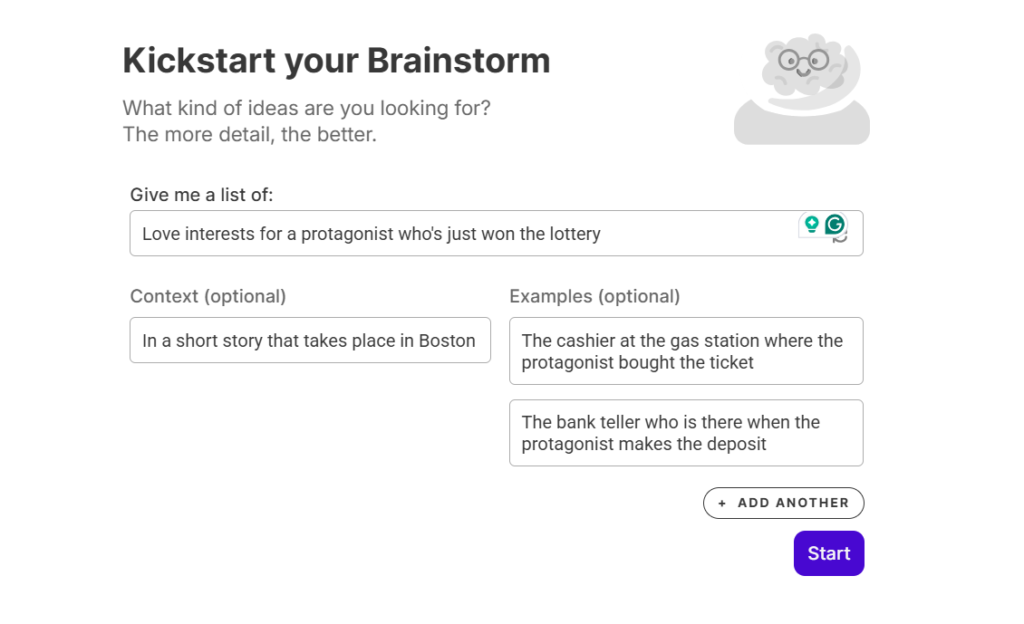
Use Sudowrite to create some ideas and rough scenes using the Scene tool. Develop new story direction with the Direction tool. Use the Describe and Sensory tools to develop a rich environment for dull or empty areas in your passage. Everything created by Sudowrite will be used as raw materials, so do not think of them as final writing.
Step 2: Revise for Your Style
Read your work out loud. If what you are reading doesn’t sound like you, rewrite it. Bring variations in the length of your sentences. Get rid of transition words created by AI. Add your point of view wherever possible because this will make your writing really yours.
Step 3: Check and Iterate for Clarity
Run a final review of your draft using Walter Writes. This tool will handle both AI detection and humanization all in one place. It will refine your AI-generated content to sound like a real human by adjusting tone to your liking and restructuring the sentences. It’s AI Detector for students will check your final draft against any probable detection risk to ensure that your document reads smoothly without having to switch between separate tools.

If you are also using ChatGPT alongside Sudowrite, you must know how ChatGPT detection works, how to use it ethically, rewrite output properly, and keep ownership of your own work.
FAQs
What is Sudowrite, and how does it work?
Sudowrite is a web-based application that is designed to assist you in writing fiction. It includes a writing area and a series of tools that will allow you to generate ideas, develop descriptions, rewrite your writing, and brainstorm with your writing. All actions performed by the Sudowrite AI require credits from your total monthly allowance.
Does Sudowrite have a free trial?
Yes. Sudowrite offers a free trial with around 10,000 credits and no credit card required. It is enough to test the core tools and get a feel for the workflow before committing to a paid plan.
How much does Sudowrite cost per month?
The Hobby & Student plan starts at $10/month billed annually or $19/month billed monthly. The Professional plan is $22/month annually or $29/month monthly. The Max plan may be purchased at an annual price of $44 per month or $59 per month without committing to an annual agreement.
Is Sudowrite good for beginners?
The main functions, such as Write, Describe, and Rewrite, are easy enough to learn that even new users can find them useful. But the greatest value of using the tool comes when you are writing for specific targeted goals, such as rewriting dialogue instead of attempting to write complete sections.
Can Sudowrite write an entire novel for you?
Not reliably. Sudowrite is able to create scenes and chapters using the Story Engine based on an outline, but the overall quality of its output degrades significantly when producing long-form drafts. Users generally see it as a draft-writing companion that requires much more than minimal editing before being ready for publishing.
Does Sudowrite work for non-fiction writing?
No. It is built and optimized for creative fiction. Using it for essays, research papers, or academic reports will produce prose with a narrative tone that does not fit those formats.
What AI models does Sudowrite use?
Sudowrite uses a mix of models, including their proprietary Muse model fine-tuned on published fiction, alongside models from OpenAI and Anthropic. Different models consume credits at different rates, with Muse generally producing the best fiction output but burning credits faster.
How does Sudowrite compare to ChatGPT for fiction writing?
Sudowrite was designed with built-in tools that support creating fiction like a Story Bible for tracking character history and models that have been specifically trained to recognize narrative style. ChatGPT is more flexible and has a free tier, but requires detailed prompting for fiction-quality output and loses story context in longer conversations.
Does Sudowrite store or use your writing to train its AI?
Sudowrite states that they do not take ownership of anything you create while using the tool. Please refer to their most recent Privacy policy for full information about how long they retain your personal and draft data and how your drafts are used to train their AI model.
What happens if you run out of credits on Sudowrite?
The AI features of the tool won’t work until your credit resets at the beginning of your next billing cycle. But if you need to have access to the AI parts of the tool right away, you can choose to purchase an upgraded plan in the middle of your billing cycle. There is no auto-refill or overcharge for unused credits.
Final Verdict: Is Sudowrite Worth It for Students?
Sudowrite is a solid creative writing assistant for ideation, structured fiction, and breaking through writer’s block. If your assignment involves creativity, then using this program will be a good choice.
Where the biggest gap exists is in the part of the process that matters most, which is producing a draft that sounds as if it was written naturally, reads clearly, and will stand before submission. This is where Walter Writes takes over, providing a single edit that will humanize your writing and check your work for AI detection so you feel confident when submitting.

Use Sudowrite to start writing. Use Walter Writes to finish.
If you need to rewrite AI content fast, try our AI humanizer - 300 words free, no signup required.
