



Key Takeaway: Google Scholar is a fine starting point, but the right tool depends on your field, your access, and how deep you need to go.
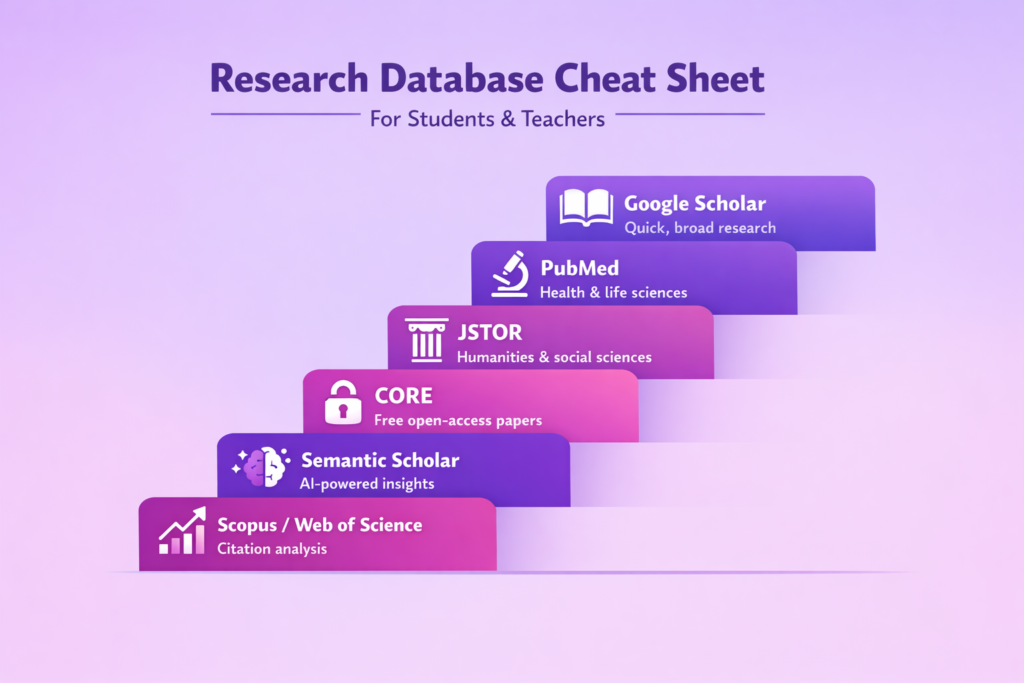
- Use Google Scholar for quick, broad searches across any field; use PubMed for health sciences, JSTOR for humanities and social sciences
- Use CORE when you hit paywalls; it pulls free full-text from university repositories worldwide
- Use Semantic Scholar when you need citation context and AI-powered recommendations
- Use Web of Science or Scopus for systematic reviews and citation network analysis (if your university has access)
- AI tools hallucinate citations; always verify sources in a real academic database
- Export to Zotero as you go; never format citations after the fact
It’s late at night. You’re sitting in front of a blank Google Search box, and you know the standard version of Google won’t work for your literature review. Your professor has stated that you can only use “peer-reviewed” sources, and you have no idea how to locate these outside of the usual search engines you normally use.
The good news is that most students use Google Scholar as their first line of defense for finding peer-reviewed journals. And they’re mostly right.
Based on the type of research project, your subject area, or whether you have an available subscription through your university library, you may be able to use other academic search engines and databases that will provide you with the same quality results much faster than Google Scholar.
In this article, we’ll discuss some of the best academic search engines, when to use them, and what they offer in terms of the ability to find credible, peer-reviewed sources. We’ll also provide you with a quick reference guide, which includes both student and teacher resources for choosing the right search engine for your research needs, so you don’t have to waste time searching for the right source.
Cheat Sheet for Students & Teachers
Below is your list of the best academic search engines:
- Use Google Scholar if: You need to quickly browse across many disciplines and you’d like to view citation counts at a glance.
- Use PubMed if: You’re conducting research in health or life sciences.
- Use JSTOR if: Your university provides access to JSTOR and you need to find humanities or social sciences journal articles.
- Use CORE if: You encounter paywalls and need to access free open access alternatives.
- Use Semantic Scholar if: You’d like to receive recommendations from an AI system and see citation context.
- Use Web of Science or Scopus if: You’re conducting serious citation analysis or systematic reviews (if you have access through your university library).
What’s the Difference Between an Academic Search Engine and an Academic Database?
This issue needs to be clarified as the two terms are often used interchangeably when discussing research strategies, and each has its own importance for the development of such strategies.
- An academic search engine crawls the web (similar to Google) and indexes scholarly content from multiple sources. It’s an aggregator. Examples of search engines include Google Scholar, BASE, and Semantic Scholar.
- An academic database is a curated collection that usually comes from publishers or institutions with controlled indexing and sometimes subscription access to its content. Examples of databases include JSTOR, MEDLINE/PubMed, Web of Science, and Scopus.
Why does this matter? Search engines provide a wide range of results and are generally quicker than databases, which provide a deeper level of research detail, quality controls, and sometimes direct access to the full text of articles your university has paid for.
The lines do blur in that there are free databases (like PubMed) which allow for searching similar to search engines, and there are search engines (like Google Scholar) which link to paid databases.
So, What Do We Recommend?
Use both! First, use a search engine to begin to explore a topic, then use one or more databases to dig deeper using only vetted, full-text resources.
How We’re Comparing Tools (Criteria That Actually Matter)
All academic search engines are not created equal. So, here’s what we’ll look at:
- Coverage and field bias: How much of the world’s information is included in the database? And are the included items from all fields or mainly from specific areas like science and technology? Some databases have a strong bias toward including only scientific studies, while other databases may have a bias toward including only social sciences or humanities.
- Filters: Are there ways to limit results based on criteria like peer review, date of publication, type of study, or methodology? These filters can help to distinguish between casual browsing and serious research.
- Citation chasing: Will the tool allow you to track back through citations to find papers referenced in another study, and also to identify other relevant papers? Citation tracking is especially important for the literature review.
- Export formats: Can you export citations and references into tools like Zotero, Mendeley, or EndNote? Exporting references is an important function for avoiding manual citation.
- Access: Is the database available for free, or are there access restrictions (like a paywall)? If there are restrictions, will you need to log in to a university database to gain access to the content?
- Reliability signals: Are there indicators of reliability available for the journals and articles listed in the database (like journal quality ratings, impact factor, or publisher name)? The presence of these indicators allows for rapid assessment of the credibility of potential sources.
Best All-Purpose Academic Search Engines (Broad Coverage)
These are your go-to tools when you need wide coverage and don’t want to get locked into one publisher or field.
| Search Engine | Best For | Cost | Key Strength |
|---|---|---|---|
| Google Scholar | General research across all fields | Free | Massive coverage, citation counts |
| Semantic Scholar | AI-powered recommendations | Free | Citation context, related papers |
| BASE | European and open-access content | Free | 350M+ documents, institutional repos |
| CORE | Free full-text access | Free | Open-access aggregation |
| Science.gov | U.S. federal research | Free | Government-funded studies |
Google Scholar
The baseline resource is free, fast, and has a vast number of journals and publications listed in many different disciplines. It also provides both citation count and ‘cited by’ link information, and sometimes it provides direct pdf access to articles.
There are some downfalls: no peer-reviewed filter options, and results may include preprints, conference papers, theses, technical reports, or other non - peer-reviewed materials alongside peer-reviewed journal articles. Although it does provide a basic ranking of relevance, it doesn’t always clearly indicate why an article was ranked in such a manner. Nonetheless, it’s one of the first places students look for academic resources and for good reason.
Semantic Scholar
The intelligent sibling to Google Scholar. Developed by AI researchers, it uses machine learning techniques to surface important papers and citations to papers, and show citation context (short excerpts of how other papers cite a particular source), making it a very valuable tool for locating relevant literature and providing an understanding of the broader impact of a paper beyond its citation count.
Its coverage is excellent in computer science and biomedical fields, and generally good, though perhaps slightly less so, than Google Scholar in the humanities field.
BASE (Bielefeld Academic Search Engine)
Contains over 350 million records and has a major emphasis on open access repository holdings. It may be a worthwhile check for students who have hit their limit at other search engines due to paywalls. Since it’s Europe-based, it may have a greater emphasis on institutional repositories, preprints, and theses.
CORE (COnnecting REpositories)
Aggregates open-access research from around the world. It’s particularly useful when students require free full-text access to an article. While CORE’s user interface isn’t as polished as Google Scholar, CORE does contain a wealth of information and has a very positive mission statement (to make research openly available).
Science.gov
A US government portal that allows searching of all federal science databases. It’s a specialized resource, but it’s a powerful resource for students doing research on topics related to federal research (climate, health, energy) since much of the research indexed by Science.gov is freely accessible, particularly publications produced directly by U.S. federal agencies, though some linked journal articles may still require institutional access
Best Academic Databases Students Use (Often via School/Library)
These require subscriptions, but if your school pays for them, they’re goldmines.
| Database | Best For | Access | Coverage |
| JSTOR | Humanities & social sciences | Paid (check library) | Journal articles, books, primary sources |
| PubMed/PubMed Central | Health & life sciences | Free | Medicine, biology, nursing |
| Web of Science | Citation analysis | Paid (check library) | Cross-disciplinary, premium features |
| Scopus | Systematic reviews | Paid (check library) | Citation networks, research metrics |
JSTOR
The database of choice for most students in the humanities or social sciences. If your university has paid for access, JSTOR is excellent for finding full-text journal articles, books, and primary sources. JSTOR’s interface is clean, allows for easy filtering, and provides stable, citable sources. It’s particularly strong in history, literature, philosophy, and sociology.
PubMed
Free to use and is the go-to for health and life sciences. It indexes millions of articles in medicine, biology, nursing, and related fields. PubMed Central is the free full-text archive linked to PubMed. If you’re in a health-related field, PubMed is essential. It uses controlled vocabulary (MeSH terms) to help you find exactly what you need.
Web of Science
Premium database that excels at citation analysis. If your school has access, you can track who cited a paper, visualize citation networks, and conduct systematic reviews. It’s cross-disciplinary but tends to favor STEM fields. It’s particularly useful for advanced research projects.
Scopus
Similar to Web of Science. This is another premium database with excellent citation tracking and research metrics. It’s useful for systematic reviews and understanding the impact of research. Scopus has slightly broader coverage than Web of Science in some areas, particularly in the social sciences.
Best Free and Open-Access Research Databases (When You Hit Paywalls)
Paywalls are brutal. Here’s how to get around them legally.
| Resource | Type | What You Get |
| CORE | Search engine | Millions of open-access papers |
| Science.gov | Government portal | Federally funded research |
| arXiv | Preprint server | Physics, math, CS (pre-peer review) |
| bioRxiv | Preprint server | Biology (pre-peer review) |
| SSRN | Preprint server | Social sciences (pre-peer review) |
CORE and institutional repositories
Your first stop. Universities provide an open repository of their researchers’ work, with many using institutional repositories. CORE accesses over a thousand university repositories.
Federal research at government portals
Science.gov is one example of a portal that allows you access to federally-funded research. If it was funded by U.S. taxpayer money, then you may be able to access it.
Preprint servers
ArXiv (physics/math), bioRxiv (biology), SSRN (social sciences). The preprint server provides copies of papers prior to peer review. The advantage of preprint servers is speed and cost-free access.
Use caution when referencing pre-printed papers, as they haven’t been peer reviewed. Be cautious in citing these sources as well, and verify all claims made in the sources, as these can be risky sources for definitive evidence. They’re excellent resources for “cutting-edge” knowledge.
Search Engine Stacks for Common Cases in Your Research
This is where we become strategic. Each assignment requires a unique approach.
Find Fast, Peer-Reviewed Sources for a Short Paper
You have to produce a 5-page paper in three days. You need credible sources, and your work doesn’t need to be perfect.
Your stack:
- Google Scholar is your first choice for speed.
- After that, cross-reference your results with your school’s library database (usually JSTOR or a subject-specific database that your school has paid for).
- If you run into a wall and can’t access an article through your school’s database, use CORE to bypass the paywall.
- Finally, export your citations directly to avoid formatting headaches when you submit your paper.
Conduct a Literature Review (Systematic & Reproducible)
You’re creating a comprehensive overview of the published research on a particular topic. You’ll need to document your search strategy.
Your stack:
- Use a discipline-specific database (PubMed for health sciences, IEEE Xplore for engineering, PsycINFO for psychology).
- Set up keyword alerts, so you receive notifications when new relevant papers are published.
- Citation chaining (find one high-quality paper and identify its citations and who has cited it) is also useful.
- Export all of your references to a reference manager immediately.
Identify Citations (“Who Cited This?”) & Create a Reading Trail
You identified a single excellent paper, and you want to determine who built upon it or what it cited.
Your stack:
- Google Scholar’s “Cited By” function is quick.
- Semantic Scholar provides citation context.
- If available to you, Web of Science or Scopus allows you to view the entire citation network and visually represent the relationships between papers.
Locate Books, Theses & Difficult to Find Sources
Sometimes, articles are insufficient for a research paper. You may need to locate a dissertation, conference papers, or books.
Your stack:
WorldCat searches library catalogs around the world. Look at your university’s institutional repository for theses. Use Google Scholar (it indexes some books and theses) and BASE (has a strong focus on European repositories).
Find Primary Sources (History, Policy, Archival Material)
You’re conducting research on historical events, government policy, or require original documents.
Your stack:
National Archives, government databases (Library of Congress, ERIC for Education), and specialized portals. Google Scholar won’t be able to assist you. You need domain-specific knowledge of where primary sources exist.
The Best Academic Search Engines: How They Work (Why Results Vary)
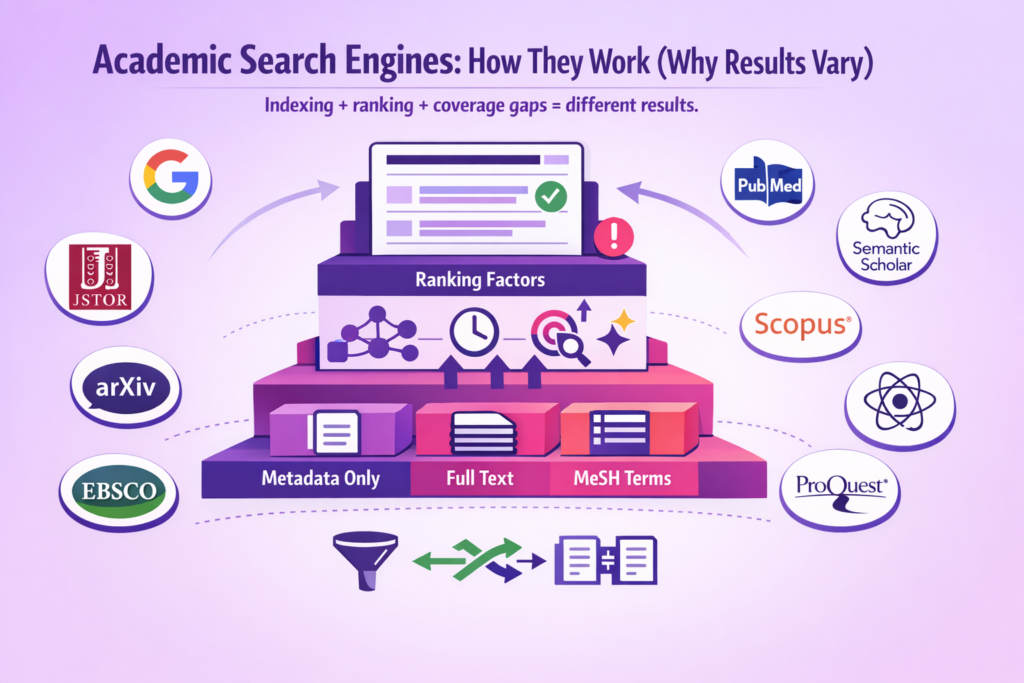
Knowing how these tools operate will allow you to understand your results and ultimately develop confidence (or skepticism) in those results.
What is indexed: Some engines index only metadata (title, abstract, keywords) while others index full-text. This affects which keywords you can search for and what is surfaced. Google Scholar attempts to index everything it finds. Disciplines like medicine and biology use controlled vocabulary (MeSH terms) to accurately conduct searches.
Ranking signals: Google Scholar uses a combination of citations and relevance to rank results. Academic databases typically default to either the most recent first or allow you to manually sort based on relevance, citations, or date. Semantic Scholar uses both citation-based ranking and AI-based influence scores.
Why some journals/fields are underrepresented: Not all publishers work with all search engines. Fields like the humanities tend to publish more in book form than in journals. Some languages may be indexed less than others. If you’re conducting research outside of STEM or Anglophone scholarship, the results will likely be skewed.
Implications for students: Don’t take top results at face value. The first paper may not be the best paper. It could simply have more citations or fit your keywords better. Use filters and cross-check results from multiple tools.
Evaluating Whether a Source Is Reliable
Once you’ve located sources, the next step is determining if they’re credible.
Peer-reviewed vs. non-peer-reviewed
Peer review is the process whereby experts in a field review and vet an author’s work prior to publication. While it’s not foolproof, it’s the gold standard of academia. Use database filters (PubMed, JSTOR) to limit your search to peer-reviewed sources. Google Scholar doesn’t filter peer review automatically.
Journal quality & publisher checks
All journals are not created equal. Predatory journals (pay-to-publish scams with little to no review) exist. Determine if the journal is listed in reputable databases. Check the journal’s impact factor or ranking within your discipline. Be wary of publishing companies you’ve never heard of unless you can verify them.
Author credibility & citations
Who authored this? Is the author affiliated with a university or research institution? Does anyone else cite their work? Google Scholar and Semantic Scholar display citation counts. Very low or zero citation counts over long periods can be a warning sign in some fields, though this varies by discipline, publication date, and research niche.
Recency & triangulation
How old is the source? As fields evolve quickly (like medicine or technology), older papers may be outdated. Older work can be foundational in fields like history or theory. Always triangulate: find several sources stating similar points before trusting a claim.
Teacher sidebar: What makes a source “defensible” in grading?
Teachers look for recognizable publishers, peer-reviewed journals, and clear methodology. If a student cites a random website or a pay-to-publish journal, it raises concerns. A source from JSTOR, PubMed, or a university press? Defensible. Teach students to ask themselves, “Could I explain why this source is trustworthy if my teacher challenged me?”
From Sources to Submission: Citations, Paraphrasing & Avoiding Accidental Plagiarism
You obtained credible sources. Now you must actually use them without committing plagiarism.
Practical workflow: Save sources to a reference manager as you go (Zotero is free and reliable). Add annotations to your PDFs containing notes about what you may use. Before you begin writing, outline your paper so you know where each source will fit. Cite as you write, not afterwards. Reformatting citations after you’ve written is a nightmare.
Paraphrase vs. quote vs. summary: Quoting involves using the author’s exact words (do so sparingly, include quotes, cite). Paraphrasing involves rewriting the author’s ideas in your own words (still cite, even though it’s not a direct quote). Summarizing involves reducing the main point of the authors’ ideas and then citing.
Students commonly make mistakes by changing a few words and considering that to be paraphrasing. That’s still plagiarism. Rewrite the concept, not the sentence.
If you’re having trouble paraphrasing without unintentionally replicating the author’s sentence structure or wording, there are tools that can assist you. View our guide on research paper plagiarism for practical tips on maintaining originality.
Where Walter Writes Fits in After Research (Write Clearly + Avoid AI Detection)
You obtained credible sources. You correctly cited them. Now your draft sounds like a robot wrote it, or worse, like you’re attempting to sound overly academic and your writing is awkward.
Here’s where most students get stuck: translating research into readable, submission-ready writing. You know what you want to express, but your sentences are wordy. Alternatively, you used AI to help create sections of the paper, and you’re now concerned with detection.
Walter Writes assists you in refining your writing after you’ve conducted research. Use it to clarify confusing writing, smooth out awkward sentence structures, and remove writing patterns that can lead to AI detection. It’s not about cheating. It’s about expressing your ideas in a way that allows readers to easily follow your arguments, and your writing doesn’t result in a false positive for plagiarism detection.
Use our AI Humanizer for Students to refine drafts without sacrificing your voice. Test your work using our AI Detector to see how detection tools will interpret your work. Additionally, if you’re juggling grammar along with the rest of your responsibilities, look at the Best Grammar Checkers That Actually Work for Academic Writing.
AI Tools vs Academic Search Engines (Are They Replacing Them?)
ChatGPT can summarize subjects. Perplexity can compile information. Can academic search engines even continue to be needed?
Short answer: Yes. Here’s why.
- What AI is good for: Exploring topics when you’re unsure of where to begin. Expanding keywords (identifying related terms you hadn’t previously considered). Providing quick explanations of complex concepts. Generating research angles.
- What it can’t replace: Verifiably sourced research. AI tools generate fictional citations. You can’t submit a paper citing nonexistent references and expect it to pass. Reproducibility is essential in research, and “I asked ChatGPT” isn’t a reproducible search strategy. Stable citations enable you to verify the source. AI-generated output is altered with each query.
- Bias, hallucination & policy risk: AI models inherit biases from training data. They confidently declare untruths. Many schools have strict AI policies. Using AI to generate research content can violate academic integrity policies, regardless of intent to plagiarize.
- The intelligent move? Use AI for exploration and brainstorming, and then verify everything using actual academic search engines and databases. Consider AI to be a research assistant that’s enthusiastic but unreliable. Consider scholarly search engines to be fact-checkers.
FAQ About Academic Search Engines
What are the best academic search engines?
Google Scholar is the most widely used because it’s free, quick, and cross-disciplinary. However, “best” is relative to the discipline and task. PubMed is better suited for health science. Semantic Scholar is better for citation context. JSTOR is better for humanities (if you have access).
What is the best alternative to Google Scholar?
Semantic Scholar for AI-based recommendations, CORE for free open-access content, and BASE for wider institutional repository coverage. If you’re in a specific discipline, use a discipline-specific database (PubMed for medicine, IEEE Xplore for engineering).
Are academic search engines free to use?
Most of them are. Google Scholar, Semantic Scholar, BASE, CORE, PubMed, and Science.gov are all free.”Free to search” doesn’t necessarily mean “free to access full text.” You’ll encounter paywalls unless your school has subscribed to the journals or the articles are open access.
What search engines do researchers use?
It depends on the researcher’s discipline. Researchers in STEM fields (medicine, biology) use PubMed, IEEE Xplore, Web of Science, and Google Scholar. Humanities (English, history) use JSTOR, Project Muse, and Google Scholar. Social sciences (psychology, sociology) use a mix of JSTOR, Google Scholar, and field-specific databases (PsycInfo, ERIC).
According to Reddit threads, researchers use whatever tools will allow them to gain access, which is usually a combination of tools.
Which academic databases are best for students?
Begin with the databases your school has subscribed to. JSTOR (humanities/social sciences), PubMed (health), and IEEE Xplore (engineering) are typical choices. Google Scholar is the free default option everyone uses. CORE is a good option to use when you encounter a paywall.
How do academic search engines operate?
They crawl and index scholarly content (journal articles, dissertations, conference papers, books) and make the content searchable. Some tools index only metadata (title, abstract, keywords), others index the full-text. This impacts what keywords you can search for and what is surfaced. Google Scholar attempts to index all content it can discover. Discipline-specific databases (like PubMed) use controlled vocabularies (MeSH terms) to provide accurate searches.
What is the difference between academic databases and search engines?
Search engines crawl the web to aggregate content from multiple sources (like Google Scholar). Databases are curated collections of content maintained by publishers or institutions, and often contain subscription-based content (like JSTOR or Web of Science). The lines between the two blur, with some “databases” being free and searchable like engines.
Can teachers see where students obtain their sources?
Not directly, but teachers can examine your citations. If you list the sources in your bibliography, teachers can verify them. Teachers can detect fake citations, predatory journals, and sources that don’t support your paper’s assertions. Proper citation management is important. Don’t cite sources you didn’t read or sources that don’t exist (yes, AI-generated fake citations occur).
What is the most trustworthy source for academic research?
Peer-reviewed journal articles from reputable publishers are the gold standard. Books from university presses are solid. Reports from governments and data for specific topics are reliable for certain topics. Avoid random websites, Wikipedia (for citations, fine for background), and predatory journals. When in doubt, ask yourself: Would my professor accept this?
Are AI tools replacing academic search engines?
No. AI can assist with exploration and brainstorming, but AI can’t replace the verifiable, replicable sourcing that research requires. AI generates fictional citations, can’t provide stable references, and violates academic integrity policies. Use AI for exploration, then verify everything with real scholarly search engines.
Your Fruitful Research Action Plan
Here’s your action plan: Choose one search engine, one database, and one workflow habit.
For students: Begin with Google Scholar + your school’s main database (check your school portal) + CORE for paywalls. Establish a reference manager today (Zotero is free). Cite as you write. That’s your stack.
For teachers: Expect students to use Google Scholar and one discipline-specific database. Teach students to evaluate sources (peer review, publisher, and author credibility). Verify that your student’s citations are real and not AI-generated. Make “defensible sourcing” part of your rubric.
Research is about finding the right information and using it well. Pick the right tools, verify your sources, and build habits that make the process smoother every time. You’ve got this.
